
Default commands
Runs configurable default commands on world creation and player join, or server startup.
Screenshots
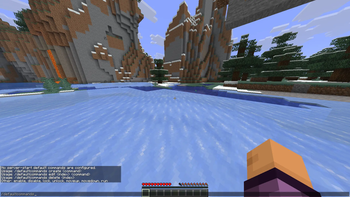
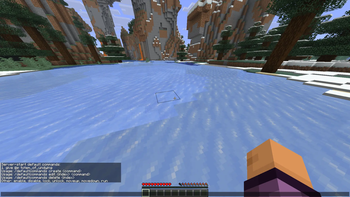
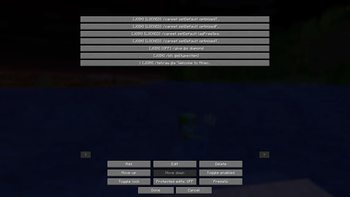
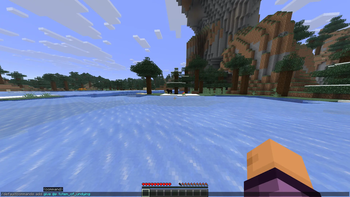
About this Mod
Default Commands
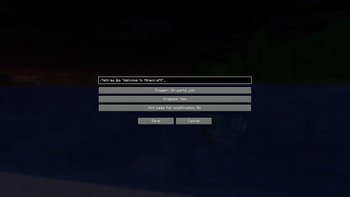
Default Commands is a small Fabric mod that automatically runs your configured commands when a world is created, when a player joins, or when a server starts.
It is built for players and server owners who always find themselves typing the same setup commands: gamerules, Carpet defaults, scoreboard setup, datapack initialization, testing helpers, admin utilities, and other world/server bootstrap commands.
Features
- Run commands automatically when a player joins a world
- Run commands once when a new world is created
- Run commands every time a dedicated or integrated server starts
- Manage commands through Mod Menu on the client
- Manage server-start commands in-game with
/defaultcommands - Supports command presets
- Supports protected/locked entries to avoid accidental edits
- Works even when cheats are disabled, because commands execute with server-level permissions
- Stores configuration in
config/default_commands.json
Command Triggers
Default Commands supports three trigger types:
On Server Start
Runs when the Minecraft server finishes starting.
Best for server-wide world tests setups, such as:
/function ...
/gamerule doDaylightCycle false
/carpet setDefault optimizedTNT true
/scoreboard objectives add deaths deathCount
Available Versions
How to Install Default commands on Your Server
Order Server
Order a Minecraft Java server with at least 3 GB RAM (4 GB recommended).
Set fabric Loader
In the panel under "Egg", select the fabric loader and matching Minecraft version (1.21.11).
Install Mod
Open the mod browser in the dashboard and search for "Default commands". Click "Install" – done! Alternatively, upload the .jar via SFTP to the /mods folder.
Compatibility
Mod Loaders
Minecraft Versions
1.21.11
Server-side
✓ RequiredRecommended RAM
4 GB(min. 3 GB)Frequently Asked Questions
Default commands server crashes on startup – what to do?
Most common cause: wrong fabric version or insufficient RAM. Check the server log (latest.log) for "OutOfMemoryError" or "Mixin" errors. With Mado Hosting: ensure at least 3 GB RAM is allocated and the loader matches the mod version (1.21.11). You can switch loaders with one click in the panel.
Is Default commands compatible with fabric?
Default commands officially supports fabric for Minecraft 1.21.11. The Mado dashboard automatically detects incompatible loader combinations.
Server lagging with Default commands – how to optimize performance?
Recommended RAM: 4 GB (per 8 players). Use /spark profiler to check if Default commands consumes the most tick time. Common fixes: reduce server view-distance to 8-10, install "performant" or "starlight" as supplementary mods on Forge. With Mado Hosting, your server runs on NVMe SSDs with dedicated CPU cores for minimal latency.
Similar Mods




Rent Modded Server
Install Default commands with just one click on your server.