
Delta-calc
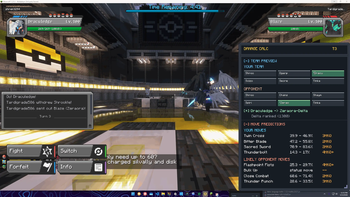
DeltaCalc is a client-side utility mod for Cobblemon Delta that adds an in-battle damage calculator, expanded battle overlays, richer tooltips, and team indicators. It helps players read battle state faster and make better decisions without changing Cobble
Screenshots
About this Mod
DeltaCalc
DeltaCalc is a client-side utility mod for Cobblemon Delta on Fabric 1.21.1.
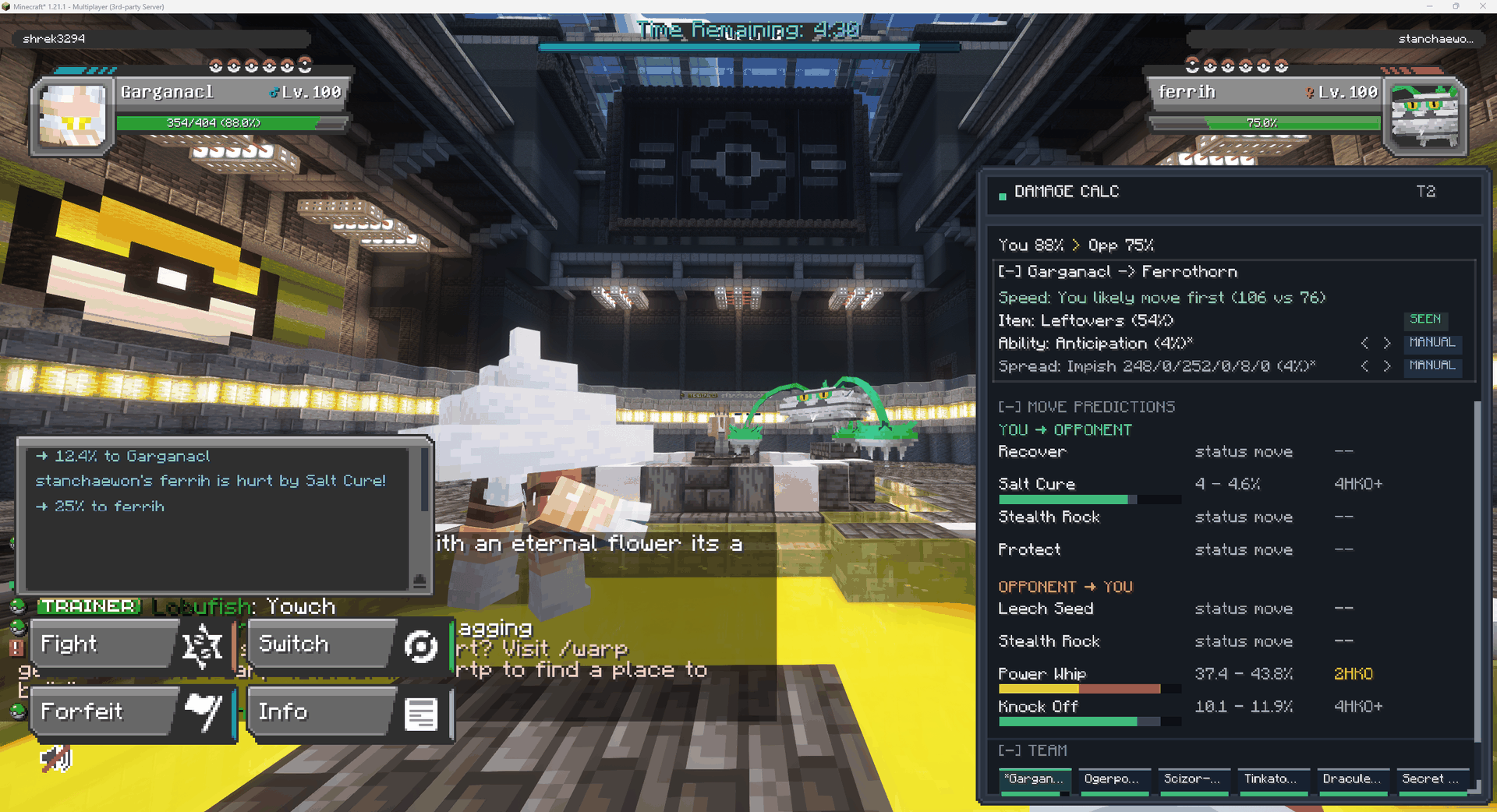
It adds an in-battle damage calculator, expanded battle overlays, richer tooltips, team indicators, and optional battle-state export for external analysis tools. The goal is to make battle information easier to read and act on without changing Cobblemon's core mechanics, while supporting the custom Pokemon that the Delta mod adds.
Features
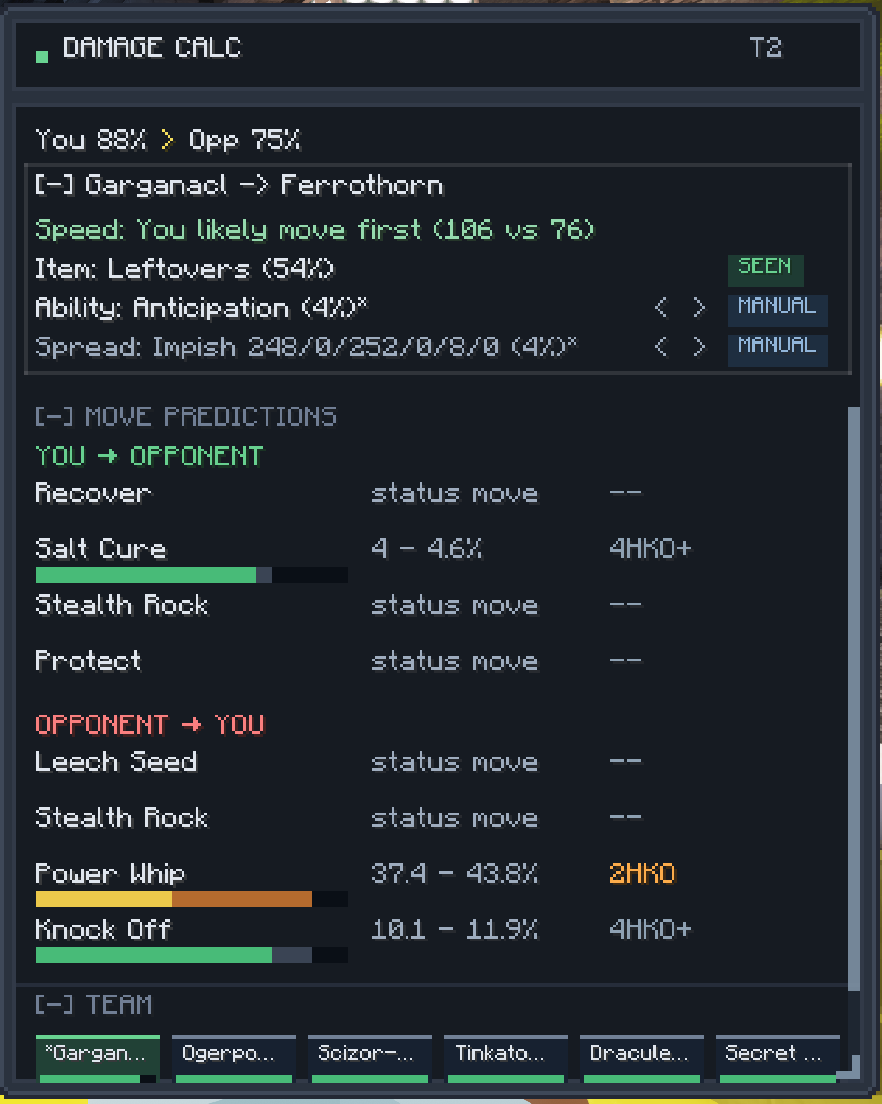
- Live damage calculator panel that updates every turn for both your moves and the opponent's
- Opponent set inference (Item, Ability, EV Spread, moves) drawn from Delta ranked usage stats
- Manual overrides on the calc summary — left-click to cycle through alternatives when you know better than the average, right-click to reset
- Battle info overlays for weather, terrain, side conditions, and boosts
- Team indicators with richer tooltip information
- Improved move and battle log readability
- Optional structured battle-state export for external tools
How DeltaCalc Works
DeltaCalc reads the battle information already available to your client during a Cobblemon Delta battle and turns it into a live snapshot for damage estimation. It tracks the active Pokemon, revealed moves, stat stages, HP state, weather, terrain, side conditions, and the rest of the battle context that affects damage.
For the actual calculations, DeltaCalc uses Cobblemon's species data, move data, typing, and the live battle state to build a best-effort damage model in real time. When something hasn't been revealed yet — such as the opponent's exact EV spread, item, or unrevealed moves — DeltaCalc makes a reasonable inference and tightens it as the battle progresses.
Inferences are drawn from:
- A database of the highest-usage sets from the Cobblemon Delta Ranked Usage Analytics site
- The #custom-pokemon threads in the official Cobblemon Delta Discord (for Delta-original mons)
- The most-used OU Singles sets from Smogon (for vanilla Cobblemon species)
Data Sources
DeltaCalc is based on:
- Battle state visible to the client during combat
- Revealed information from the current battle
- Cobblemon's Pokemon, move, type, and stat data
- Active field effects (weather, terrain, screens, boosts, hazards)
- Smogon OU Singles usage stats
- Ranked Usage Analytics for Cobblemon Delta
- The Cobblemon Delta Discord's custom-Pokemon threads
It does not magically know hidden server-side information. If something has not been revealed yet, the calculator treats it as an estimate rather than a confirmed value.
Similar To Showdex
If you've used Showdex on Pokemon Showdown, the idea is similar: provide live damage calculations and battle context directly in the battle UI so you don't have to tab out to a separate calculator. DeltaCalc brings that same workflow to Cobblemon Delta, adapted to Cobblemon battles and the information available in-game.
Optional Dependencies
- Mod Menu (strongly suggested — gives you a settings UI)
- Cloth Config
Notes
- DeltaCalc is client-side only
- Servers do not need to install it for the UI features to work on your client
- Battle export is optional and can be configured or disabled
Available Versions
How to Install Delta-calc on Your Server
Order Server
Order a Minecraft Java server with at least 3 GB RAM (4 GB recommended).
Set fabric Loader
In the panel under "Egg", select the fabric loader and matching Minecraft version (1.21.11).
Install Mod
Open the mod browser in the dashboard and search for "Delta-calc". Click "Install" – done! Alternatively, upload the .jar via SFTP to the /mods folder.
Compatibility
Mod Loaders
Minecraft Versions
1.21.11, 1.21.10, 1.21.9 (+8 more)
Server-side
✗ UnsupportedRecommended RAM
4 GB(min. 3 GB)Frequently Asked Questions
Delta-calc server crashes on startup – what to do?
Most common cause: wrong fabric version or insufficient RAM. Check the server log (latest.log) for "OutOfMemoryError" or "Mixin" errors. With Mado Hosting: ensure at least 3 GB RAM is allocated and the loader matches the mod version (1.21.11). You can switch loaders with one click in the panel.
Is Delta-calc compatible with fabric?
Delta-calc officially supports fabric for Minecraft 1.21.11, 1.21.10, 1.21.9. The Mado dashboard automatically detects incompatible loader combinations.
Server lagging with Delta-calc – how to optimize performance?
Recommended RAM: 4 GB (per 8 players). Use /spark profiler to check if Delta-calc consumes the most tick time. Common fixes: reduce server view-distance to 8-10, install "performant" or "starlight" as supplementary mods on Forge. With Mado Hosting, your server runs on NVMe SSDs with dedicated CPU cores for minimal latency.
Similar Mods




Rent Modded Server
Install Delta-calc with just one click on your server.