
Design 'N' Decor: Recrafted
Makes Create: Design 'N' Decor work on 1.20.1
Screenshots
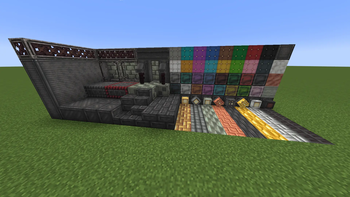
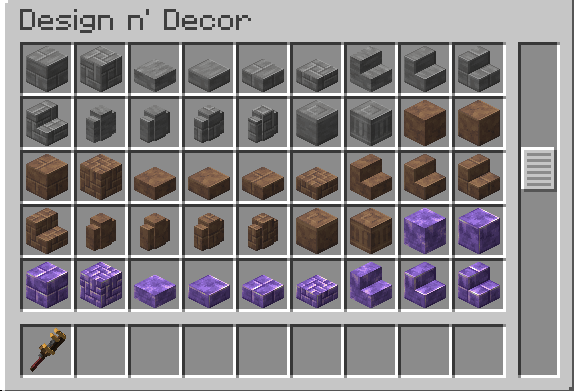
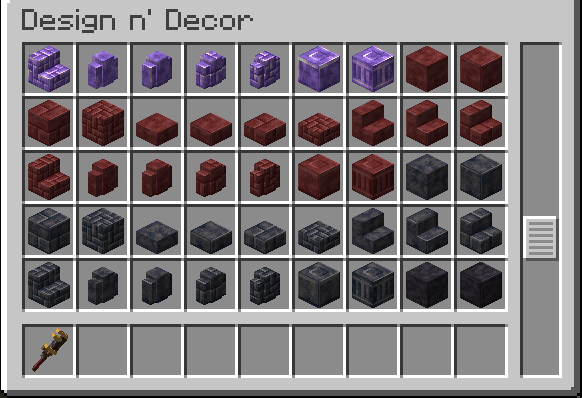
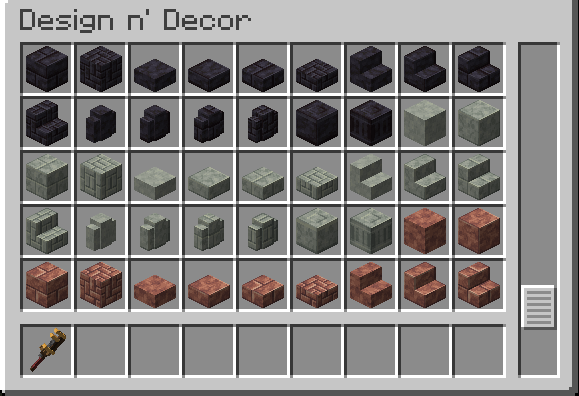
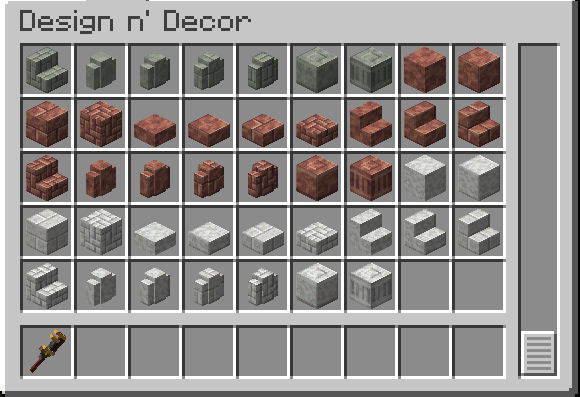
About this Mod
⚠️This is not a compatibility layer nor it fixes the original Design 'N' Decor.
⚠️This project is not affiliated in any way with Design 'N' Decor. Don't report issues to them.
❌ Various blocks from 2.1.0 are still missing, this is in beta!
Installation:
The installation process of this mod is the same as for any other mod, simply add the jar file in your mod folder.
This is not all though. To make the mod properly work, you have to also put a correct Design 'N' Decor jar in the mod folder. The correct jar version is shown in the table below.
For any problems during the installation, refer to my discord server.
| Mod Version | DnD Version |
|---|---|
| 1.0.0 | 1.21.1 - 2.1.0 |
| 1.0.1 | 1.21.1 - 2.1.0 |
| 1.0.2 | 1.21.1 - 2.1.0 |
How does this mod work?
This section is a bit more technical. It requires a bit of modding and Java knowledge. Don't worry if you don't undestand, this is for curious people only and you are not required to read this.
The mod code has been written by me by also taking some parts of it from Design 'N' Decor. So far, it's all allowed. The problem comes when you have to use the DnD textures and assets, those are All Right Reserved so i can't publish them (unlike the code that is licensed MIT).
To solve this issue, in the addPackFinders() event this mod searches for a valid DnD jar in the mods folder, it then builds a FileSystem to extract the assets from the jar and it builds a resourcepack with those assets so that they can be used later as parents models or directly as textures.
All of this is totally allowed by the mod license, which states:
"You are permitted to use and adapt the assets as long when uploading/publishing, the said person need to obtain the download from said VDL provided by license also."
This mod neither contains nor redistributes the assets, so it's allowed. For this reason, I reiterate that:
⚠️ NO ORIGINAL ASSETS ARE INCLUDED IN THIS MOD ⚠️
If you are curios to know in-dept how the code works, you can view it on my GitHub.
Available Versions
How to Install Design 'N' Decor: Recrafted on Your Server
Order Server
Order a Minecraft Java server with at least 3 GB RAM (4 GB recommended).
Set forge Loader
In the panel under "Egg", select the forge loader and matching Minecraft version (1.20.1).
Install Mod
Open the mod browser in the dashboard and search for "Design 'N' Decor: Recrafted". Click "Install" – done! Alternatively, upload the .jar via SFTP to the /mods folder.
Compatibility
Mod Loaders
Minecraft Versions
1.20.1
Server-side
✓ RequiredRecommended RAM
4 GB(min. 3 GB)Frequently Asked Questions
Design 'N' Decor: Recrafted server crashes on startup – what to do?
Most common cause: wrong forge version or insufficient RAM. Check the server log (latest.log) for "OutOfMemoryError" or "Mixin" errors. With Mado Hosting: ensure at least 3 GB RAM is allocated and the loader matches the mod version (1.20.1). You can switch loaders with one click in the panel.
Is Design 'N' Decor: Recrafted compatible with forge?
Design 'N' Decor: Recrafted officially supports forge for Minecraft 1.20.1. The Mado dashboard automatically detects incompatible loader combinations.
Server lagging with Design 'N' Decor: Recrafted – how to optimize performance?
Recommended RAM: 4 GB (per 8 players). Use /spark profiler to check if Design 'N' Decor: Recrafted consumes the most tick time. Common fixes: reduce server view-distance to 8-10, install "performant" or "starlight" as supplementary mods on Forge. With Mado Hosting, your server runs on NVMe SSDs with dedicated CPU cores for minimal latency.
Similar Mods

![[ETF] Entity Texture Features](https://cdn.modrinth.com/data/BVzZfTc1/af683d206d50b05258d865b0d6e4aa2f2cee12f2_96.webp)
![[EMF] Entity Model Features](https://cdn.modrinth.com/data/4I1XuqiY/6e5bbd0d06b1741bfdab6c0cfab6de8fdaf0064c_96.webp)



Rent Modded Server
Install Design 'N' Decor: Recrafted with just one click on your server.