
Dimension Expansion
Designed for 1.21.1, add new dimensions to your modpack with teleporter blocks and fun new features. Deep Beneath, Mining Dim and Stoneblock. More to come!
Screenshots
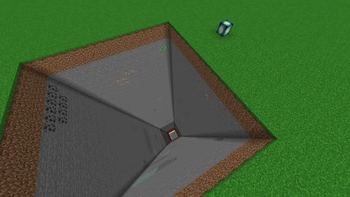
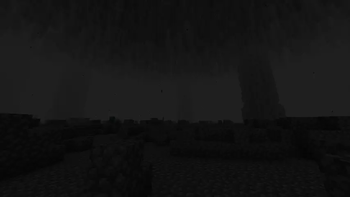
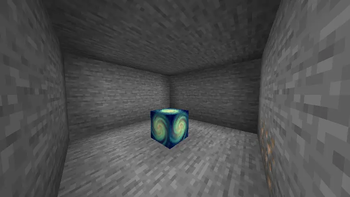
About this Mod
Dimension Expansion
A Dimension Mod for Minecraft 1.21.1, inspired by Extra Utilities 2 – Deep Dark and The Beneath / Deep Dank Discover The Deep Beneath, a vast underground realm of eternal night, thick darkness, and relentless danger.
The Mining Dimension inspired by Aroma1997s Dimensional World as well as other more modern takes on Mining Dimensions. Our mining dimension is flat with no features except ores underground.
And a Stoneblock dimension, which is only working conceptually. It's obviously inspired by the same named modpacks but really the goal here is to add a dimension that could be utilized in modpacks for different purposes or maybe in lieu of the mining dimension.
The Mining Dimension
A peaceful alternative for resource gathering.
- A superflat world with a large layer of Stone, then Deepslate, then Netherrack and then End Stone with ores in each layer. but with no caves or caverns.
- Completely free of hostile mobs.
- Higher Y-level (Y=208) terrain for large-scale mining or automation builds.
The Stone Block Dimension (not fully implemented)
A true builder’s dream — or miner’s challenge.
- Solid from bedrock to bedrock (-64 to 320).
- Filled entirely with stone and deepslate, packed with ores.
Fully Data-Driven and Customizable
All dimensions are configurable via datapacks, letting you tweak:
- Ores and biome features
- Mob behavior and spawn rates
- Noise settings, blocks, and light rules
For modpack developers, this means you can completely reshape these worlds without touching code.
See the GitHub Wiki for detailed guides on datapack customization, noise settings, and mod integration.
Actively Developed
These dimensions are only the beginning — expect more biomes, structures, and challenges in future updates. Have ideas or feedback? We’d love to hear from you.
Need Help or Want to Share Your Builds? Join our Discord — the community is always growing, and we can’t wait to see what you create!
Available Versions
How to Install Dimension Expansion on Your Server
Order Server
Order a Minecraft Java server with at least 4 GB RAM (6 GB recommended).
Set neoforge Loader
In the panel under "Egg", select the neoforge loader and matching Minecraft version (1.21.1).
Install Mod
Open the mod browser in the dashboard and search for "Dimension Expansion". Click "Install" – done! Alternatively, upload the .jar via SFTP to the /mods folder.
Compatibility
Mod Loaders
Minecraft Versions
1.21.1
Server-side
✓ RequiredRecommended RAM
6 GB(min. 4 GB)Frequently Asked Questions
Dimension Expansion server crashes on startup – what to do?
Most common cause: wrong neoforge version or insufficient RAM. Check the server log (latest.log) for "OutOfMemoryError" or "Mixin" errors. With Mado Hosting: ensure at least 4 GB RAM is allocated and the loader matches the mod version (1.21.1). You can switch loaders with one click in the panel.
Is Dimension Expansion compatible with neoforge?
Dimension Expansion officially supports neoforge for Minecraft 1.21.1. The Mado dashboard automatically detects incompatible loader combinations.
Server lagging with Dimension Expansion – how to optimize performance?
Recommended RAM: 6 GB (per 5 players). Use /spark profiler to check if Dimension Expansion consumes the most tick time. Common fixes: reduce server view-distance to 8-10, install "performant" or "starlight" as supplementary mods on Forge. With Mado Hosting, your server runs on NVMe SSDs with dedicated CPU cores for minimal latency.
Similar Mods




![[ETF] Entity Texture Features](https://cdn.modrinth.com/data/BVzZfTc1/af683d206d50b05258d865b0d6e4aa2f2cee12f2_96.webp)
![[EMF] Entity Model Features](https://cdn.modrinth.com/data/4I1XuqiY/6e5bbd0d06b1741bfdab6c0cfab6de8fdaf0064c_96.webp)
Rent Modded Server
Install Dimension Expansion with just one click on your server.