
DocBlocks
DrWho meets Sugarcane - Fandom Mod The Shopkeeper, a Minecraft mod that meets the Whoniverse in it's own made to measure way.
Screenshots
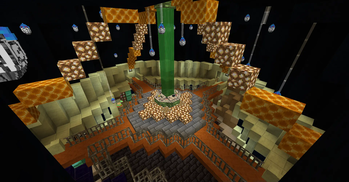
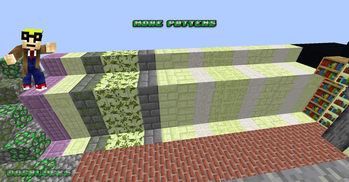
About this Mod

Welcome to our mod, DocBlocks is based in the Whoniverse but with the style of Minecraft with the connection to sugarcane.
This mod is based around a Time Lord called The Shopkeeper, this Time Lord as been missing for 1000's of years and as become a myth but
the Minecraft Universe has been altered for good because of The Shopkeeper, some say for the better, some say for the worse.

Our TARDIS is based in a custom Dimension, there is nothing else in this dimension, we have hidden two Airlocks on the TARDIS so you can use this to get out and create other farms or builds outside the main TARDIS. Our TARDIS s a one time thing, there is only one The Shopkeeper there for there is only one TARDIS. The future of the TARDIS and the player ownership will researched over time.


For now please use JEI or likes to get the recipes.
Older versions of DB before 1.16.5
Page Here
Usage in mod packs:
You may use this in you mod pack, if you do though please tell me so I can pass it on to the person I created it for so he knows who is using it.
Available Versions
How to Install DocBlocks on Your Server
Order Server
Order a Minecraft Java server with at least 3 GB RAM (4 GB recommended).
Set forge Loader
In the panel under "Egg", select the forge loader and matching Minecraft version (1.20.1).
Install Mod
Open the mod browser in the dashboard and search for "DocBlocks". Click "Install" – done! Alternatively, upload the .jar via SFTP to the /mods folder.
Compatibility
Mod Loaders
Minecraft Versions
1.20.1
Server-side
✓ RequiredRecommended RAM
4 GB(min. 3 GB)Frequently Asked Questions
DocBlocks server crashes on startup – what to do?
Most common cause: wrong forge version or insufficient RAM. Check the server log (latest.log) for "OutOfMemoryError" or "Mixin" errors. With Mado Hosting: ensure at least 3 GB RAM is allocated and the loader matches the mod version (1.20.1). You can switch loaders with one click in the panel.
Is DocBlocks compatible with forge?
DocBlocks officially supports forge for Minecraft 1.20.1. The Mado dashboard automatically detects incompatible loader combinations.
Server lagging with DocBlocks – how to optimize performance?
Recommended RAM: 4 GB (per 8 players). Use /spark profiler to check if DocBlocks consumes the most tick time. Common fixes: reduce server view-distance to 8-10, install "performant" or "starlight" as supplementary mods on Forge. With Mado Hosting, your server runs on NVMe SSDs with dedicated CPU cores for minimal latency.
Similar Mods

![[ETF] Entity Texture Features](https://cdn.modrinth.com/data/BVzZfTc1/af683d206d50b05258d865b0d6e4aa2f2cee12f2_96.webp)
![[EMF] Entity Model Features](https://cdn.modrinth.com/data/4I1XuqiY/6e5bbd0d06b1741bfdab6c0cfab6de8fdaf0064c_96.webp)



Rent Modded Server
Install DocBlocks with just one click on your server.