
Door Locker
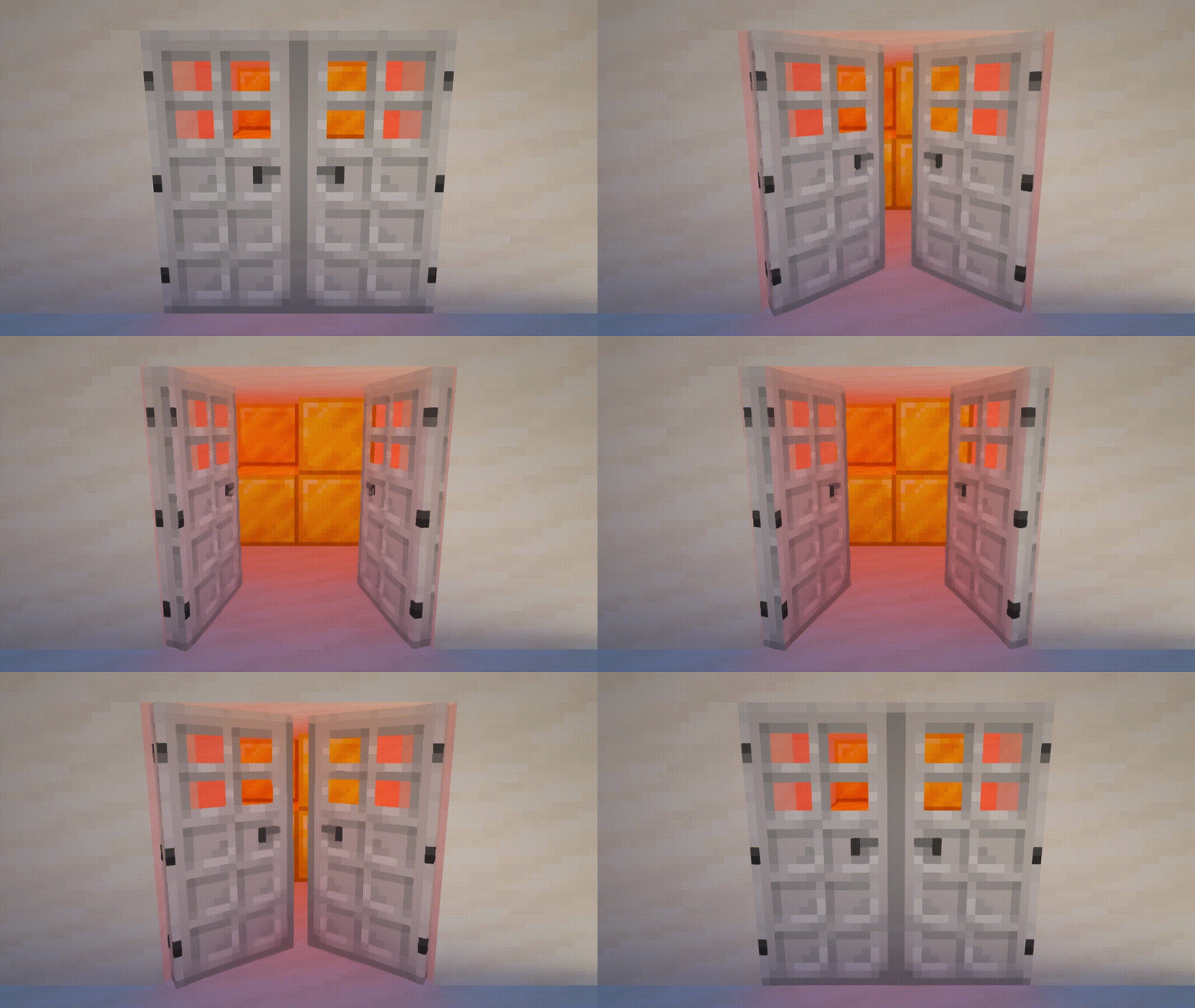
Adds the ability to lock doors, trapdoors, fance gates, levers and buttons. You can also make animated doors.
Screenshots
About this Mod
Description
This datapack adds the ability lock doors, trapdoors, fance gates, levers and buttons.
You can also make animated doors.
Recipes
Door Locker

Sets the password for supported blocks. Before use, you must rename on the anvil. Must be applied on the inside of the block.
The locker owner can always open their locks without a password!
Tip: If you remove the name (just set the name as a space) then Door Locker will not have a password, which is good for double doors if you don't need a password.
Animated Door

Turns a locked door into an animated version of the door. Doesn't change password. After that, the door cannot be opened / closed using redstone or villagers.
Works for doors only.
Delocker

Allows the owner of the lock to completely remove the lock from the block. Door Locker will not be returned. When removing a lock from an animated door, the doors will be dropped as items.
For mapmakers
You can use this datapack in your project, just provide a link to this page in credits.
You can use any item with custom text in the item name as a key.
You can get Door Locker with key name in two ways:
- Take your key to the door in your main hand and run this command in chat:
loot give @s loot door_locker:door_locker
- Take your key in the second hand, and Door Locker in the main hand, then run this command in chat:
item modify entity @s weapon door_locker:copy_name
Also available such modifiers for keys:
Make the key one-time use:
item modify entity @s weapon door_locker:melt
Remove password for Door Locker:
item modify entity @s weapon door_locker:unlock
Remove password for Door Locker but without sounds and particles:
item modify entity @s weapon door_locker:unlock/no_sound
You can apply multiple modifiers to keys. The modifier will only work if the password matches. Door Locker checks only iten Name and does not check ID, Lore and any other data.
Available Versions
How to Install Door Locker on Your Server
Order Server
Order a Minecraft Java server with at least 3 GB RAM (4 GB recommended).
Set datapack Loader
In the panel under "Egg", select the datapack loader and matching Minecraft version (1.21.8).
Install Mod
Open the mod browser in the dashboard and search for "Door Locker". Click "Install" – done! Alternatively, upload the .jar via SFTP to the /mods folder.
Compatibility
Mod Loaders
Minecraft Versions
1.21.8, 1.21.7, 1.21.6 (+81 more)
Server-side
✓ RequiredRecommended RAM
4 GB(min. 3 GB)Frequently Asked Questions
Door Locker server crashes on startup – what to do?
Most common cause: wrong datapack version or insufficient RAM. Check the server log (latest.log) for "OutOfMemoryError" or "Mixin" errors. With Mado Hosting: ensure at least 3 GB RAM is allocated and the loader matches the mod version (1.21.8). You can switch loaders with one click in the panel.
Is Door Locker compatible with datapack and fabric and forge and quilt?
Door Locker officially supports datapack, fabric, forge, quilt for Minecraft 1.21.8, 1.21.7, 1.21.6. Note: Forge and Fabric mods are NOT cross-compatible – pick one loader and stick with it. The Mado dashboard automatically detects incompatible loader combinations.
Server lagging with Door Locker – how to optimize performance?
Recommended RAM: 4 GB (per 8 players). Use /spark profiler to check if Door Locker consumes the most tick time. Common fixes: reduce server view-distance to 8-10, install "performant" or "starlight" as supplementary mods on Forge. With Mado Hosting, your server runs on NVMe SSDs with dedicated CPU cores for minimal latency.
Similar Mods




Rent Modded Server
Install Door Locker with just one click on your server.