Datapack Installer
A mod which allows you to select datapacks, compressed or as a folder, inside a folder during world creation without having to copy them.
Screenshots
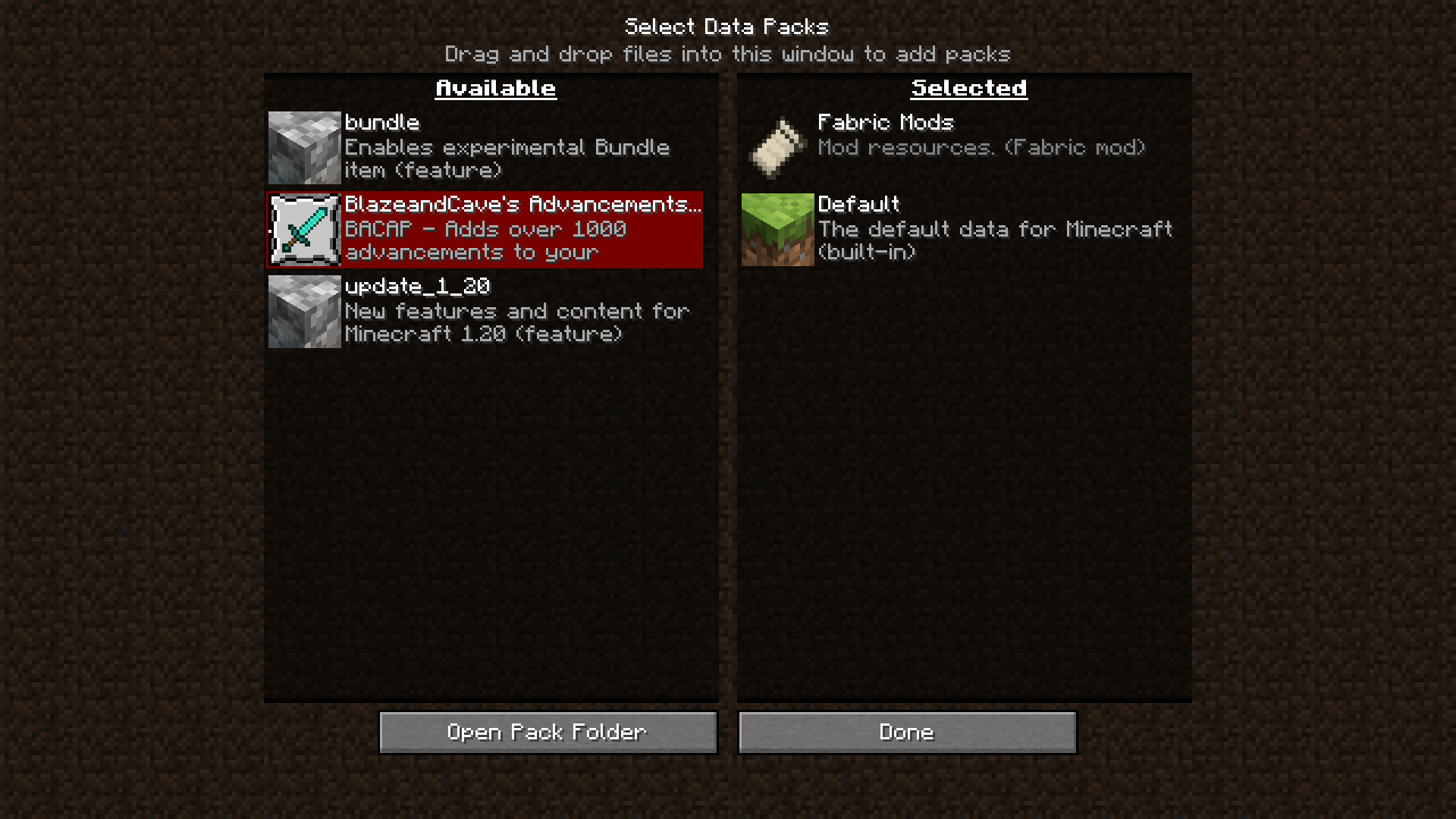
About this Mod
Datapack Installer
A Minecraft (Fabric) mod. When installed on the client, data packs put into the
data pack folder will be available for selection during world creation as well
as while paused in Singleplayer. When installed on the server, data packs put
into the data pack folder will be copied to the active world when the server
starts.
Advantages
On the client, this mod works with the ingame resource and data pack selector.
While creating a world, or while paused in Singleplayer, you can choose which
data packs to enable or disable with an interactive screen.
On the server, all that happens is that the data packs are copied from the
mod's data pack folder to the world data pack folder whenever the server
starts. If you are switching worlds or deleting them to regenerate often, all
you will need to do is switch or delete the world, and the data packs will
carry on if you leave the mod's folder intact.
Disadvantages
This mod cannot keep data packs that require feature flags enabled or disabled.
For example, if you did not create a world with the built-in bundle data pack
enabled, and you enable the data pack with the mod, the data pack will only be
temporarily enabled until you quit the world.
Usage
Client
- Insert your desired data pack(s) into
datapacksin the game's data folder- If you have started the game with this mod installed, it should already
be present.
- If you have started the game with this mod installed, it should already
- Begin world creation
- In the game, click Singleplayer, then click Create New World.
- Alternatively, if you already have a world, open and pause the game.
- Manage data packs
- Click the Data Packs button. On later versions, you may need to check
the 'More' tab. - The data packs should be available on the selector!
- Click the Data Packs button. On later versions, you may need to check
Server
- Insert your desired data pack(s) into
datapacksin the server data folder.- This is probably the root, where eula.txt and server.properties are
located.
- This is probably the root, where eula.txt and server.properties are
- Start the server
- The data packs will be copied to the active world.
Available Versions
How to Install Datapack Installer on Your Server
Order Server
Order a Minecraft Java server with at least 3 GB RAM (4 GB recommended).
Set fabric Loader
In the panel under "Egg", select the fabric loader and matching Minecraft version (1.21.3).
Install Mod
Open the mod browser in the dashboard and search for "Datapack Installer". Click "Install" – done! Alternatively, upload the .jar via SFTP to the /mods folder.
Compatibility
Mod Loaders
Minecraft Versions
1.21.3, 1.21.2, 1.21.1 (+24 more)
Server-side
✗ UnsupportedRecommended RAM
4 GB(min. 3 GB)Frequently Asked Questions
Datapack Installer server crashes on startup – what to do?
Most common cause: wrong fabric version or insufficient RAM. Check the server log (latest.log) for "OutOfMemoryError" or "Mixin" errors. With Mado Hosting: ensure at least 3 GB RAM is allocated and the loader matches the mod version (1.21.3). You can switch loaders with one click in the panel.
Is Datapack Installer compatible with fabric?
Datapack Installer officially supports fabric for Minecraft 1.21.3, 1.21.2, 1.21.1. The Mado dashboard automatically detects incompatible loader combinations.
Server lagging with Datapack Installer – how to optimize performance?
Recommended RAM: 4 GB (per 8 players). Use /spark profiler to check if Datapack Installer consumes the most tick time. Common fixes: reduce server view-distance to 8-10, install "performant" or "starlight" as supplementary mods on Forge. With Mado Hosting, your server runs on NVMe SSDs with dedicated CPU cores for minimal latency.
Similar Mods




![[ETF] Entity Texture Features](https://cdn.modrinth.com/data/BVzZfTc1/af683d206d50b05258d865b0d6e4aa2f2cee12f2_96.webp)
![[EMF] Entity Model Features](https://cdn.modrinth.com/data/4I1XuqiY/6e5bbd0d06b1741bfdab6c0cfab6de8fdaf0064c_96.webp)
Rent Modded Server
Install Datapack Installer with just one click on your server.