
Dragon Mounts
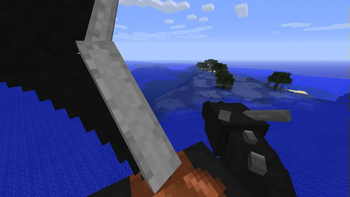
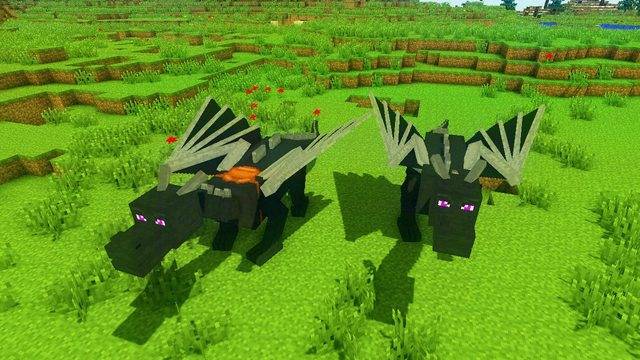
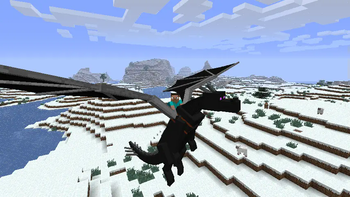
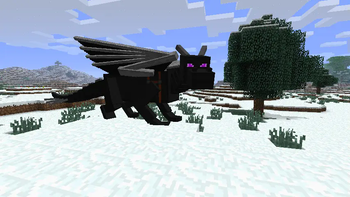
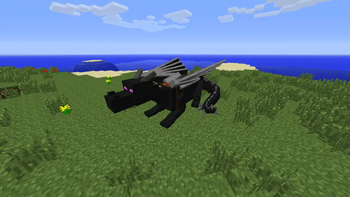
Dragon Mounts is a mod that adds 8 ridable dragons into your worlds. The true reward after beating the Ender Dragon!
Screenshots

About this Mod

Recommended to include the recipe viewer: Just Enough Items (1.8 to 1.12) or Not Enough Items (1.1 to 1.12)
***⋆ Dragon Mounts 2 - Modrinth Page**
Support Dragon Mounts
Discord: https://discord.gg/Ewm8aTTJ3K
YouTube: https://youtube.com/@dragonmounts
About Dragon Mounts
Dragon Mounts is a mod that allows to hatch eight different dragons and ride them, when they are grown up. The player needs a Dragon Egg to get started and later on Raw Fish and a Saddle to ride it. The Dragon Egg can be obtained after killing the Ender Dragon or can be found in dungeon chests (however, this is disabled by default).
Getting Started
- To hatch a dragon egg, you'll need to find a good place for it first. If you found one, place the egg block and simply right click it. The egg will then start to hatch, which will take a while.
- Once grown up, you can tame the dragon with raw fish. It will then follow and protect you like other pets.
- You can command tamed dragons to lay down or stand up with the bone item.
- To ride a tamed dragon, use a saddle on it, then right click it without holding an action item.
- To heal injured dragons, feed it with raw fish, chicken, beef or porkchop (four hearts) or with rotten flesh (two hearts).
- You can control the dragon with the Carrot On A Stick while riding it.
Cheats
The Dragon Mounts mod offers two cheats, the player can use when cheats are enabled:
/dragon state <State>: This will set the dragon the player is looking at to a different state. "egg", "hatchling", "juvenile" or "adult" can be used on the dragon the player is looking at./dragon tame: This will claim the dragon the player is looking at to tame it.
Mod Configuration
You can enable chest spawning in the DragonMounts.cfg file. Open it with a text editor and change "B:eggsInChests=false" to "B:eggsInChests=true".
Modern Versions
- Dragon Mounts 2 - by Tomanex & The Dragon Mounts Team
- Dragon Mounts: Legacy - by Kay9
- Dragon Mounts Remastered - by Horeaki
- Dragon Mounts (1.12.2 Fork) - by sunconure11
Dracopedia - The Dragon Mounts Encyclopedia
For the full comprehensive guide of the mod and frequently asked questions, head over to our official Dragon Mounts Wiki.
Issues / Bug Reports
If you found something that doesn't look right, is probably a bug, please head over to our Github to report it! Your bugs are most likely to be seen there versus our Discord server.
Credits
Dragon Mounts: Legacy - since 1.16
- Kay9Unit - Lead Developer
- Kingdomall - Artist; Updated Textures
- 13SunRaes - Artist; Updated Textures
- BarracudaATA - Original author; code, textures, ideas
Dragon Mounts: Forks - 1.11 and 1.12
- Sunconure11 - Developer (1.12.2 Fork)
- HyperSpeeed - Developer (1.11.2 Fork)
- BarracudaATA - Original Author of the mod
Dragon Mounts - 1.1 and 1.10
- BarracudaATA - Lead Developer
- Venomari245 - Forest dragon textures
- Alexxx999 - Nether dragon texture and suggestions
- Gon009 - Testing and feedback
- Thaliviel - Testing, ideas and coding help
- Wulf_Oman - Ghost and Aether dragon textures
- leoslake9 - Fire dragon texture updates
- TheGreyGhost - Port of the code to 1.8
- TheOnlySilverClaw - Code improvements
- BrisingrAerowing - Port of the code to 1.10.2
Available Versions
How to Install Dragon Mounts on Your Server
Order Server
Order a Minecraft Java server with at least 3 GB RAM (4 GB recommended).
Set forge Loader
In the panel under "Egg", select the forge loader and matching Minecraft version (1.11.2).
Install Mod
Open the mod browser in the dashboard and search for "Dragon Mounts". Click "Install" – done! Alternatively, upload the .jar via SFTP to the /mods folder.
Compatibility
Mod Loaders
Minecraft Versions
1.11.2, 1.10.2, 1.9.4 (+19 more)
Server-side
✓ RequiredRecommended RAM
4 GB(min. 3 GB)Frequently Asked Questions
Dragon Mounts server crashes on startup – what to do?
Most common cause: wrong forge version or insufficient RAM. Check the server log (latest.log) for "OutOfMemoryError" or "Mixin" errors. With Mado Hosting: ensure at least 3 GB RAM is allocated and the loader matches the mod version (1.11.2). You can switch loaders with one click in the panel.
Is Dragon Mounts compatible with forge and modloader?
Dragon Mounts officially supports forge, modloader for Minecraft 1.11.2, 1.10.2, 1.9.4. The Mado dashboard automatically detects incompatible loader combinations.
Server lagging with Dragon Mounts – how to optimize performance?
Recommended RAM: 4 GB (per 8 players). Use /spark profiler to check if Dragon Mounts consumes the most tick time. Common fixes: reduce server view-distance to 8-10, install "performant" or "starlight" as supplementary mods on Forge. With Mado Hosting, your server runs on NVMe SSDs with dedicated CPU cores for minimal latency.
Similar Mods





Rent Modded Server
Install Dragon Mounts with just one click on your server.