DragonFightFix
Fix to issue where leaving game while Ender Dragon's respawn cycle is running leaves you stuck in the end when you return.
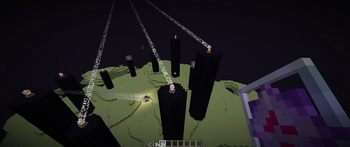
Screenshots
About this Mod
DragonFightFix

A simple mod to fix the issue where the dragon fight can get stuck if you quit the game while the Ender Dragon is making
her dramatic entrance. Without this, you will get stuck in the end with no way out other than to jump into the void. Or
if you had enough end crystals, you could reset the crystals to restart the sequence.
The core issue is that the code simply always writes false for isRespawning. Strangely, when the end fight is restored
next time, it does try to reset the dragon fight, but since the value is always false, it never does. I fixed this by
now saving the proper boolean value if the dragon is respawning, and also added code to reset the spike crystals when
the dragon fight starts again to start with a clean slate. Otherwise, they'd still be sitting there. It looks cleaner
this way.
The end result (pun intended) is that the dragon restarts the respawn cycle from the start once you rejoin. Ideally it
would be great if we could just remember where we left off, but that's a bunch of state to save, and I thought it was
overkill for this small fix.
Available Versions
How to Install DragonFightFix on Your Server
Order Server
Order a Minecraft Java server with at least 3 GB RAM (4 GB recommended).
Set fabric Loader
In the panel under "Egg", select the fabric loader and matching Minecraft version (1.21).
Install Mod
Open the mod browser in the dashboard and search for "DragonFightFix". Click "Install" – done! Alternatively, upload the .jar via SFTP to the /mods folder.
Compatibility
Mod Loaders
Minecraft Versions
1.21, 1.20.4, 1.20.3 (+3 more)
Server-side
✓ RequiredRecommended RAM
4 GB(min. 3 GB)Frequently Asked Questions
DragonFightFix server crashes on startup – what to do?
Most common cause: wrong fabric version or insufficient RAM. Check the server log (latest.log) for "OutOfMemoryError" or "Mixin" errors. With Mado Hosting: ensure at least 3 GB RAM is allocated and the loader matches the mod version (1.21). You can switch loaders with one click in the panel.
Is DragonFightFix compatible with fabric?
DragonFightFix officially supports fabric for Minecraft 1.21, 1.20.4, 1.20.3. The Mado dashboard automatically detects incompatible loader combinations.
Server lagging with DragonFightFix – how to optimize performance?
Recommended RAM: 4 GB (per 8 players). Use /spark profiler to check if DragonFightFix consumes the most tick time. Common fixes: reduce server view-distance to 8-10, install "performant" or "starlight" as supplementary mods on Forge. With Mado Hosting, your server runs on NVMe SSDs with dedicated CPU cores for minimal latency.
Similar Mods




![[ETF] Entity Texture Features](https://cdn.modrinth.com/data/BVzZfTc1/af683d206d50b05258d865b0d6e4aa2f2cee12f2_96.webp)
![[EMF] Entity Model Features](https://cdn.modrinth.com/data/4I1XuqiY/6e5bbd0d06b1741bfdab6c0cfab6de8fdaf0064c_96.webp)
Rent Modded Server
Install DragonFightFix with just one click on your server.