
dRandomSpawn
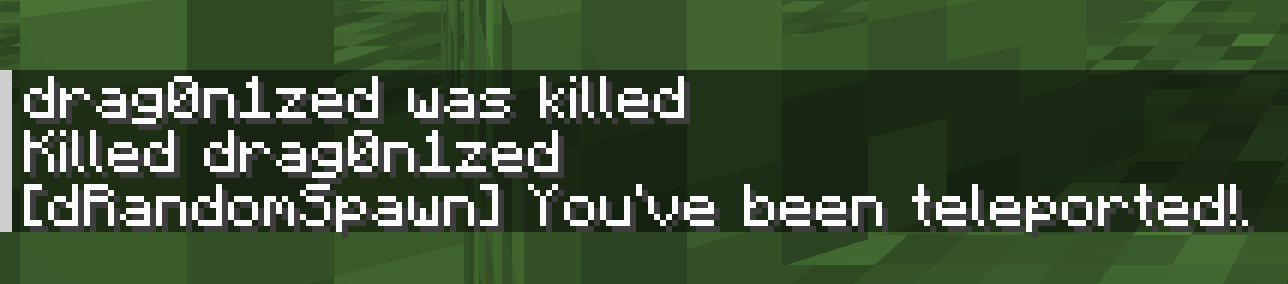
Get random spawns, unique for every player. Lava excluded.
Screenshots
About this Mod
dRandomSpawn
Get random spawns, unique for every player. Lava excluded.
Features
- New players start at a safe random location instead of piling up at world spawn.
- Bedless respawns can reuse the same saved spawn or roll a fresh one each time.
- Beds, respawn anchors, and
/spawnpointcan be respected or ignored. - You can block unwanted biomes and dangerous blocks from random spawns.
- Included commands let you view, reroll, or set saved spawns.
Commands
/drandomspawn get_spawn [player]: Shows a saved spawn point. Specifying a player requires OP./drandomspawn random_teleport [player]: Sends you or another player to a new random spawn. Requires OP./drandomspawn set_spawn [player] [x] [y] [z]: Sets a player's saved spawn manually. Requires OP.
Configuration
Notable config options in dRandomSpawn.toml:
useSpectatorLock: Briefly locks the player and hides loading while a random spawn is being found.ignoreRespawnPoint: Ignores beds, respawn anchors, and/spawnpoint, so the mod handles every respawn.alwaysRandomSpawn: Gives a fresh random spawn on each mod-handled respawn instead of reusing the saved one.biomeBlacklist: Lists biomes that should never be used for random spawns.blockBlacklist: Lists blocks that players should never spawn on.
Respawn behavior combinations:
ignoreRespawnPoint = false,alwaysRandomSpawn = false: Beds and anchors work normally. Otherwise, players return to their saved random spawn.ignoreRespawnPoint = false,alwaysRandomSpawn = true: Beds and anchors work normally. Otherwise, players get a fresh random spawn each time.ignoreRespawnPoint = true,alwaysRandomSpawn = false: Beds and anchors are ignored. Players return to their saved random spawn.ignoreRespawnPoint = true,alwaysRandomSpawn = true: Beds and anchors are ignored. Players get a fresh random spawn on every respawn.
Credits
This project is a heavily revamped fork of the original RandomSpawn project by rinko1231, released under MIT; the original license is available under LICENSE.original.md.
Feature requests
Hit me up on GitHub issues, I'll probably do it.
Available Versions
How to Install dRandomSpawn on Your Server
Order Server
Order a Minecraft Java server with at least 3 GB RAM (4 GB recommended).
Set forge Loader
In the panel under "Egg", select the forge loader and matching Minecraft version (1.20.1).
Install Mod
Open the mod browser in the dashboard and search for "dRandomSpawn". Click "Install" – done! Alternatively, upload the .jar via SFTP to the /mods folder.
Compatibility
Mod Loaders
Minecraft Versions
1.20.1
Server-side
✓ RequiredRecommended RAM
4 GB(min. 3 GB)Frequently Asked Questions
dRandomSpawn server crashes on startup – what to do?
Most common cause: wrong forge version or insufficient RAM. Check the server log (latest.log) for "OutOfMemoryError" or "Mixin" errors. With Mado Hosting: ensure at least 3 GB RAM is allocated and the loader matches the mod version (1.20.1). You can switch loaders with one click in the panel.
Is dRandomSpawn compatible with forge and neoforge?
dRandomSpawn officially supports forge, neoforge for Minecraft 1.20.1. The Mado dashboard automatically detects incompatible loader combinations.
Server lagging with dRandomSpawn – how to optimize performance?
Recommended RAM: 4 GB (per 8 players). Use /spark profiler to check if dRandomSpawn consumes the most tick time. Common fixes: reduce server view-distance to 8-10, install "performant" or "starlight" as supplementary mods on Forge. With Mado Hosting, your server runs on NVMe SSDs with dedicated CPU cores for minimal latency.
Similar Mods




Rent Modded Server
Install dRandomSpawn with just one click on your server.