Dupeable Wither Skulls
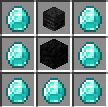
Wither skulls can be duped just like how armor trims can!
Screenshots
About this Mod
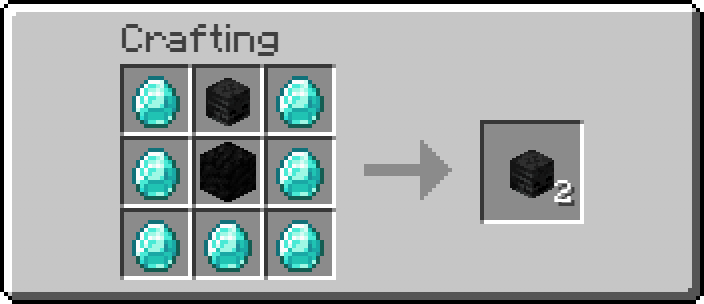
Dupe Wither Skeleton Skulls using a simple custom recipe!
This datapack is designed for players who simply don’t want to spend hours grinding skull drops. It makes progressing toward beacons and summoning the Wither much more accessible, while still keeping gameplay fair and survival-friendly.
✨ Features
- 🧩 Simple custom crafting recipe
- ⏩ Easy to get materials to ease the grind
- 🧭 Works great for servers and singleplayer worlds
- 🔁 No command spam or performance impact
- 🎮 Keeps survival gameplay meaningful while reducing grind
⚠️ Compatibility Note:
If Minecraft shows this datapack as incompatible, don’t worry — it still works perfectly on all supported versions.
This is only a version warning and does not affect functionality.
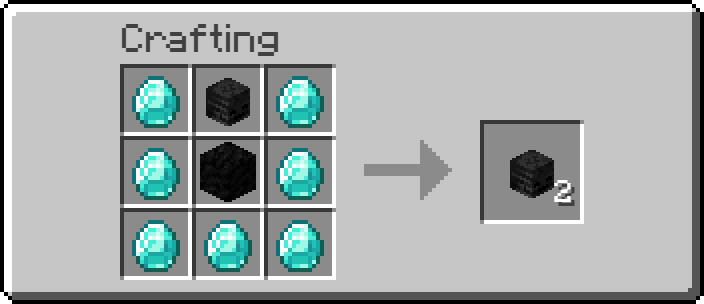
🧾 Recipe
📥 Installation:
🗂️ Datapack Method (Vanilla / Servers)
- Download the .zip file
- Open your world folder:
- Singleplayer: .minecraft/saves/YourWorld/
- Server: your world directory
- Go into the datapacks folder
- Drag and drop the .zip file (do NOT unzip it)
In-game, run:
/reload
Confirm it loaded:
/datapack list
⚙️ Mod Loader Method (Forge / Fabric / Quilt / NeoForge)
Install your preferred loader:
- Forge
- Fabric
- Quilt
- NeoForge
Download the .jar version
Open your .minecraft folder
Place the file into the mods folder
Launch Minecraft using the correct mod loader profile. If using Fabric you will need to install Fabric API
🎮 Enjoy!
If you have feedback, suggestions, or issues, feel free to reach out or check updates on the project page.
Available Versions
How to Install Dupeable Wither Skulls on Your Server
Order Server
Order a Minecraft Java server with at least 3 GB RAM (4 GB recommended).
Set datapack Loader
In the panel under "Egg", select the datapack loader and matching Minecraft version (26.1.2).
Install Mod
Open the mod browser in the dashboard and search for "Dupeable Wither Skulls". Click "Install" – done! Alternatively, upload the .jar via SFTP to the /mods folder.
Compatibility
Mod Loaders
Minecraft Versions
26.1.2, 26.1.1, 26.1 (+10 more)
Server-side
✓ RequiredRecommended RAM
4 GB(min. 3 GB)Frequently Asked Questions
Dupeable Wither Skulls server crashes on startup – what to do?
Most common cause: wrong datapack version or insufficient RAM. Check the server log (latest.log) for "OutOfMemoryError" or "Mixin" errors. With Mado Hosting: ensure at least 3 GB RAM is allocated and the loader matches the mod version (26.1.2). You can switch loaders with one click in the panel.
Is Dupeable Wither Skulls compatible with datapack and fabric and forge and neoforge and quilt?
Dupeable Wither Skulls officially supports datapack, fabric, forge, neoforge, quilt for Minecraft 26.1.2, 26.1.1, 26.1. Note: Forge and Fabric mods are NOT cross-compatible – pick one loader and stick with it. The Mado dashboard automatically detects incompatible loader combinations.
Server lagging with Dupeable Wither Skulls – how to optimize performance?
Recommended RAM: 4 GB (per 8 players). Use /spark profiler to check if Dupeable Wither Skulls consumes the most tick time. Common fixes: reduce server view-distance to 8-10, install "performant" or "starlight" as supplementary mods on Forge. With Mado Hosting, your server runs on NVMe SSDs with dedicated CPU cores for minimal latency.
Similar Mods




Rent Modded Server
Install Dupeable Wither Skulls with just one click on your server.