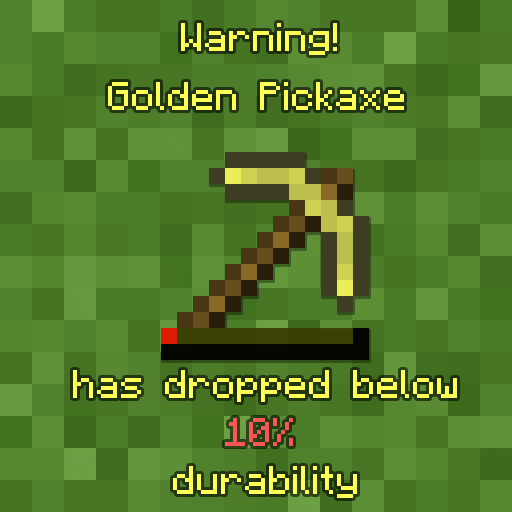
Durability Notifier
Durability Notifier is a mod that shows you when your tool hits a configured percentage of durability.
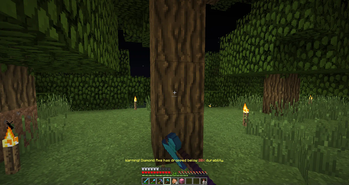
Screenshots
About this Mod
Durability Notifier is a small client-side mod that uses various methods to notify the player when there tool is low on durability. It uses subtle methods like using sound or potion effects and is fully configurable via the in-game configuration menu for ease. So, you can configure the mod how you like it.
For more information on what settings are available see the detailed explanation for the configuration below.
The mod tries to stay as vanilla server friendly as possible. The only feature that doesn't work while connected to a vanilla server is the GiveFatigue feature.
- GiveFatigue - if true gives the player mining fatigue when the tool hit it's max so you won't accidentally break the tool. (Defaults to false) Has been temporarily disabled since 1.13+
- Percentage - is the percentage from 1 between 100 of durability of the tool it checks for (Defaults to 10)
- PlaySound - if true plays a noise to the player if they try to use their tool while it's low on durability (Defaults to false)
- SendMessage - if true displays the message that your tool is low on durability (Defaults to true)
- SendMessageColor - chooses what color/colour the message will be. (Defaults to YELLOW)
- soundlocation - specifies the soundlocation of the sound that "PlaySound" will play. If the sound location inserted is false it will say so in the log.
- volume - changes the volume that "PlaySound" uses to play the sound.
FAQ:
- Where's the config located? It's located within your instances "config" folder
- How can I change the config in-game? You can't unless you install Configured

For questions feel free to join my Discord.
Want to support us?
 -Mrbysco
Available Versions
How to Install Durability Notifier on Your Server
Order Server
Order a Minecraft Java server with at least 3 GB RAM (4 GB recommended).
Set fabric Loader
In the panel under "Egg", select the fabric loader and matching Minecraft version (26.1.2).
Install Mod
Open the mod browser in the dashboard and search for "Durability Notifier". Click "Install" – done! Alternatively, upload the .jar via SFTP to the /mods folder.
Compatibility
Mod Loaders
Minecraft Versions
26.1.2, 26.1.1, 26.1 (+26 more)
Server-side
✗ UnsupportedRecommended RAM
4 GB(min. 3 GB)Frequently Asked Questions
Durability Notifier server crashes on startup – what to do?
Most common cause: wrong fabric version or insufficient RAM. Check the server log (latest.log) for "OutOfMemoryError" or "Mixin" errors. With Mado Hosting: ensure at least 3 GB RAM is allocated and the loader matches the mod version (26.1.2). You can switch loaders with one click in the panel.
Is Durability Notifier compatible with fabric and forge and neoforge?
Durability Notifier officially supports fabric, forge, neoforge for Minecraft 26.1.2, 26.1.1, 26.1. Note: Forge and Fabric mods are NOT cross-compatible – pick one loader and stick with it. The Mado dashboard automatically detects incompatible loader combinations.
Server lagging with Durability Notifier – how to optimize performance?
Recommended RAM: 4 GB (per 8 players). Use /spark profiler to check if Durability Notifier consumes the most tick time. Common fixes: reduce server view-distance to 8-10, install "performant" or "starlight" as supplementary mods on Forge. With Mado Hosting, your server runs on NVMe SSDs with dedicated CPU cores for minimal latency.
Similar Mods




![[ETF] Entity Texture Features](https://cdn.modrinth.com/data/BVzZfTc1/af683d206d50b05258d865b0d6e4aa2f2cee12f2_96.webp)
![[EMF] Entity Model Features](https://cdn.modrinth.com/data/4I1XuqiY/6e5bbd0d06b1741bfdab6c0cfab6de8fdaf0064c_96.webp)
Rent Modded Server
Install Durability Notifier with just one click on your server.