
DynamicBorder
This mod lets you fully customize the Minecraft world border - set its starting size, adjust its growth or shrink speed per player, and make your world feel truly alive and responsive.
Screenshots
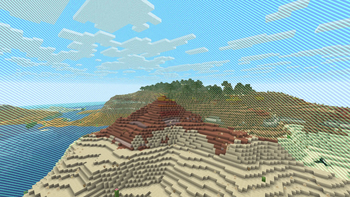


About this Mod
🌐 DynamicBorder - Mod
A Smarter, Living World Border
DynamicBorder gives you full control over the Minecraft world border and turns it into a dynamic gameplay mechanic instead of a static limit.
Customize how your world expands or contracts over time, whether you want a harsh survival challenge, a progressive exploration experience, or a multiplayer-driven world that grows with your community.
✨ Features:
📏 Custom Starting Size:
- Define exactly how large (or small) your world should begin. Perfect for challenge maps, SMP progression, or controlled exploration.
⬆️⬇️ Growth & Shrink Behavior:
- Choose whether the border should grow, shrink, or stay still.
- You can make the world slowly open up… or close in for increased tension.
👥 Blocks per Player per Minute:
- The border can react to your player count!
- Set how many blocks the border expands or contracts per player per minute, allowing multiplayer servers to scale automatically as people join or leave.
⚙️ Base Movement (Global Growth/Shrink):
- Add a constant growth or shrink value that affects the border at all times - with or without players contributing additional movement.
🕒 Player-Dependent Activity:
- To keep things fair and performance-friendly, the border only moves while at least one player is online.
- No offline inflation of your world!
🧩 Why Use Dynamic Border?
- Great for SMP progression
- Perfect for adventure maps and survival challenges
- Ensures controlled exploration
- Adds tension and strategy
- Fully configurable to fit any playstyle and of course everything can be changed via commands during a game
Whether you want your world to slowly unfold like a story or tighten around players like a survival cage… Dynamic Border gives you the tools.

Available Versions
How to Install DynamicBorder on Your Server
Order Server
Order a Minecraft Java server with at least 4 GB RAM (6 GB recommended).
Set neoforge Loader
In the panel under "Egg", select the neoforge loader and matching Minecraft version (1.21.10).
Install Mod
Open the mod browser in the dashboard and search for "DynamicBorder". Click "Install" – done! Alternatively, upload the .jar via SFTP to the /mods folder.
Compatibility
Mod Loaders
Minecraft Versions
1.21.10
Server-side
✓ RequiredRecommended RAM
6 GB(min. 4 GB)Frequently Asked Questions
DynamicBorder server crashes on startup – what to do?
Most common cause: wrong neoforge version or insufficient RAM. Check the server log (latest.log) for "OutOfMemoryError" or "Mixin" errors. With Mado Hosting: ensure at least 4 GB RAM is allocated and the loader matches the mod version (1.21.10). You can switch loaders with one click in the panel.
Is DynamicBorder compatible with neoforge?
DynamicBorder officially supports neoforge for Minecraft 1.21.10. The Mado dashboard automatically detects incompatible loader combinations.
Server lagging with DynamicBorder – how to optimize performance?
Recommended RAM: 6 GB (per 5 players). Use /spark profiler to check if DynamicBorder consumes the most tick time. Common fixes: reduce server view-distance to 8-10, install "performant" or "starlight" as supplementary mods on Forge. With Mado Hosting, your server runs on NVMe SSDs with dedicated CPU cores for minimal latency.
Similar Mods




Rent Modded Server
Install DynamicBorder with just one click on your server.