
Easy Mod Commands (EMC)
Run a command to open that mods config screen
About this Mod
This mod provides easy access to each of your mods configuration menus and additional links through commands.
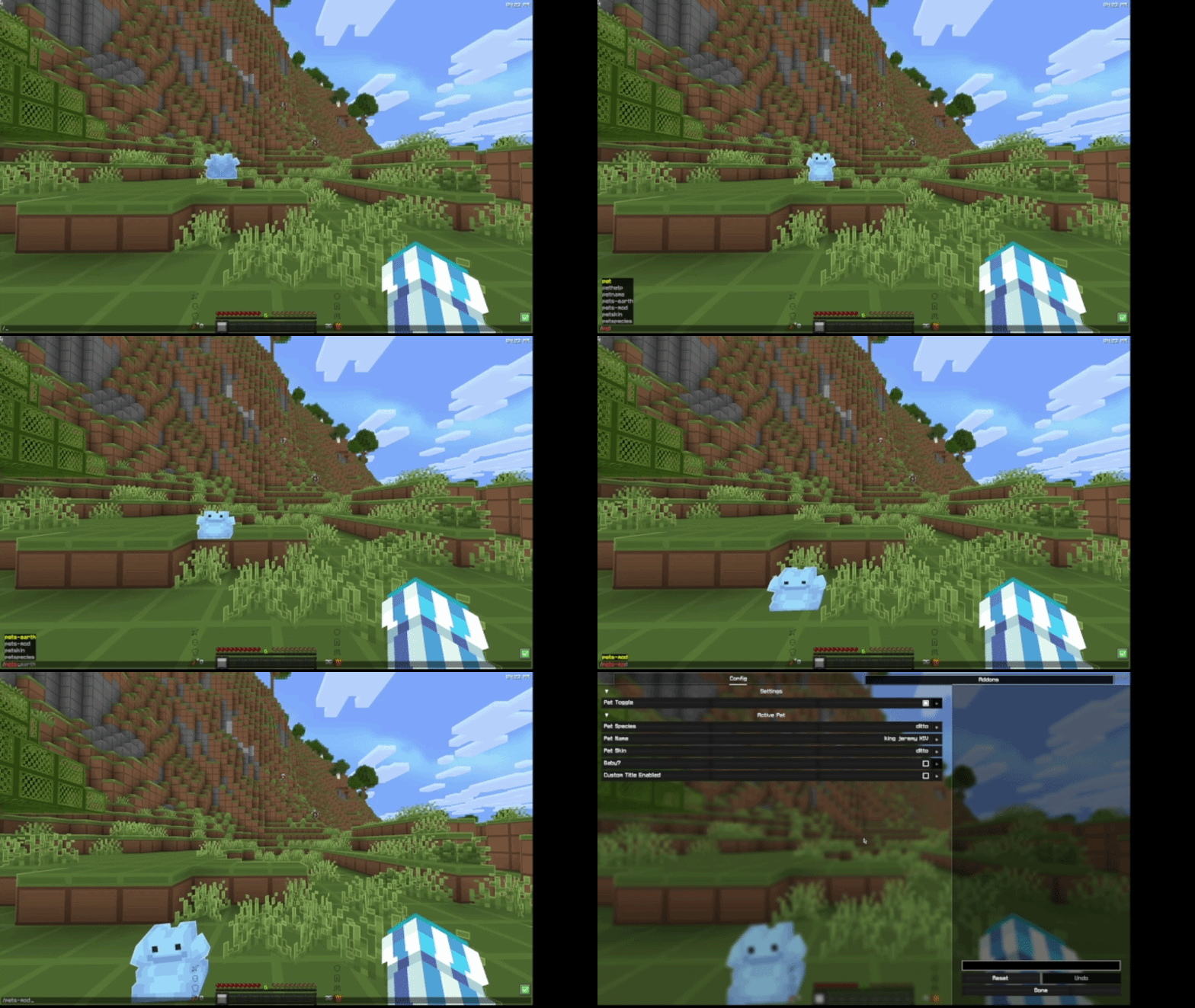
I use /pets-mod to open the Pets Mod config screen (ft. random Ditto)
Usage
In this context, mod-id is the unique ID of the mod. It may not contain spaces or uppercase letters, similar to a Minecraft username. The mod ID will in most cases match the name - so the mod ID for Pets Mod would be pets-mod.
- Run
/emc:(mod-id)to open the configuration screen. - Run
/emc:(mod-id) issuesto receive a link in chat with the issue tracker. - Run
/emc:(mod-id) sourceto receive a link to the source code. FABRIC ONLY - Run
/emc:(mod-id) homepageto receive a link to the mod's homepage.
Some mods may not have some of these options, in that case you will be notified.
Requirements
On Fabric, you will need both the Fabric API and Mod Menu. On Neoforge, no requirements :)
FAQ
Do my mods need to support/require this mod to work?
The mod commands will automatically be generated upon startup from your mods list. There is no need for your mods to directly support or require this mod, it will handle pretty much everything automatically!
Where do I go if a config screen or link isn't working?
Test it with Mod Menu. Go into your mod menu and try and click on the config button for the mod. If it works there, report it to me on the EMC GitHub. Else, it's an issue with the mod, and report it to them on their GitHub.
How do I make my mod's config screen appear?
Make sure it is defined in your Mod Menu entrypoint. This mod uses Mod Menu's API to pull a config screen directly from Mod Menu, so any config that is registered within Mod Menu will work with this mod.
Available Versions
How to Install Easy Mod Commands (EMC) on Your Server
Order Server
Order a Minecraft Java server with at least 3 GB RAM (4 GB recommended).
Set fabric Loader
In the panel under "Egg", select the fabric loader and matching Minecraft version (26.1.2).
Install Mod
Open the mod browser in the dashboard and search for "Easy Mod Commands (EMC)". Click "Install" – done! Alternatively, upload the .jar via SFTP to the /mods folder.
Compatibility
Mod Loaders
Minecraft Versions
26.1.2, 26.1.1, 26.1
Server-side
✗ UnsupportedRecommended RAM
4 GB(min. 3 GB)Frequently Asked Questions
Easy Mod Commands (EMC) server crashes on startup – what to do?
Most common cause: wrong fabric version or insufficient RAM. Check the server log (latest.log) for "OutOfMemoryError" or "Mixin" errors. With Mado Hosting: ensure at least 3 GB RAM is allocated and the loader matches the mod version (26.1.2). You can switch loaders with one click in the panel.
Is Easy Mod Commands (EMC) compatible with fabric and neoforge and quilt?
Easy Mod Commands (EMC) officially supports fabric, neoforge, quilt for Minecraft 26.1.2, 26.1.1, 26.1. The Mado dashboard automatically detects incompatible loader combinations.
Server lagging with Easy Mod Commands (EMC) – how to optimize performance?
Recommended RAM: 4 GB (per 8 players). Use /spark profiler to check if Easy Mod Commands (EMC) consumes the most tick time. Common fixes: reduce server view-distance to 8-10, install "performant" or "starlight" as supplementary mods on Forge. With Mado Hosting, your server runs on NVMe SSDs with dedicated CPU cores for minimal latency.
Similar Mods




Rent Modded Server
Install Easy Mod Commands (EMC) with just one click on your server.