EasyVillagerTrade
Enhance your Minecraft trading experience with librarians.
Screenshots

About this Mod
EasyVillagerTrade
A Fabric mod that automates enchanted book trading with librarians
What is EasyVillagerTrade?
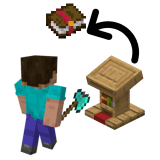
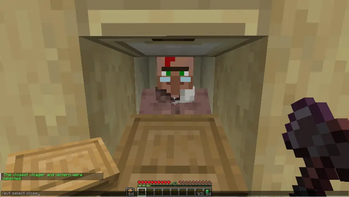
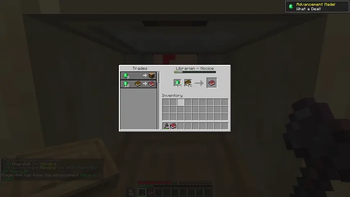
EasyVillagerTrade (EVT) is a client-side Fabric mod that automates the process of cycling through librarian trades to find specific enchanted books. Set your targets, select your villager and let the mod do the rest — it breaks the lectern, places it again, checks the new offer and buys the book the moment it finds a match.
Setup
Before starting, equip an axe in your main hand and hold lecterns in your offhand.
A redstone or water contraption beneath the lectern position can be useful to guarantee all dropped lecterns are collected automatically.
Usage
Via commands:
- /evt search add
[level] — add an enchantment to your search queue - /evt search remove
— remove an enchantment from the queue - /evt search list — list all queued enchantments
- /evt select — enter selection mode and manually click your librarian and lectern
- /evt select close — automatically select the closest valid librarian and lectern pair
- /evt execute — start the mod
- /evt stop — stop the mod
Via the screen (F6, rebindable):
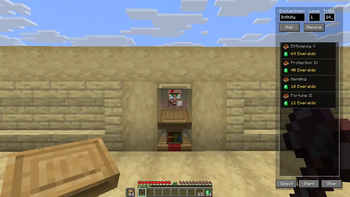
Open the EVT screen directly from the game without typing any commands. Add enchantments with your desired level and max price, remove them via the Remove button or by clicking an entry, then hit Select and Start.
- Autocomplete enchantment names with Enter or Tab
- Use * as the level argument to queue all levels of an enchantment at once
How it works
Once started, EVT runs a full automatic cycle:
- Breaks the lectern
- Places it again to reset the villager's trade offer
- Checks the new offer against your queue
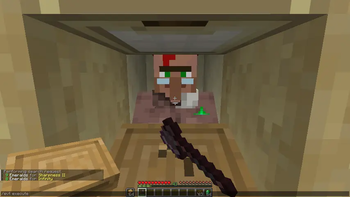
- Buys the book automatically once a match is found — as long as you have enough emeralds and books in your inventory
Debug output showing each checked trade can be enabled in config/evt.
Example video (older version)
Reporting Issues
If you run into a problem:
- Open a new issue on the Github Repository using the provided template
- Or join the Discord Server and post in the support channel
Your feedback helps keep the project moving — thank you!
Available Versions
How to Install EasyVillagerTrade on Your Server
Order Server
Order a Minecraft Java server with at least 3 GB RAM (4 GB recommended).
Set fabric Loader
In the panel under "Egg", select the fabric loader and matching Minecraft version (26.1.2).
Install Mod
Open the mod browser in the dashboard and search for "EasyVillagerTrade". Click "Install" – done! Alternatively, upload the .jar via SFTP to the /mods folder.
Compatibility
Mod Loaders
Minecraft Versions
26.1.2, 26.1.1, 26.1 (+21 more)
Server-side
✗ UnsupportedRecommended RAM
4 GB(min. 3 GB)Frequently Asked Questions
EasyVillagerTrade server crashes on startup – what to do?
Most common cause: wrong fabric version or insufficient RAM. Check the server log (latest.log) for "OutOfMemoryError" or "Mixin" errors. With Mado Hosting: ensure at least 3 GB RAM is allocated and the loader matches the mod version (26.1.2). You can switch loaders with one click in the panel.
Is EasyVillagerTrade compatible with fabric?
EasyVillagerTrade officially supports fabric for Minecraft 26.1.2, 26.1.1, 26.1. The Mado dashboard automatically detects incompatible loader combinations.
Server lagging with EasyVillagerTrade – how to optimize performance?
Recommended RAM: 4 GB (per 8 players). Use /spark profiler to check if EasyVillagerTrade consumes the most tick time. Common fixes: reduce server view-distance to 8-10, install "performant" or "starlight" as supplementary mods on Forge. With Mado Hosting, your server runs on NVMe SSDs with dedicated CPU cores for minimal latency.
Similar Mods




Rent Modded Server
Install EasyVillagerTrade with just one click on your server.