
Effects After Death
Keep all Effects after death. Extremely configurable server-side mod/datapack
Screenshots

About this Mod
Effects after Death 💀🧪
Effects After Death is a highly configurable Minecraft datapack/mod that allows all minecraft effects to persist after a player's death.
Designed for maximum flexibility, it supports both global and per-player customization to suit various gameplay styles and server rules.
Ideal for RPG style servers, challenge modes, or progression based gameplay, Effects After Death.
Fully server side!
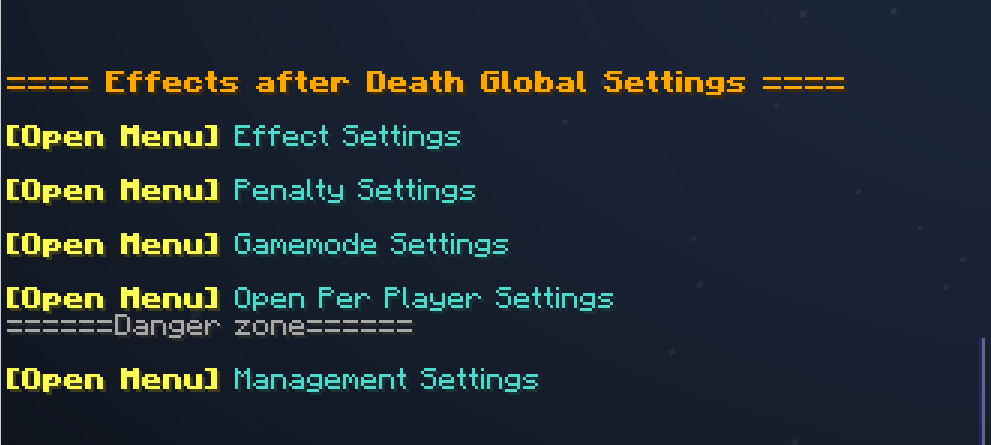
⚙️ Settings Menu — Effects After Death
Open Settings with /trigger EffectsOnDeath.settings
| Category | Description |
|---|---|
| 🧪 Effect Settings | Toggle individual effects on or off |
| ⚖️ Penalty Settings | Modify penalties applied upon death |
| 🎮 Gamemode Settings | Choose which gamemodes are affected |
| 👤 Per-Player Settings | Set individual player configurations |
| 🧹 Management Settings | Reset, clean up, or uninstall datapack |
Image
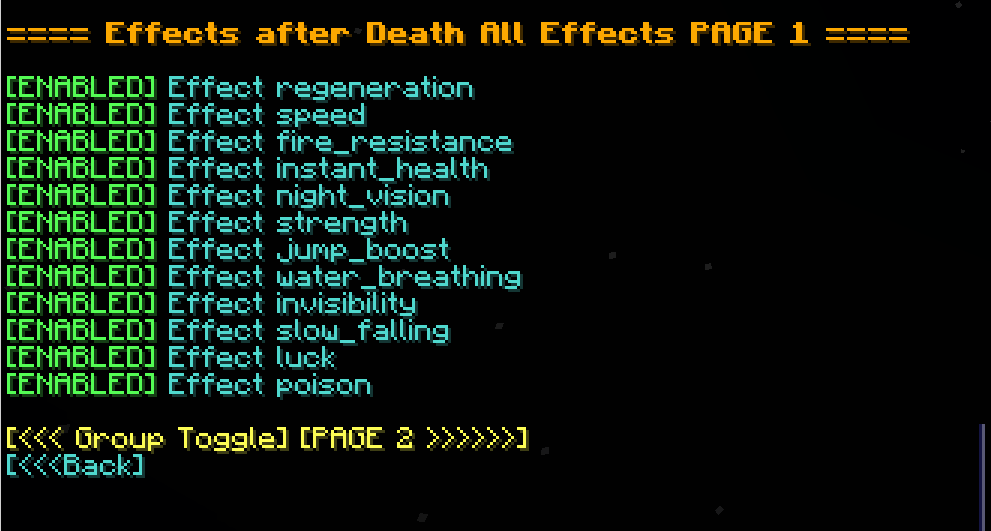
🧪 Effect Settings
- Multi-page system for organizing effects
- Group Toggle Page: Turn multiple effects on/off at once
- Infinite Effects: Enable/disable keeping effects with infinite duration
- Individual Effects: Enable/disable each effect in minecraft separately
Image
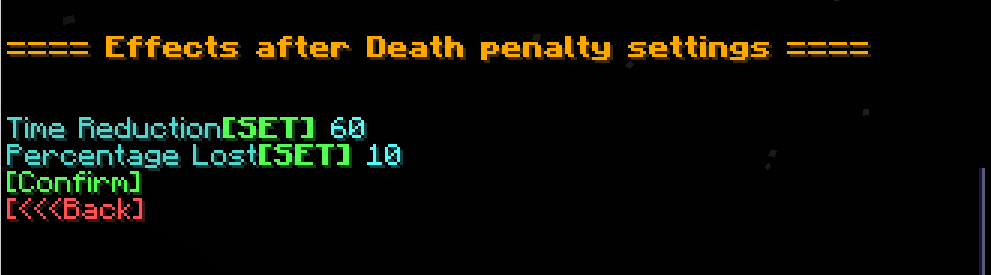
⚖️ Penalty Settings
| Option | Description |
|---|---|
| ⏱️ Time Reduction | Fixed number of seconds lost on death |
| 📉 Percentage Lost | Percentage of time lost on death |
Image
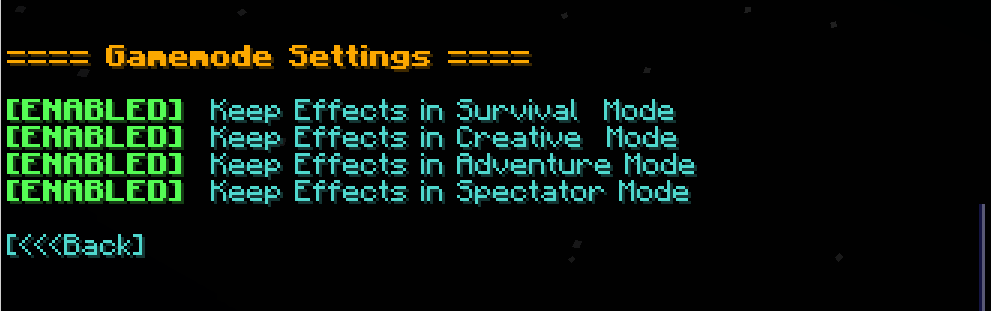
🎮 Gamemode Settings
- Enable/disable effect retention in specific gamemodes (e.g., survival, creative, spectator)
Image
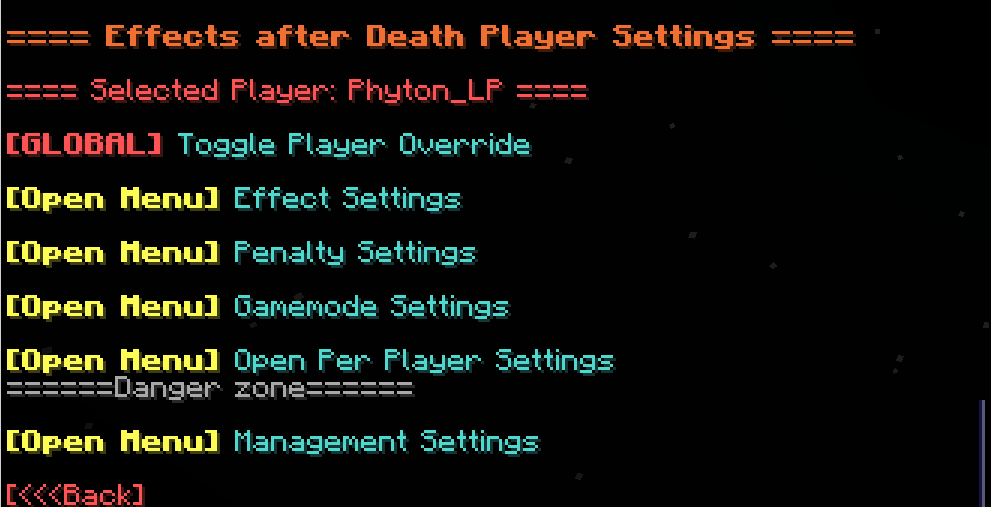
👤 Per-Player Settings
- Customize which players are affected by each setting
- Give Players individual rule sets!
Image
🧹 Management Settings
| Option | Description |
|---|---|
| 🔄 Reset to Defaults | Restore all effect and group settings to default |
| 👥 Reset Players | Remove all per-player overrides |
| ❌ Uninstall | Fully remove all related data and scoreboards |
Available Versions
How to Install Effects After Death on Your Server
Order Server
Order a Minecraft Java server with at least 3 GB RAM (4 GB recommended).
Set datapack Loader
In the panel under "Egg", select the datapack loader and matching Minecraft version (1.21.11).
Install Mod
Open the mod browser in the dashboard and search for "Effects After Death". Click "Install" – done! Alternatively, upload the .jar via SFTP to the /mods folder.
Compatibility
Mod Loaders
Minecraft Versions
1.21.11, 1.21.10, 1.21.9 (+9 more)
Server-side
✓ RequiredRecommended RAM
4 GB(min. 3 GB)Frequently Asked Questions
Effects After Death server crashes on startup – what to do?
Most common cause: wrong datapack version or insufficient RAM. Check the server log (latest.log) for "OutOfMemoryError" or "Mixin" errors. With Mado Hosting: ensure at least 3 GB RAM is allocated and the loader matches the mod version (1.21.11). You can switch loaders with one click in the panel.
Is Effects After Death compatible with datapack and fabric and forge and neoforge and quilt?
Effects After Death officially supports datapack, fabric, forge, neoforge, quilt for Minecraft 1.21.11, 1.21.10, 1.21.9. Note: Forge and Fabric mods are NOT cross-compatible – pick one loader and stick with it. The Mado dashboard automatically detects incompatible loader combinations.
Server lagging with Effects After Death – how to optimize performance?
Recommended RAM: 4 GB (per 8 players). Use /spark profiler to check if Effects After Death consumes the most tick time. Common fixes: reduce server view-distance to 8-10, install "performant" or "starlight" as supplementary mods on Forge. With Mado Hosting, your server runs on NVMe SSDs with dedicated CPU cores for minimal latency.
Similar Mods




Rent Modded Server
Install Effects After Death with just one click on your server.
Details
- License
- LicenseRef-Free-Use-With-Attribution-and-Redistribution-Restrictions
- Server-side
- Required