
EG Tools Expanded
Adds additional tools to Minecraft Java Edition - Paxel, Construction Hammer, Paints + Paintbrush
Screenshots

About this Mod
Tools Expanded introduces a refined set of utilities designed to enhance both practical gameplay and creative building in Minecraft.
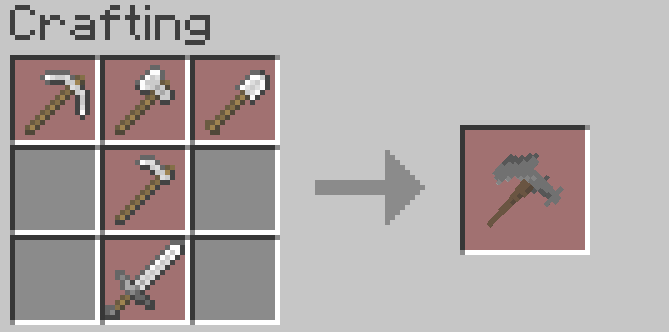
The mod adds iron, diamond, and netherite paxels—multi-purpose tools that function simultaneously as a pickaxe, axe, shovel, hoe, shears, and sword. These tools respond seamlessly to both left and right click actions, consolidating nearly all vanilla tool functions into a single implement.
Also included is the construction hammer, a specialized tool for altering block variants. It currently supports the full range of vanilla blocks found in the creative mode construction tab, as well as selected functional and redstone blocks. This allows players to cycle between block states with precision and efficiency, making architectural experimentation significantly more accessible. A few examples of this would be Oak Log > Oak Stairs, Cobblestone > Mossy Cobblestone, Andesite > Polished Andesite Stairs, etc etc.
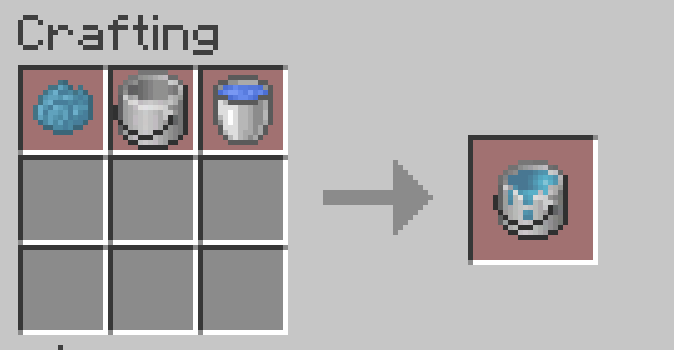
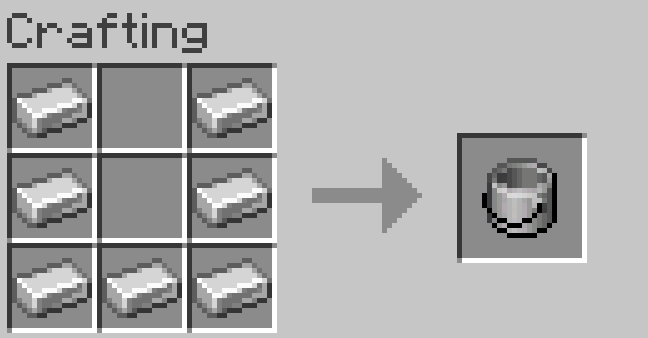
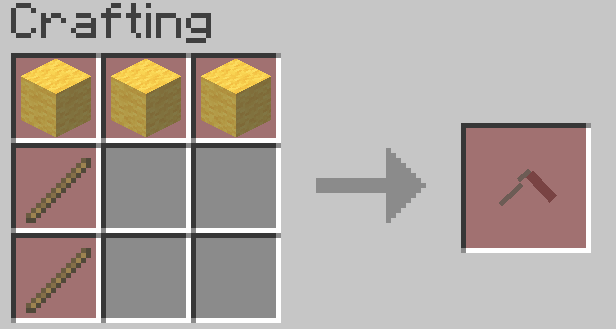
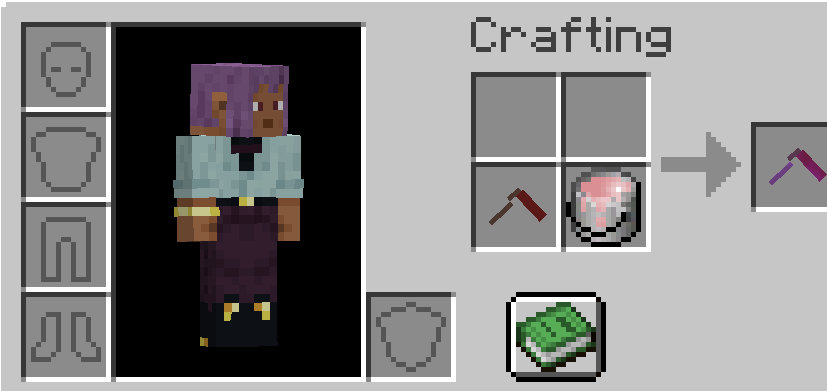
In addition, Tools Expanded introduces a way to repaint placed blocks. Players can craft an empty paint bucket, then fill it to produce buckets of paint corresponding to each vanilla dye color. The paint brush enables recoloring of a wide array of blocks, including terracotta, glass, concrete, beds, and others. The brush accepts up to four paint cans at once (32 uses per can), providing substantial flexibility before needing to reload. Testing has shown that shulker boxes retain their NBT data—including names and stored items—when recolored, although users should exercise caution and proceed at their own risk.
All crafting recipes examples are provided in the gallery.
Feedback, suggestions, or issue reports are welcome and may be directed to our Discord.
Paxels, Construction Hammer, and Paintbrush models created by Envy Games. Credit to MalcomRiley for the paint bucket textures.
Available Versions
How to Install EG Tools Expanded on Your Server
Order Server
Order a Minecraft Java server with at least 3 GB RAM (4 GB recommended).
Set neoforge Loader
In the panel under "Egg", select the neoforge loader and matching Minecraft version (1.21.1).
Install Mod
Open the mod browser in the dashboard and search for "EG Tools Expanded". Click "Install" – done! Alternatively, upload the .jar via SFTP to the /mods folder.
Compatibility
Mod Loaders
Minecraft Versions
1.21.1
Server-side
✓ RequiredRecommended RAM
4 GB(min. 3 GB)Frequently Asked Questions
EG Tools Expanded server crashes on startup – what to do?
Most common cause: wrong neoforge version or insufficient RAM. Check the server log (latest.log) for "OutOfMemoryError" or "Mixin" errors. With Mado Hosting: ensure at least 3 GB RAM is allocated and the loader matches the mod version (1.21.1). You can switch loaders with one click in the panel.
Is EG Tools Expanded compatible with neoforge?
EG Tools Expanded officially supports neoforge for Minecraft 1.21.1. The Mado dashboard automatically detects incompatible loader combinations.
Server lagging with EG Tools Expanded – how to optimize performance?
Recommended RAM: 4 GB (per 8 players). Use /spark profiler to check if EG Tools Expanded consumes the most tick time. Common fixes: reduce server view-distance to 8-10, install "performant" or "starlight" as supplementary mods on Forge. With Mado Hosting, your server runs on NVMe SSDs with dedicated CPU cores for minimal latency.
Similar Mods

![[ETF] Entity Texture Features](https://cdn.modrinth.com/data/BVzZfTc1/af683d206d50b05258d865b0d6e4aa2f2cee12f2_96.webp)
![[EMF] Entity Model Features](https://cdn.modrinth.com/data/4I1XuqiY/6e5bbd0d06b1741bfdab6c0cfab6de8fdaf0064c_96.webp)



Rent Modded Server
Install EG Tools Expanded with just one click on your server.