
Eldertide
Eldertide brings mystical creatures into your world, each with unique abilities to help on your journey.
Screenshots
About this Mod

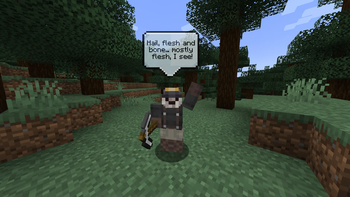
Borin - The Dwarven Skeleton Companion
- A tamable, mystical skeleton dwarf that helps with various mining-related tasks.
- Can be tamed by offering diamonds, gaining loyalty.
- Comes with its own inventory to collect and store valuable items like diamonds, emeralds, and ores.
- Automatically collects nearby resources and throws items to its owner when nearby.
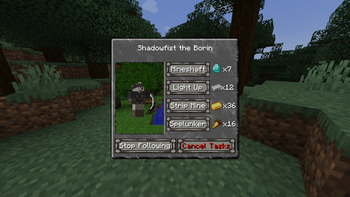
- Executes specialized tasks:
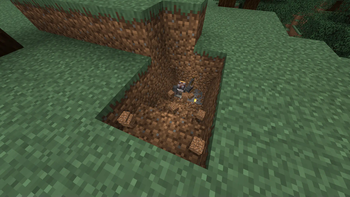
- Digging: Excels at mining specific areas.
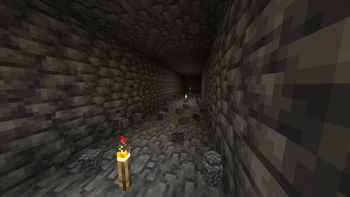
- Lighting Up Areas: Places torches to brighten your surroundings.
- Strip Mining: Mines efficiently in straight paths.
- Spelunker: Gives the player the spelunker blessing.
- Interacts through a custom GUI when tamed, offering task management.
Dynamic Gameplay Interaction
- Teleports to its owner when separated.
- Switches between "follow" and "wait" modes as needed.
- Engages in combat when threatened, with attack animations and sound effects.
- Friendly features, like dropping a humorous "left the game" message upon death.
Immersive Sound Design
- Unique ambient sounds, hurt effects, and death audio.
- Uses custom and existing sound effects to enhance the experience.
Planned features include more mystical companions with unique skills to enrich gameplay!


NeoForged:
- Requires the recommended NeoForged version for your version of Minecraft.
- Put Eldertide-NeoForged in the
modsfolder.

The mod's binaries and source code are licensed under All Rights Reserved. This means the code cannot be accessed, modified, or redistributed without explicit permission from the author.
Available Versions
How to Install Eldertide on Your Server
Order Server
Order a Minecraft Java server with at least 3 GB RAM (4 GB recommended).
Set neoforge Loader
In the panel under "Egg", select the neoforge loader and matching Minecraft version (1.21.1).
Install Mod
Open the mod browser in the dashboard and search for "Eldertide". Click "Install" – done! Alternatively, upload the .jar via SFTP to the /mods folder.
Compatibility
Mod Loaders
Minecraft Versions
1.21.1
Server-side
✓ RequiredRecommended RAM
4 GB(min. 3 GB)Frequently Asked Questions
Eldertide server crashes on startup – what to do?
Most common cause: wrong neoforge version or insufficient RAM. Check the server log (latest.log) for "OutOfMemoryError" or "Mixin" errors. With Mado Hosting: ensure at least 3 GB RAM is allocated and the loader matches the mod version (1.21.1). You can switch loaders with one click in the panel.
Is Eldertide compatible with neoforge?
Eldertide officially supports neoforge for Minecraft 1.21.1. The Mado dashboard automatically detects incompatible loader combinations.
Server lagging with Eldertide – how to optimize performance?
Recommended RAM: 4 GB (per 8 players). Use /spark profiler to check if Eldertide consumes the most tick time. Common fixes: reduce server view-distance to 8-10, install "performant" or "starlight" as supplementary mods on Forge. With Mado Hosting, your server runs on NVMe SSDs with dedicated CPU cores for minimal latency.
Similar Mods
![[EMF] Entity Model Features](https://cdn.modrinth.com/data/4I1XuqiY/6e5bbd0d06b1741bfdab6c0cfab6de8fdaf0064c_96.webp)


Rent Modded Server
Install Eldertide with just one click on your server.