
Elevator Cage
A simple mod that adds a 1x1 Elevator Cage. Elevator Mechanics not included
Screenshots
About this Mod
A small mod made with Blockbench and MCreator that adds blocks for making 1x1 elevators.
Actual Elevator mechanics not included.
For the actual locomotion I would recommend Create or Moving Elevators
I made this after getting frustrated trying to make a small elevator with Create.
I would not expect updates.
Note that the side bars are solid, and cannot be reached between, except on the Open versions.
Included Content:
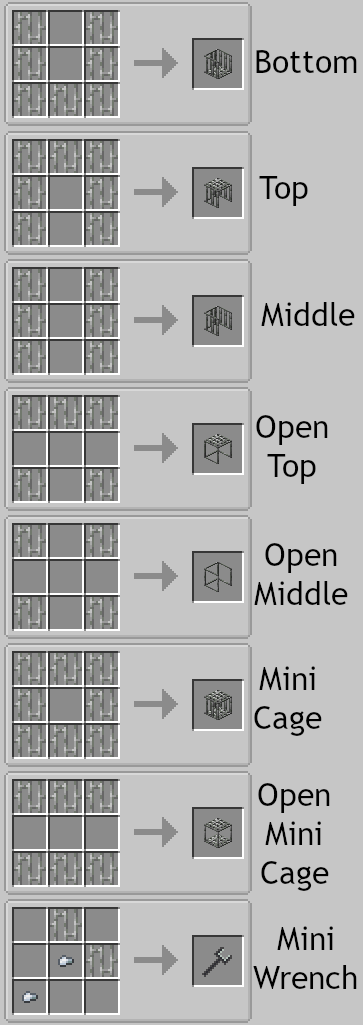
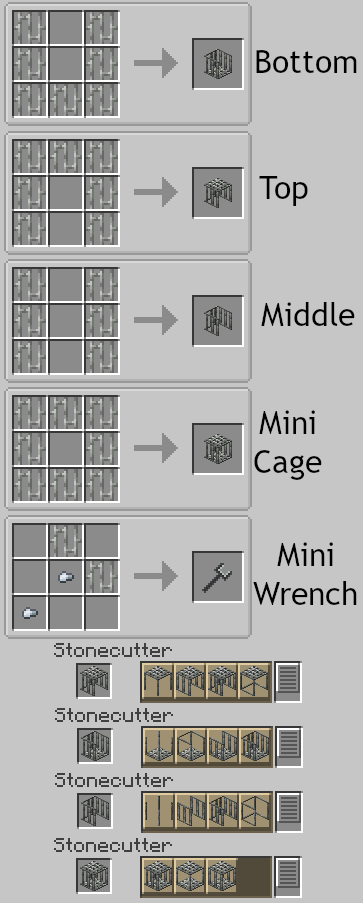
| Block/Item | Name | Description |
|---|---|---|
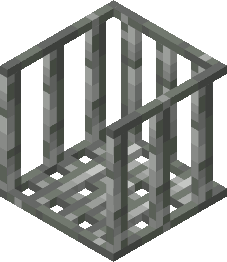 |
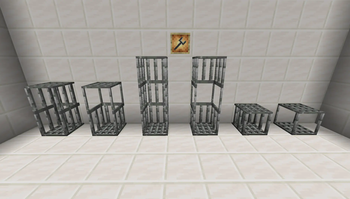
Elevator Cage Bottom | The base of the cage. The walls are solid. |
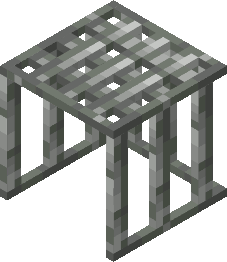 |
Elevator Cage Top | The top of the cage. The walls are solid. |
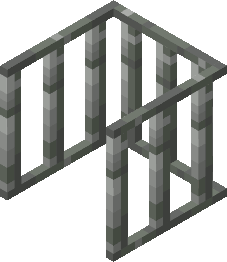 |
Elevator Cage Middle | Middle part of the cage. Really only needed if you're using a mod that makes you taller. The walls are solid. |
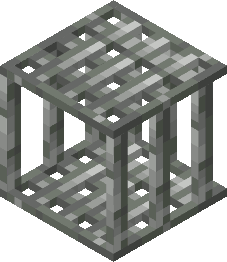 |
Miniature Elevator Cage | A single block form of the cage. Again, only useful if you're playing with a mod that resizes you. |
 |
Mini-Wrench | A simple wrench item. Can rotate blocks horizontally. |
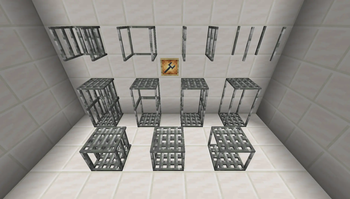
Each of the Elevator Blocks have Variants, which can be switched between freely in the Stonecutter.
Open: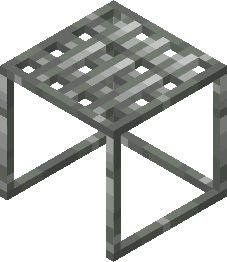
Has open sides so passengers can reach for controls/buttons outside it.
Sided: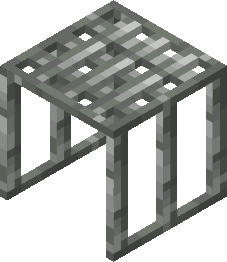
Open in the Front and Back.
Fully Open: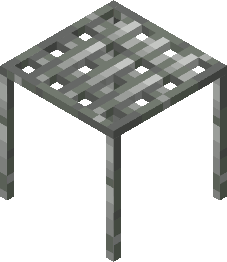
Unlike the Open variant, there is no bar to prevent you from walking in or out of any side.
Available Versions
How to Install Elevator Cage on Your Server
Order Server
Order a Minecraft Java server with at least 3 GB RAM (4 GB recommended).
Set forge Loader
In the panel under "Egg", select the forge loader and matching Minecraft version (1.20.1).
Install Mod
Open the mod browser in the dashboard and search for "Elevator Cage". Click "Install" – done! Alternatively, upload the .jar via SFTP to the /mods folder.
Compatibility
Mod Loaders
Minecraft Versions
1.20.1
Server-side
✓ RequiredRecommended RAM
4 GB(min. 3 GB)Frequently Asked Questions
Elevator Cage server crashes on startup – what to do?
Most common cause: wrong forge version or insufficient RAM. Check the server log (latest.log) for "OutOfMemoryError" or "Mixin" errors. With Mado Hosting: ensure at least 3 GB RAM is allocated and the loader matches the mod version (1.20.1). You can switch loaders with one click in the panel.
Is Elevator Cage compatible with forge?
Elevator Cage officially supports forge for Minecraft 1.20.1. The Mado dashboard automatically detects incompatible loader combinations.
Server lagging with Elevator Cage – how to optimize performance?
Recommended RAM: 4 GB (per 8 players). Use /spark profiler to check if Elevator Cage consumes the most tick time. Common fixes: reduce server view-distance to 8-10, install "performant" or "starlight" as supplementary mods on Forge. With Mado Hosting, your server runs on NVMe SSDs with dedicated CPU cores for minimal latency.
Similar Mods

![[ETF] Entity Texture Features](https://cdn.modrinth.com/data/BVzZfTc1/af683d206d50b05258d865b0d6e4aa2f2cee12f2_96.webp)
![[EMF] Entity Model Features](https://cdn.modrinth.com/data/4I1XuqiY/6e5bbd0d06b1741bfdab6c0cfab6de8fdaf0064c_96.webp)



Rent Modded Server
Install Elevator Cage with just one click on your server.