
Elytra Control
Simple Mod To Control Your Elytra Such Locking Or Stop Flying In Mid Air Like In Bedrock Edition and more!
About this Mod
Elytra Control
Elytra Control is a lightweight Minecraft mod that enhances your Elytra flight experience with precise and customizable control options.
It provides various flight utilities such as disabling flight, canceling midair glides, and simplifying takeoff mechanics — all configurable to suit your playstyle.
Requirements
This mod requires the following dependencies to work properly:
For versions below 0.3.3+1.21.9
| Modrinth | Curseforge |
|---|---|
| Smootheez Config Lib (scl) | Smootheez Config Lib (scl) |
For versions 0.3.3+1.21.9 and above
| Modrinth | Curseforge |
|---|---|
| Smoothiez API | Smoothiez API |
| Fabric API | Fabric API |
Preview
Experience smoother and more controlled Elytra flight with three major features designed for flexibility and ease of use.
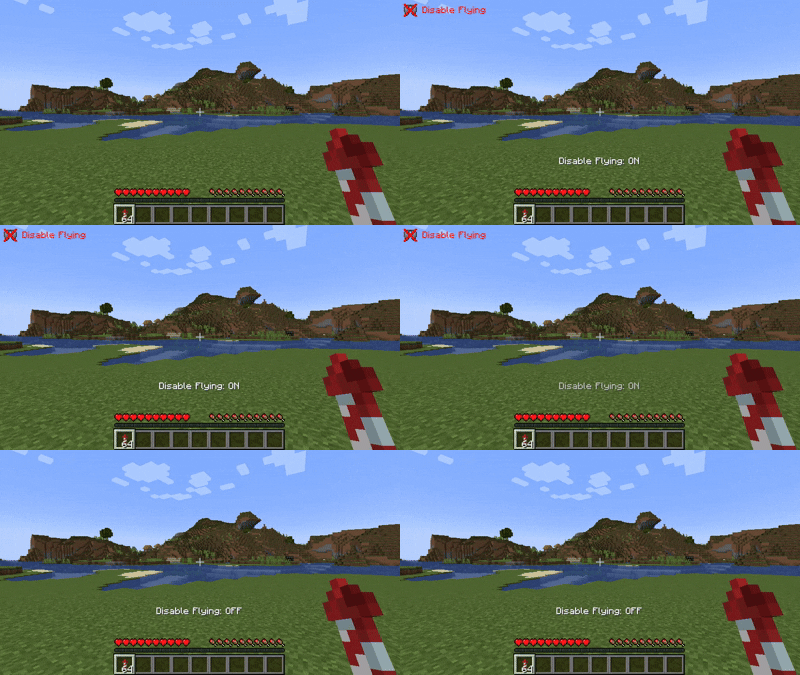
Disable Fly
Completely disable Elytra flight when needed.
You can customize the on-screen overlay with the following display modes:
- Icon only
- Text + Icon
- Text only
- Hidden (no overlay)
Overlay position is also fully adjustable.
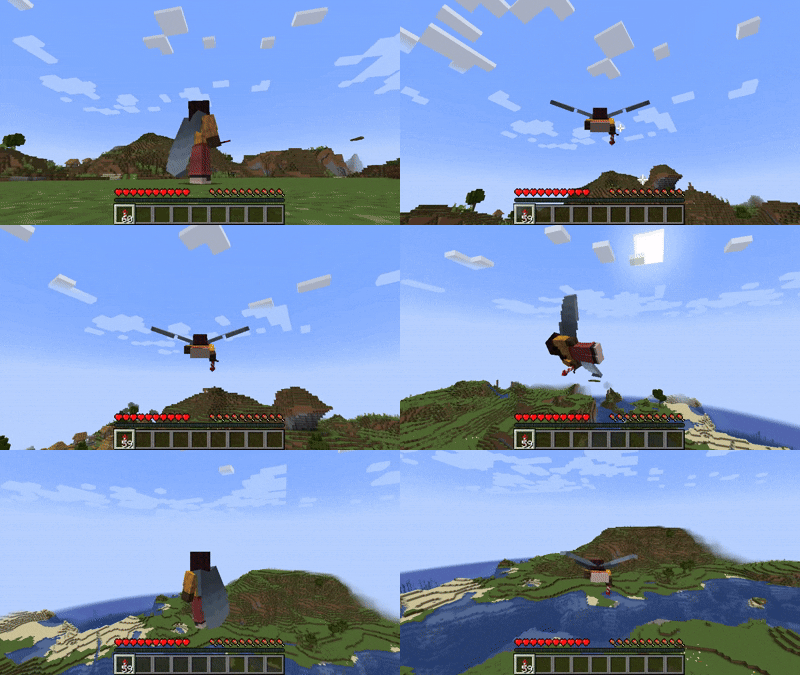
Cancel Fly
Instantly cancel your Elytra flight midair — perfect for safe landings or quick maneuvering.
Keybinds are fully customizable:
- Use the default jump behavior
- Or assign your own custom key
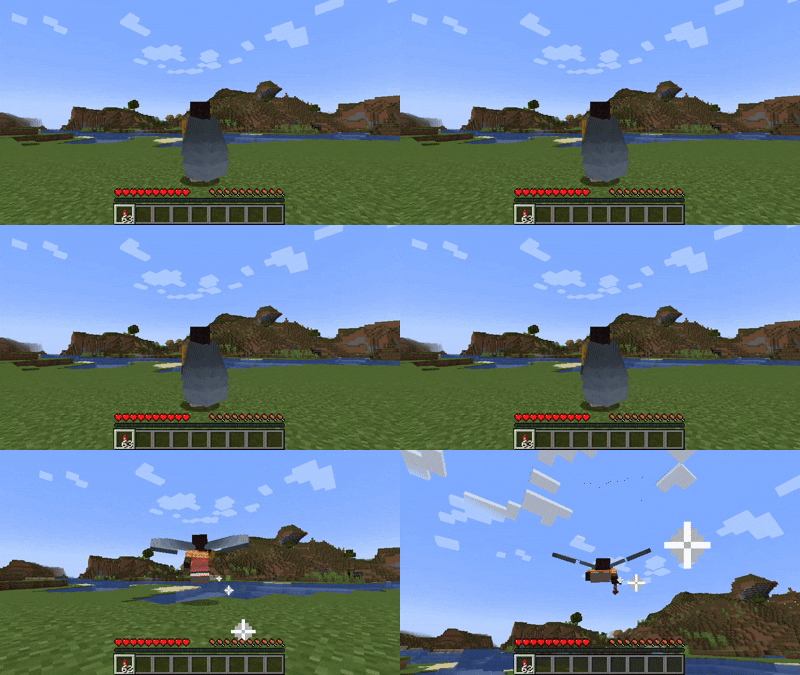
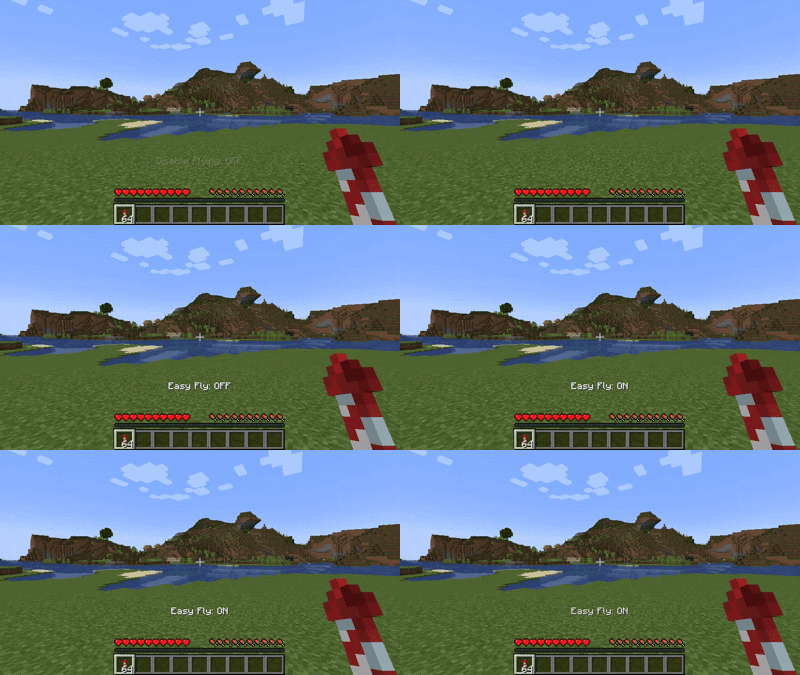
Easy Fly
Take off effortlessly with this optional feature that simplifies Elytra launching.
It’s disabled by default, and can be enabled via:
- The config menu (requires Mod Menu), or
- The config file in your
configdirectory
You can also assign a keybind to toggle Easy Fly on or off.
(Note: the toggle keybind is unassigned by default.)
Configuration
All features can be configured to fit your preferences.
You can modify settings either in-game (via Mod Menu) or manually through the configuration file.
Available options include:
- Toggling each Elytra feature
- Adjusting overlay position and display mode
- Rebinding custom flight control keys
Download
Get the latest version from your preferred platform:
| Modrinth | Curseforge |
|---|---|
| Elytra Control | Elytra Control |
Reporting Issues
Found a bug or want to suggest a new feature?
Please open an issue on GitHub: GitHub Issues
Support My Work
If you enjoy this mod and want to support future development, consider donating:


Available Versions
How to Install Elytra Control on Your Server
Order Server
Order a Minecraft Java server with at least 3 GB RAM (4 GB recommended).
Set fabric Loader
In the panel under "Egg", select the fabric loader and matching Minecraft version (1.21.11).
Install Mod
Open the mod browser in the dashboard and search for "Elytra Control". Click "Install" – done! Alternatively, upload the .jar via SFTP to the /mods folder.
Compatibility
Mod Loaders
Minecraft Versions
1.21.11, 1.21.10, 1.21.9 (+15 more)
Server-side
✗ UnsupportedRecommended RAM
4 GB(min. 3 GB)Frequently Asked Questions
Elytra Control server crashes on startup – what to do?
Most common cause: wrong fabric version or insufficient RAM. Check the server log (latest.log) for "OutOfMemoryError" or "Mixin" errors. With Mado Hosting: ensure at least 3 GB RAM is allocated and the loader matches the mod version (1.21.11). You can switch loaders with one click in the panel.
Is Elytra Control compatible with fabric?
Elytra Control officially supports fabric for Minecraft 1.21.11, 1.21.10, 1.21.9. The Mado dashboard automatically detects incompatible loader combinations.
Server lagging with Elytra Control – how to optimize performance?
Recommended RAM: 4 GB (per 8 players). Use /spark profiler to check if Elytra Control consumes the most tick time. Common fixes: reduce server view-distance to 8-10, install "performant" or "starlight" as supplementary mods on Forge. With Mado Hosting, your server runs on NVMe SSDs with dedicated CPU cores for minimal latency.
Similar Mods




Rent Modded Server
Install Elytra Control with just one click on your server.