
EMILink
EMI ↔ AE2 / BeyondDimensions integration enhancement mod, adding convenient AE2 and BD related operations to the EMI recipe interface.
Screenshots
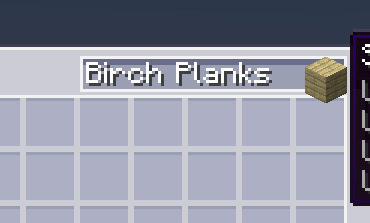
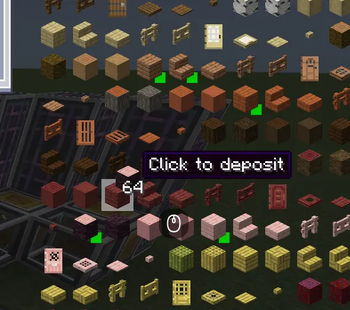
About this Mod
EmiLink
NeoForge 1.21.1
EMI ↔ AE2 / BeyondDimensions / ExtendedAE_Plus integration enhancement mod.
Dependencies
- Required: NeoForge ≥21.1.220, Minecraft 1.21.1, Java 21, EMI ≥1.1.22
- Optional: Applied Energistics 2 ≥19.2.17
- Optional: BeyondDimensions ≥0.7.14
- Optional: ExtendedAE_Plus ≥1.5.4
- Optional: Curios
Key Bindings
| Key Binding | Function | Applicable Scenarios |
|---|---|---|
| F | Fill the EMI hovered item name into the search box | AE2 / BD terminal |
| Alt + F | Fill the search box in @modid format |
AE2 / BD terminal |
| B | Quickly write a pattern | AE2 pattern encoding terminal |
| N | Fill the hovered item into an empty filter slot | Interfaces containing FakeSlot |
| Space + Left Click | Extract / Deposit items | AE2 / BD terminal |
| Space + Left Click on crafting result | Bulk craft (up to 512 times) | BD crafting interface |
| Shift + Left Click | Extract / Auto-craft items | AE2 network (requires EAEP) |
| Shift + Left Click on network storage slot | Extract a single stack of items | BD network interface |
| Middle Click | Open the crafting quantity interface | Requires EAEP + Wireless Terminal |
Features
AE Network Info Tooltip
Displays item quantity and craftable status from the AE network in the EMI sidebar. Supports /emilink clearcache to clear the cache.
Pattern Encoding
Press B in the pattern encoding terminal to automatically fill the EMI hovered recipe into the pattern slots and encode it. Supports AE2 and the ExtendedAE wireless pattern terminal.
Bookmark Priority
When encoding patterns, prioritizes items from the EMI bookmark bar to set filter slots. (Config option bookmarkPriority, enabled by default)
Book Wrapping (WB Mode)
Wraps the output item as a written book when processing the pattern encoding template. (Config option enableWrapBook, enabled by default)
EAEP Integration
Requires ExtendedAE_Plus to be installed.
| Feature | Description |
|---|---|
| Middle Click | Opens the AE2 crafting quantity interface |
| Shift + Left Click | Extracts an item or automatically opens the crafting interface |
| Upload Pattern | Automatically selects the corresponding recipe type label |
BD Integration
Requires BeyondDimensions to be installed.
| Feature | Description |
|---|---|
| Space + Click | Extracts / Deposits network items |
| Space + Click on crafting result | Bulk crafting (up to 512 times) |
| Shift + Click on network storage slot | Extracts a single stack of items |
Configuration
config/emilink-client.toml
| Config Option | Default | Description |
|---|---|---|
enableWrapBook |
true |
Wraps the output as a written book when encoding a pattern |
enableNetworkBadges |
false |
Shows network status badges in the corner of EMI item icons |
bookmarkPriority |
true |
Prefers using EMI bookmark items when encoding patterns |
cacheTTLMs |
5000 |
AE cache TTL in milliseconds |
batchFlushMs |
5000 |
Batch query flush interval in milliseconds |
License
GNU AGPL 3.0
Available Versions
How to Install EMILink on Your Server
Order Server
Order a Minecraft Java server with at least 3 GB RAM (4 GB recommended).
Set neoforge Loader
In the panel under "Egg", select the neoforge loader and matching Minecraft version (1.21.1).
Install Mod
Open the mod browser in the dashboard and search for "EMILink". Click "Install" – done! Alternatively, upload the .jar via SFTP to the /mods folder.
Compatibility
Mod Loaders
Minecraft Versions
1.21.1
Server-side
✓ RequiredRecommended RAM
4 GB(min. 3 GB)Frequently Asked Questions
EMILink server crashes on startup – what to do?
Most common cause: wrong neoforge version or insufficient RAM. Check the server log (latest.log) for "OutOfMemoryError" or "Mixin" errors. With Mado Hosting: ensure at least 3 GB RAM is allocated and the loader matches the mod version (1.21.1). You can switch loaders with one click in the panel.
Is EMILink compatible with neoforge?
EMILink officially supports neoforge for Minecraft 1.21.1. The Mado dashboard automatically detects incompatible loader combinations.
Server lagging with EMILink – how to optimize performance?
Recommended RAM: 4 GB (per 8 players). Use /spark profiler to check if EMILink consumes the most tick time. Common fixes: reduce server view-distance to 8-10, install "performant" or "starlight" as supplementary mods on Forge. With Mado Hosting, your server runs on NVMe SSDs with dedicated CPU cores for minimal latency.
Similar Mods




![[ETF] Entity Texture Features](https://cdn.modrinth.com/data/BVzZfTc1/af683d206d50b05258d865b0d6e4aa2f2cee12f2_96.webp)
![[EMF] Entity Model Features](https://cdn.modrinth.com/data/4I1XuqiY/6e5bbd0d06b1741bfdab6c0cfab6de8fdaf0064c_96.webp)
Rent Modded Server
Install EMILink with just one click on your server.