
Enchant Icon
We offer a quick solution to view the enchantment status in your inventory.
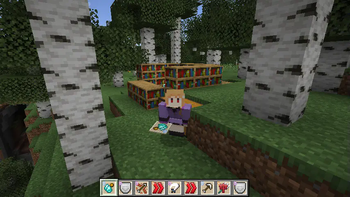
Screenshots

About this Mod
Quick Overview:
We offer a quick solution to view the enchantment status in your inventory.
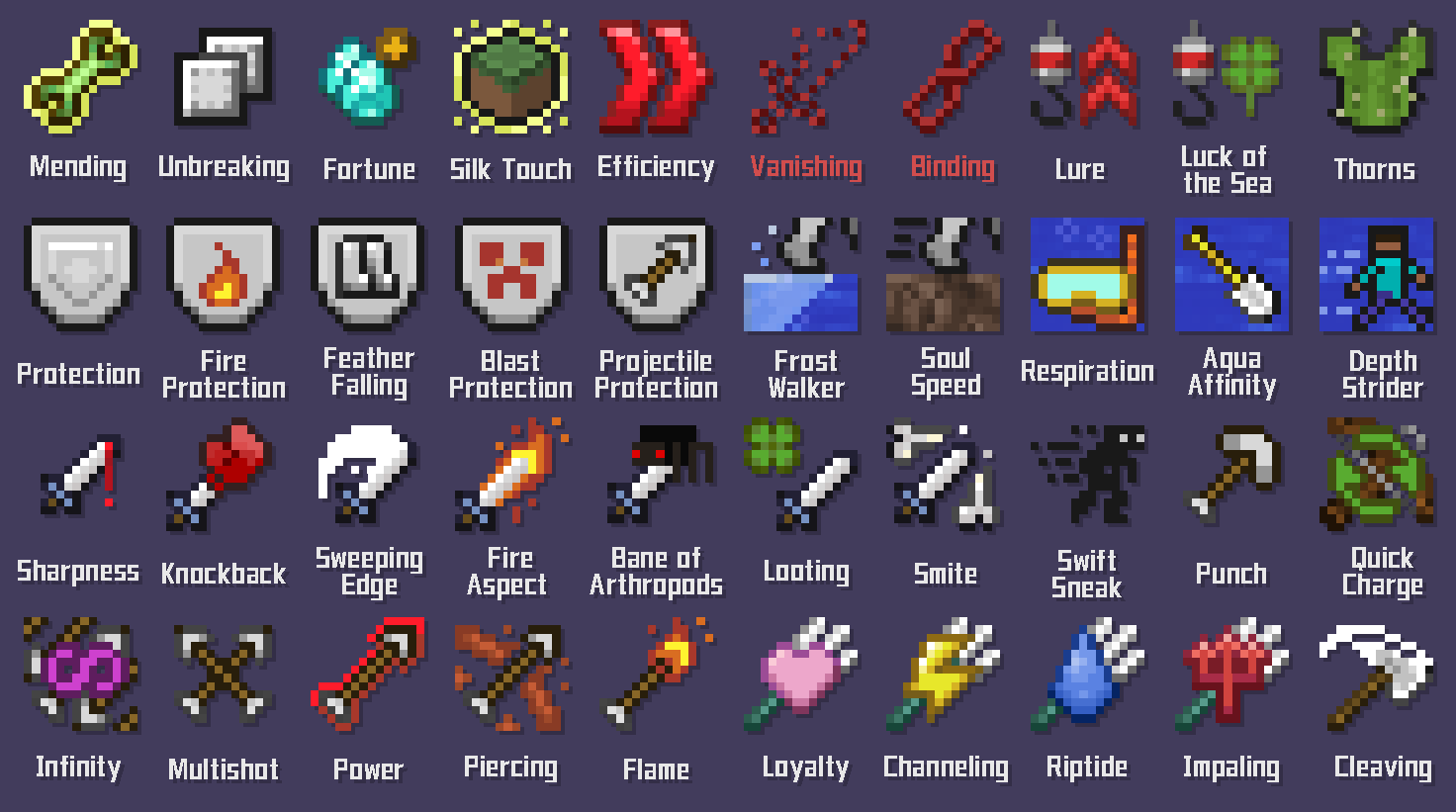
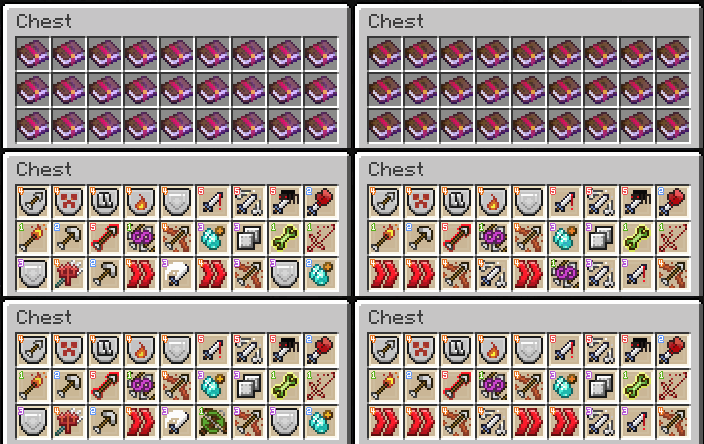
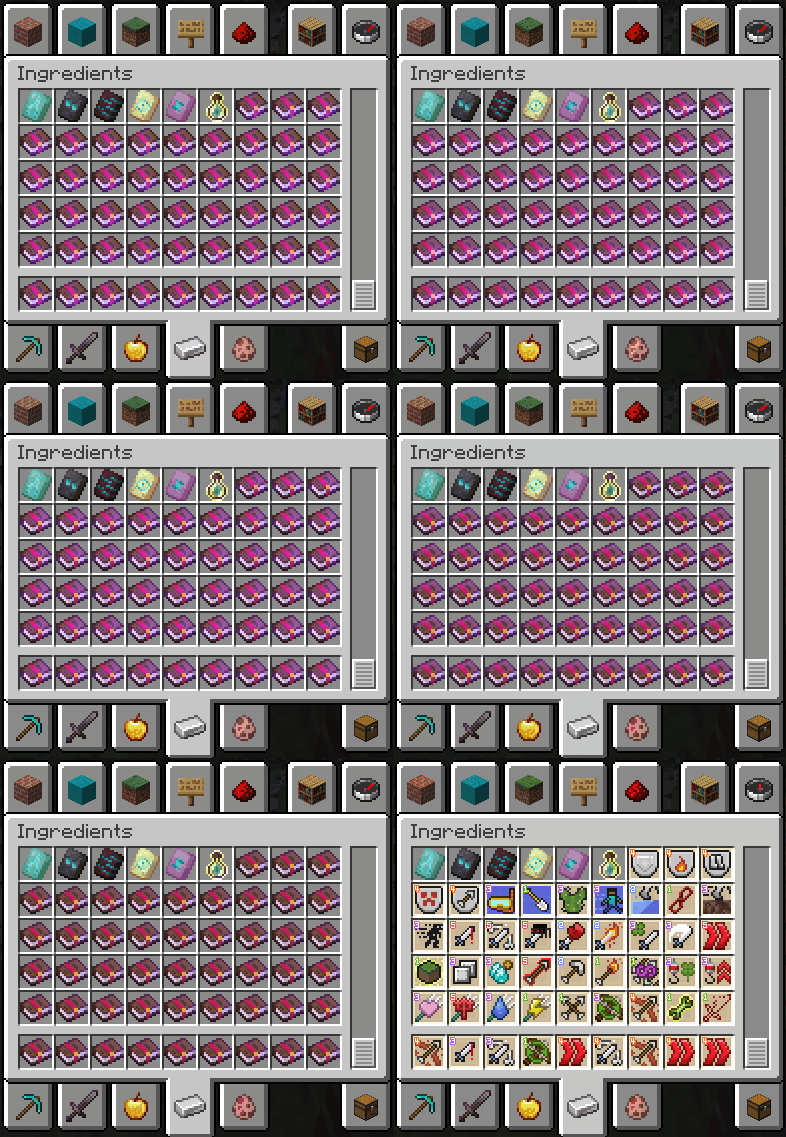
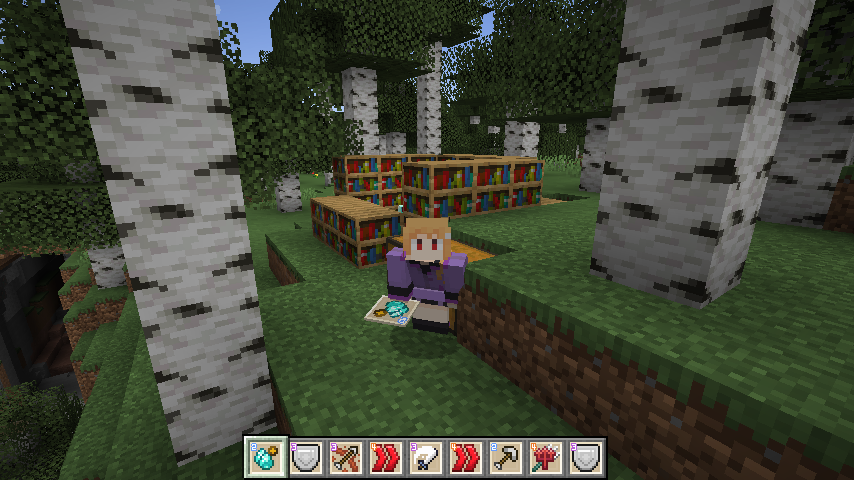
Pressing the assigned key (default is left shift), the icons of enchanted items (default is only enchanted books) will appear, and the level of enchantment will be displayed in the top-left corner as a number.
If an item has multiple enchantments, it will alternate to show all of its enchantments.
Default effect is only for enchanted books! You can modify this in the config file to affect the other enchanted items.
You can also change the background and the symbol style in the config file.
CONFIG Settings:
Type of level mark
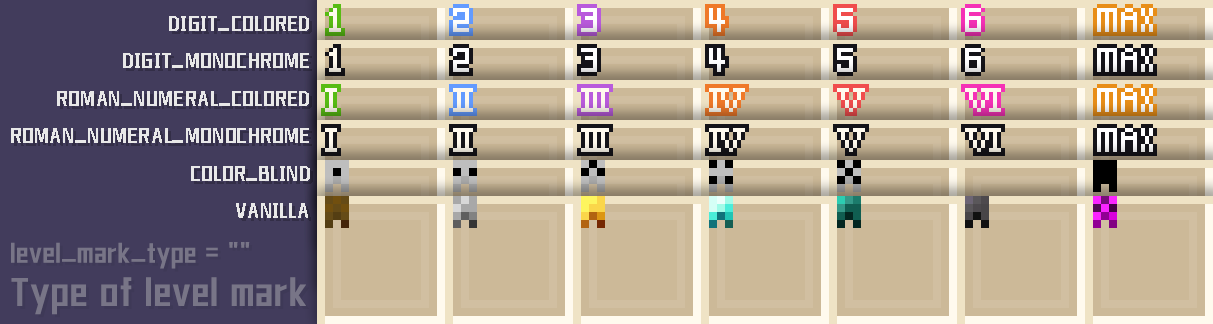
The symbol in the top-left corner can be toggled between colored digits (DIGIT_COLORED) (default), monochrome digits (DIGIT_MONOCHROME), colored Roman numerals (ROMAN_NUMERAL_COLORED), monochrome Roman numerals (ROMAN_NUMERAL_MONOCHROME), original art symbol (VANILLA), and dot symbols for color blindness (COLOR_BLIND).
Type of background
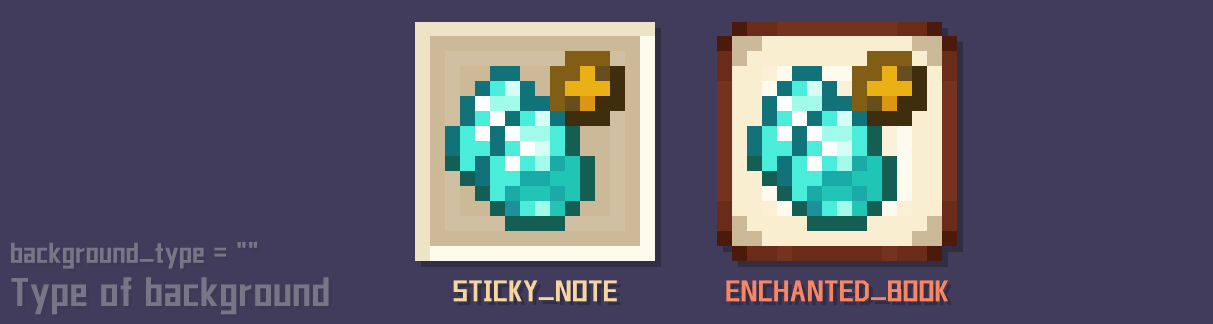
The background can be toggled between sticky note (STICKY_NOTE) and enchanted book (ENCHANTED_BOOK).
Other
Toggle when holding an item:
whether it's visible from another player's perspective, effective only for enchanted books (default), effective for all enchanted items, or not effective.
Toggle in the toolbar:
effectiveonly for enchanted books (default), effective for all enchanted items, or not effective.
Q&A
Q: Will you create icons for enchantments from other mods?
A: I intend to, but I'm quite busy with my work and can't make any promises. Nevertheless, you can leave comments about the mods for which you'd like me to create enchantment icons, and I'll check them out when I have time. (I would be overwhelmed if a mod had 50 enchantments!)
Q: Will you make other versions?
A: If everything goes well, this mod will continue to be updated to the latest versions. However, we won't be making it compatible with older versions, sorry!
Q: Can I use your images for learning to draw, as an avatar, or to make prints?
A: Of course, you are free to use my work, even outside the game. But please ensure that it's not for commercial use! (Do not sell them or use them as part of a commercial raffle)
Q: Can I port this mod to the "NetEase Minecraft platform"?
A: No, thank you for your offer, but I currently have no plans to release it there, and I have my own account on that platform.
Q: Can I provide local translations?
A: Hmm... this mod doesn't really require local translations. Hey! But guess what? You can contact me first, as we might need local translations for our future mods! And as an independent game developer, my games could also use a bit of localization. Maybe we'll have many opportunities to collaborate in the future! (Currently, I use GPT)

Available Versions
How to Install Enchant Icon on Your Server
Order Server
Order a Minecraft Java server with at least 3 GB RAM (4 GB recommended).
Set fabric Loader
In the panel under "Egg", select the fabric loader and matching Minecraft version (1.20.6).
Install Mod
Open the mod browser in the dashboard and search for "Enchant Icon". Click "Install" – done! Alternatively, upload the .jar via SFTP to the /mods folder.
Compatibility
Mod Loaders
Minecraft Versions
1.20.6, 1.20.5, 1.20.4 (+20 more)
Server-side
✗ UnsupportedRecommended RAM
4 GB(min. 3 GB)Frequently Asked Questions
Enchant Icon server crashes on startup – what to do?
Most common cause: wrong fabric version or insufficient RAM. Check the server log (latest.log) for "OutOfMemoryError" or "Mixin" errors. With Mado Hosting: ensure at least 3 GB RAM is allocated and the loader matches the mod version (1.20.6). You can switch loaders with one click in the panel.
Is Enchant Icon compatible with fabric and forge and neoforge and quilt?
Enchant Icon officially supports fabric, forge, neoforge, quilt for Minecraft 1.20.6, 1.20.5, 1.20.4. Note: Forge and Fabric mods are NOT cross-compatible – pick one loader and stick with it. The Mado dashboard automatically detects incompatible loader combinations.
Server lagging with Enchant Icon – how to optimize performance?
Recommended RAM: 4 GB (per 8 players). Use /spark profiler to check if Enchant Icon consumes the most tick time. Common fixes: reduce server view-distance to 8-10, install "performant" or "starlight" as supplementary mods on Forge. With Mado Hosting, your server runs on NVMe SSDs with dedicated CPU cores for minimal latency.
Similar Mods




![[ETF] Entity Texture Features](https://cdn.modrinth.com/data/BVzZfTc1/af683d206d50b05258d865b0d6e4aa2f2cee12f2_96.webp)
![[EMF] Entity Model Features](https://cdn.modrinth.com/data/4I1XuqiY/6e5bbd0d06b1741bfdab6c0cfab6de8fdaf0064c_96.webp)
Rent Modded Server
Install Enchant Icon with just one click on your server.