
Enchantree
Replaces enchanting table RNG with a tree system to give enchanting a stronger sense of progression.
Screenshots

About this Mod
Summary
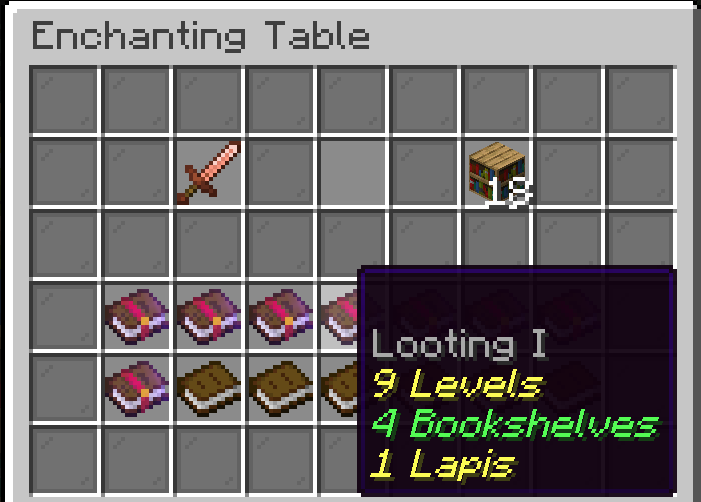
When enchanting an item, a list of enchanted books will display any compatible enchantments that are accessible from the enchanting table. When apploying, enchantments are applied one level at a time. The cost to apply enchantments increases with each level.
Works best if you disable villager trading or use this mod to limit all enchanted books from villagers to only be level one. This will prevent players from using villagers to bypass the tree entirely.
I tried my best to make this work in all languages without requiring the mod on the client. This forced me to used existing translation keys which may result in some weird translation artifacts.
Configuration
There are 3 configuration options available for the mod:
maxBookshelves - sets the maximum number of bookshelves that an enchant can require to be applied. Acceptable values are 0-32, Default 18
scaleBookshelfCost - determines how bookshelf cost should be calculated. If true, costs will be scaled to fit within the range 0-maxBookshelves. If false calculated bookshelf requirements will simply be capped at maxBookshelves. Default: true
requireEnchantedBooks - If enabled, the enchanting table will search for enchanted books stored in nearby chiseled bookshelves. Enchantments can only be applied up to the highest level of the book found by the enchanting table. This only works for enchantments that can normally be obtained from the enchanting table. Enchantments such as mending, swift sneak, and soul speed will not become accessible even if a book is provided. If you use this option, I recommend using this mod/datapack to make chiseled bookshelves supply enchanting power like bookshelves.
Details
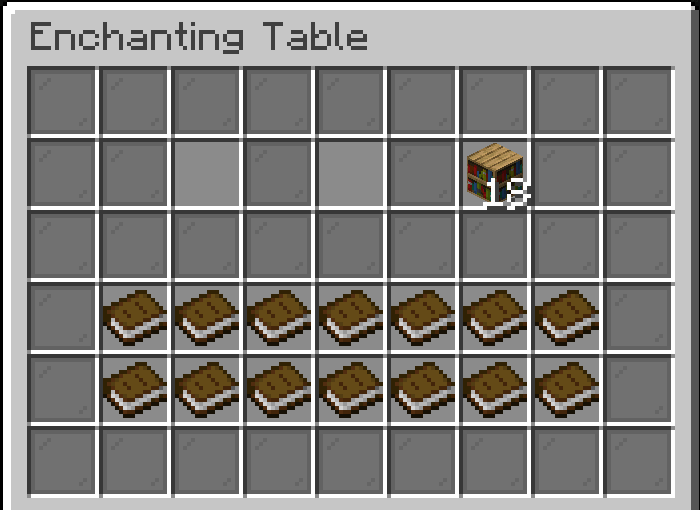
When a player interacts with an enchanting table they will see the following menu: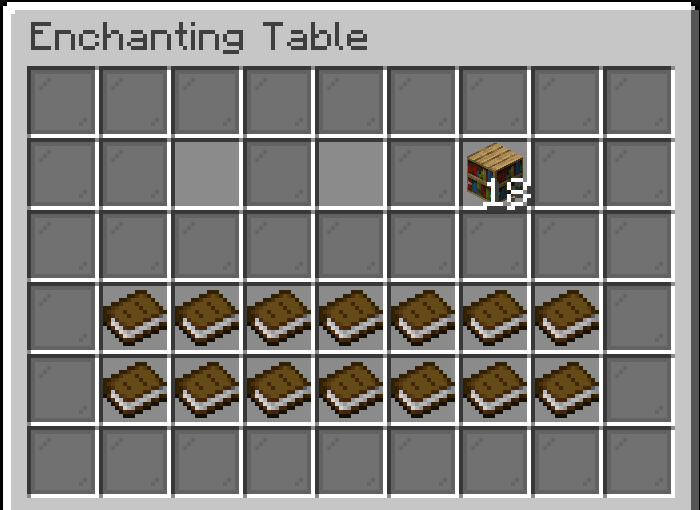
The first open slot is for the item to enchant.
The second open slot is for the lapis.
The bookshelves exist to inform how much enchanting power the table currently has.
When an item is inserted in the menu, the books will be replaced with enchanted books showing the available enchantments for the item. Each enchantment will a cost associated with it in the form of experience levels, lapis lazuli, and the number of bookshelves required to apply it.
Price Calculations & modification
The prices are calculated based on the enchantment definitions.
Level costs are calculated using the formula:(( anvil_cost + min_cost.base + 1 ) + ( levelToApply - 1 )( min_cost.per_level_above_first ))/2
Bookshelf requirements are calculated using the formula:min_cost.base + ( levelToApply - 1 ) * Math.min( min_cost.per_level_above_first / 2, (MAX_BOOKSHELVES - min_cost.base ) / max_level )
Lapis cost is always equal to the level of the enchant being applied (1 lapis for level 1, 2 for level 2, ...).
Using these formulas you may edit the level and bookshelf requirements by creating a datapack to modify the appropriate values for any enchantments you wish.
Available Versions
How to Install Enchantree on Your Server
Order Server
Order a Minecraft Java server with at least 3 GB RAM (4 GB recommended).
Set fabric Loader
In the panel under "Egg", select the fabric loader and matching Minecraft version (1.21.11).
Install Mod
Open the mod browser in the dashboard and search for "Enchantree". Click "Install" – done! Alternatively, upload the .jar via SFTP to the /mods folder.
Compatibility
Mod Loaders
Minecraft Versions
1.21.11, 1.21.10, 1.21.9
Server-side
✓ RequiredRecommended RAM
4 GB(min. 3 GB)Frequently Asked Questions
Enchantree server crashes on startup – what to do?
Most common cause: wrong fabric version or insufficient RAM. Check the server log (latest.log) for "OutOfMemoryError" or "Mixin" errors. With Mado Hosting: ensure at least 3 GB RAM is allocated and the loader matches the mod version (1.21.11). You can switch loaders with one click in the panel.
Is Enchantree compatible with fabric?
Enchantree officially supports fabric for Minecraft 1.21.11, 1.21.10, 1.21.9. The Mado dashboard automatically detects incompatible loader combinations.
Server lagging with Enchantree – how to optimize performance?
Recommended RAM: 4 GB (per 8 players). Use /spark profiler to check if Enchantree consumes the most tick time. Common fixes: reduce server view-distance to 8-10, install "performant" or "starlight" as supplementary mods on Forge. With Mado Hosting, your server runs on NVMe SSDs with dedicated CPU cores for minimal latency.
Similar Mods




Rent Modded Server
Install Enchantree with just one click on your server.
Details
- License
- Creative Commons Attribution Non Commercial Share Alike 4.0 International
- Server-side
- Required