Enchantips
Provides utilities for viewing things related to enchantments.
Screenshots
About this Mod
Enchantips
A mod that enhances tooltips related to enchanting or enchantments.
You will need Fabric API.
For in-game configuration, you will need Mod Menu and YetAnotherConfigLib.
Features
Repair Cost: any item that was worked in an anvil has an added penalty for future operations, this can be made visible.
Enchantability: each tool has an inherent value that determines how well it responds to getting enchanted; this can be made visible.
Enchantment Anvil Cost: This is a per-enchantment value that indicates how much it costs to add via an anvil; this can be made visible.
Enchantment Targets: The set of items that the enchantment can go on, either through an enchanting table or through an anvil. This can be made visible as a series of icons next to the enchantment name. By default, only items which are applicable to vanilla survival are listed, but more may be added via resource packs.
Enchantment Tags: The set of tags an enchantment is a member of. This can be made visible as a series of icons next to the enchantment name. By default, only tags that are applicable to vanilla survival are listed (curse, tradeable, etc.) but more may be added via resource packs.
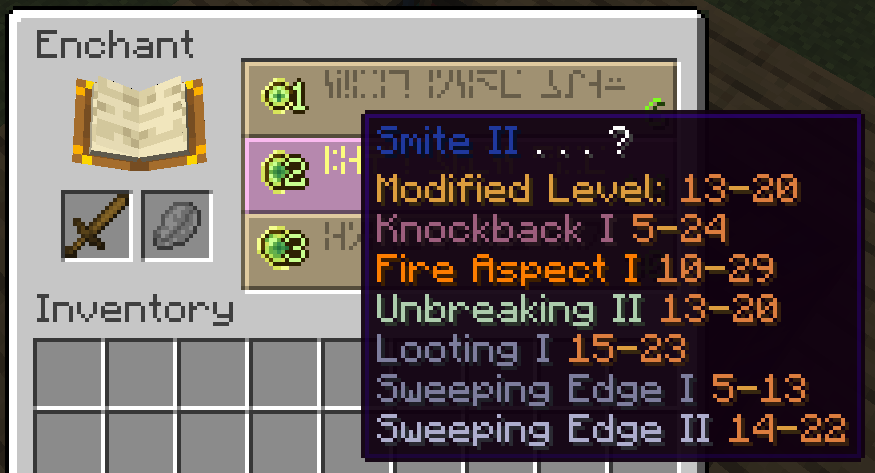
Enchanting Power: when enchanting an item, the game modifies the given level offer (e.g. level 30 enchantment) and uses that modified value to determine which enchantments you get. Enchantips gives a range of possible values that this value could be and displays it.
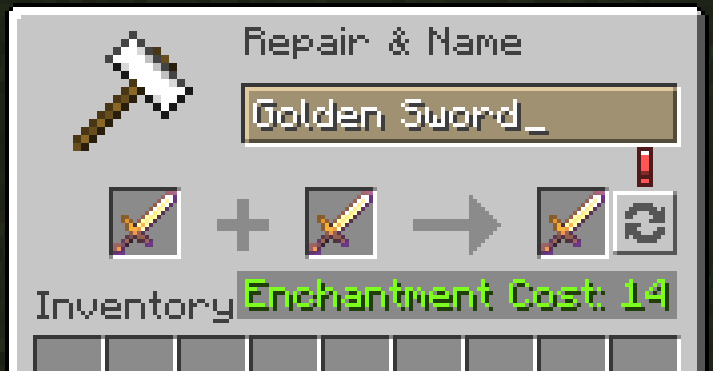
Anvil Optimizer: Sometimes, swapping the two input items in an anvil reduces the cost of the operation without influencing the output enchantments. Enchantips adds an indicator that displays when an operation could be optimized like this and also a button that swaps the items for you with one click. Note that using the button could flag anticheats on servers.
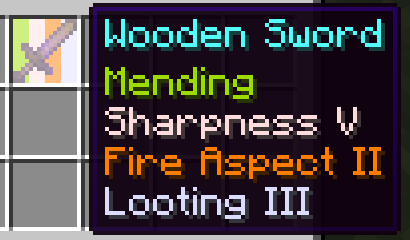
Enchantment Sorting: Enchantips sorts enchantments in item tooltips.
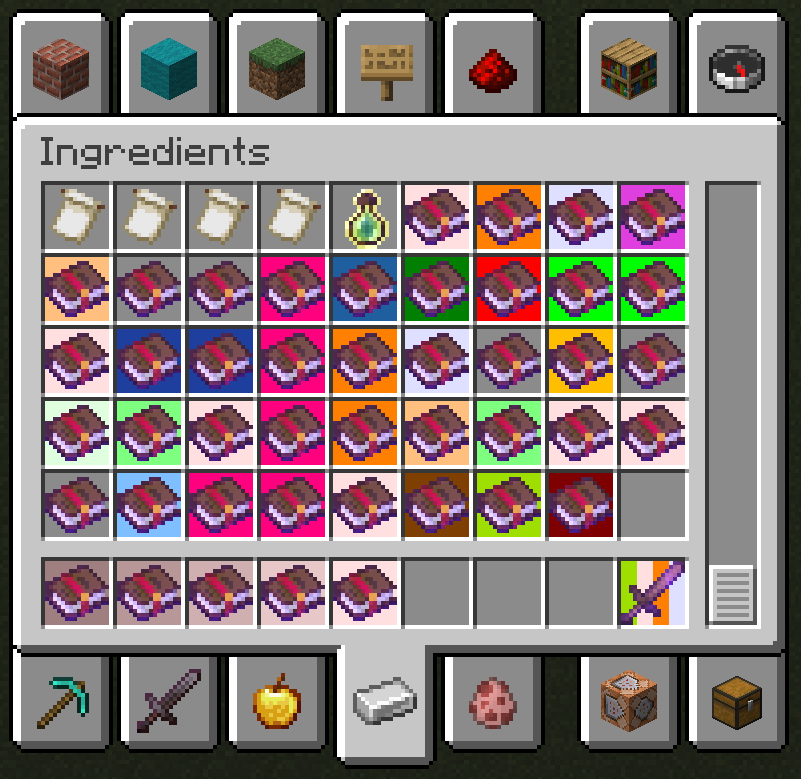
Item Highlights: Enchantips highlights slots with enchanted items in them.
Enchantment Info Screen: Press a configurable keybind to view every enchantment and some of its internal values.
Item Highlights
Enchantips gives the option to highlight enchanted items based on the enchantments they have. Highlighting a slot with multiple enchantments is supported.
By default, every normal (non-treasure non-curse) enchantment has the same settings. You will need to configure colors manually to leverage this feature fully.
You can also configure the order in which enchantments are highlighted. As an example, you can set the mod to prioritize mending so mending will always be the leftmost highlight in the slot. This also influences enchantment tooltip sorting, so mending would also be the topmost enchantment in the item's tooltip.
Configuration
Nearly every feature is configurable, however not all features are enabled by default. Enchantments in item tooltips are always sorted, there is no way to disable this.
For per-enchantment configuration, you will need to enter a world to initialize the configuration. This is because enchantments are now defined per-world. On later game sessions, before entering a world, any previously saved per-enchantment configurations will have an Enchantips: Unknown title; this is also due to enchantments being defined per-world. There is no guarantee of enchantment names staying consistent since the server's/world's enchantment definition (which includes the name) may change any time.
Available Versions
How to Install Enchantips on Your Server
Order Server
Order a Minecraft Java server with at least 3 GB RAM (4 GB recommended).
Set fabric Loader
In the panel under "Egg", select the fabric loader and matching Minecraft version (1.21.11).
Install Mod
Open the mod browser in the dashboard and search for "Enchantips". Click "Install" – done! Alternatively, upload the .jar via SFTP to the /mods folder.
Compatibility
Mod Loaders
Minecraft Versions
1.21.11, 1.21.10, 1.21.9 (+15 more)
Server-side
✗ UnsupportedRecommended RAM
4 GB(min. 3 GB)Frequently Asked Questions
Enchantips server crashes on startup – what to do?
Most common cause: wrong fabric version or insufficient RAM. Check the server log (latest.log) for "OutOfMemoryError" or "Mixin" errors. With Mado Hosting: ensure at least 3 GB RAM is allocated and the loader matches the mod version (1.21.11). You can switch loaders with one click in the panel.
Is Enchantips compatible with fabric?
Enchantips officially supports fabric for Minecraft 1.21.11, 1.21.10, 1.21.9. The Mado dashboard automatically detects incompatible loader combinations.
Server lagging with Enchantips – how to optimize performance?
Recommended RAM: 4 GB (per 8 players). Use /spark profiler to check if Enchantips consumes the most tick time. Common fixes: reduce server view-distance to 8-10, install "performant" or "starlight" as supplementary mods on Forge. With Mado Hosting, your server runs on NVMe SSDs with dedicated CPU cores for minimal latency.
Similar Mods




![[ETF] Entity Texture Features](https://cdn.modrinth.com/data/BVzZfTc1/af683d206d50b05258d865b0d6e4aa2f2cee12f2_96.webp)
![[EMF] Entity Model Features](https://cdn.modrinth.com/data/4I1XuqiY/6e5bbd0d06b1741bfdab6c0cfab6de8fdaf0064c_96.webp)
Rent Modded Server
Install Enchantips with just one click on your server.