
EnderBooks
The mod adds items, which allows you to save points and teleport between them.
Screenshots
About this Mod
26.1.x update coming in few month...
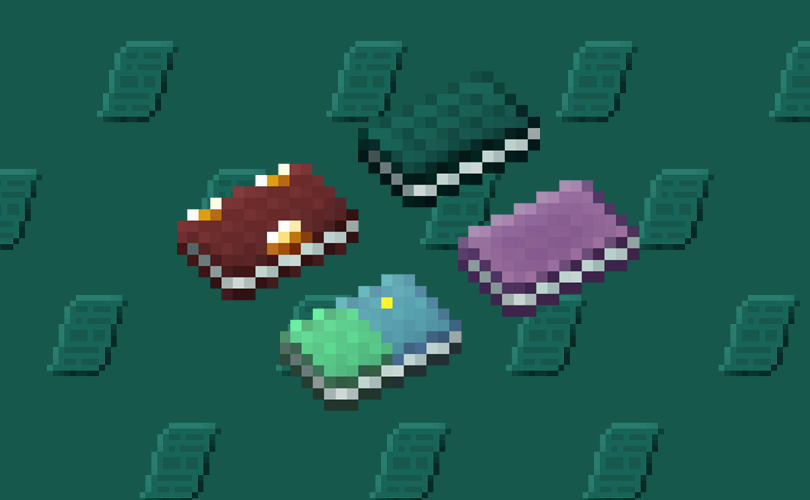
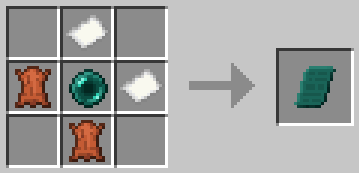
The mod adds items which allow you to save points and quickly teleport to them. There are 3 books, each of which can be used within the same dimension:
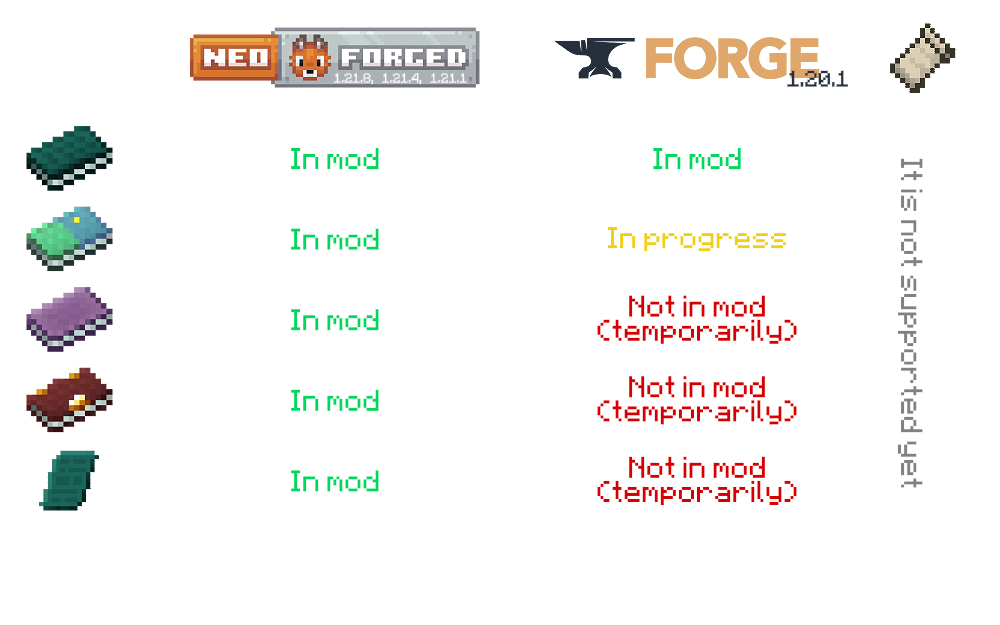
An OverworldBook for the overworld,

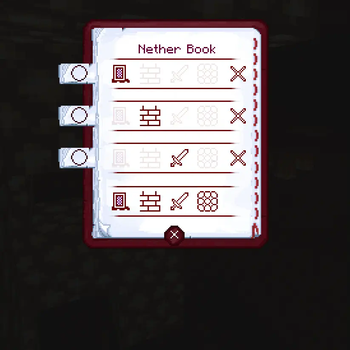
a NetherBook for the Nether,

a Book Of The End for the End,

& universal to all vanila dimensions - EnderBook.

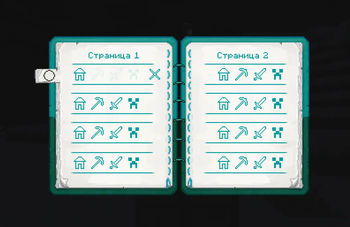
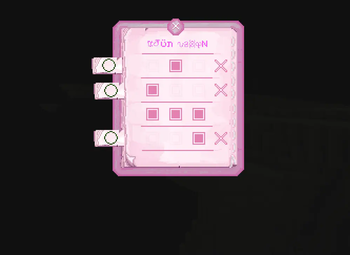
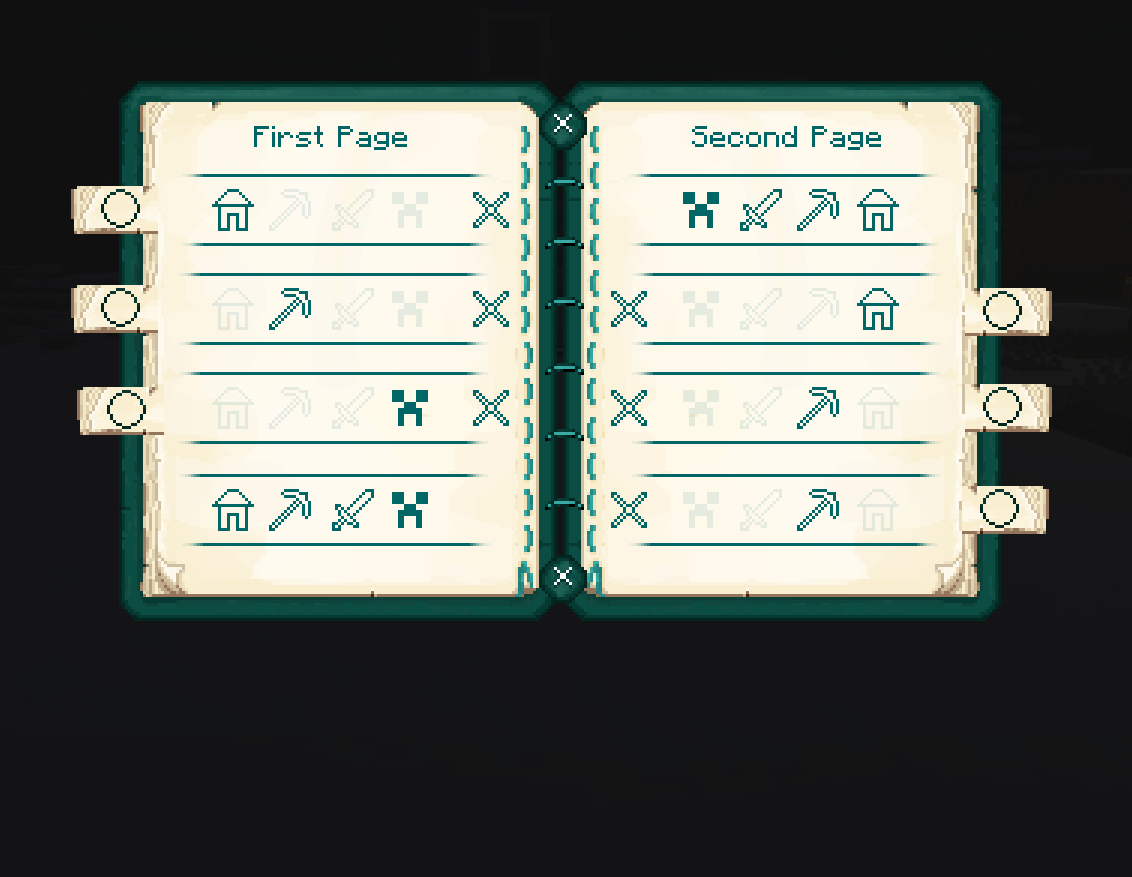
To use a book, open it, then click on one of the three or four icons to save your current coordinates. Please note that the coordinates are not saved in a book - they are saved individually for the player, as it usually works with Ender Chest.
Example with OverworldBook:
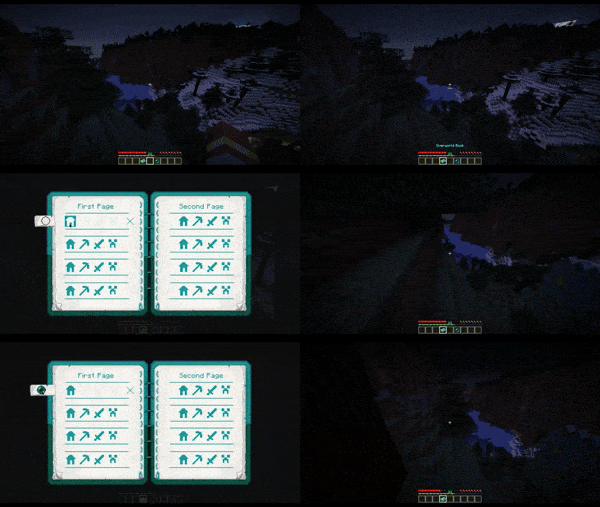
Example with Writable OverworldBook:
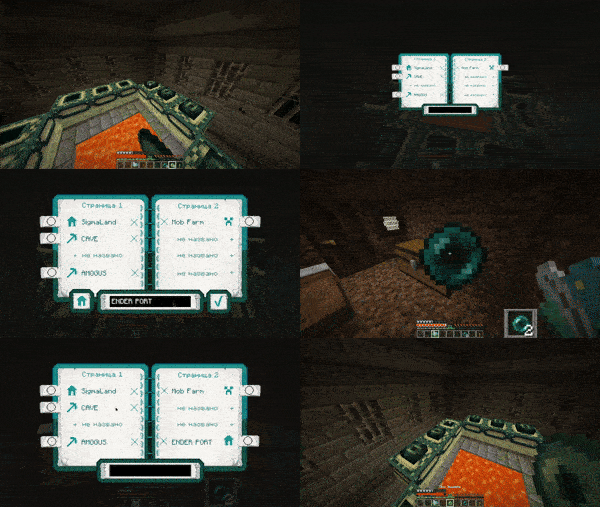
To return to a saved coordinates, you need to have at least 1 Ender Pearl in your inventory. Attach the Ender Perl to the line where is the pressed icon located, and then you will teleport.
Also this mod adds Enderpengament:

By pressing RMB draw something on it to save your place, and then - the same way swallow it to return to the saved place.
THERE ARE CONTRAINDICATIONS TO USE: slight damage is possible, loss of Ender Pearls, leg atrophy.
The mod can be installed on a modified server.
Made with

The mod will be updated to versions supported by MCreator.
(And maybe by some generators from community)
Available Versions
How to Install EnderBooks on Your Server
Order Server
Order a Minecraft Java server with at least 3 GB RAM (4 GB recommended).
Set forge Loader
In the panel under "Egg", select the forge loader and matching Minecraft version (1.21.8).
Install Mod
Open the mod browser in the dashboard and search for "EnderBooks". Click "Install" – done! Alternatively, upload the .jar via SFTP to the /mods folder.
Compatibility
Mod Loaders
Minecraft Versions
1.21.8, 1.21.4, 1.21.1 (+1 more)
Server-side
✓ RequiredRecommended RAM
4 GB(min. 3 GB)Frequently Asked Questions
EnderBooks server crashes on startup – what to do?
Most common cause: wrong forge version or insufficient RAM. Check the server log (latest.log) for "OutOfMemoryError" or "Mixin" errors. With Mado Hosting: ensure at least 3 GB RAM is allocated and the loader matches the mod version (1.21.8). You can switch loaders with one click in the panel.
Is EnderBooks compatible with forge and neoforge?
EnderBooks officially supports forge, neoforge for Minecraft 1.21.8, 1.21.4, 1.21.1. The Mado dashboard automatically detects incompatible loader combinations.
Server lagging with EnderBooks – how to optimize performance?
Recommended RAM: 4 GB (per 8 players). Use /spark profiler to check if EnderBooks consumes the most tick time. Common fixes: reduce server view-distance to 8-10, install "performant" or "starlight" as supplementary mods on Forge. With Mado Hosting, your server runs on NVMe SSDs with dedicated CPU cores for minimal latency.
Similar Mods




Rent Modded Server
Install EnderBooks with just one click on your server.