
EnderTracker
Visualize where your pearls and arrows trayectory! A helpful tool for learning and practicing projectile paths.
Screenshots
About this Mod
Ender Tracker
Visualize where your pearls and arrows will land! A helpful tool for learning and practicing projectile paths. 1.21.8+ (Fabric).
Features
- Projectiles Supported: Ender Pearls, Arrows, and Potions.
- Own Tracking: Preview your trajectory before throwing or firing.
- Rival Tracking: Automatically detect and track projectiles thrown by other players in the world.
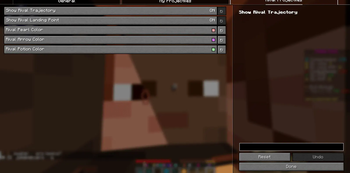
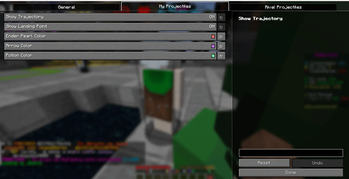
- Professional UI: Fully customizable colors and toggles via YetAnotherConfigLib and Mod Menu.
Configuration
Access the settings via the Mod Menu in-game. You can independently toggle:
- Trajectory lines for yourself and rivals.
- Landing point indicators for yourself and rivals.
- Custom RGBA colors for every projectile type.
⚠️ Competitive Play Warning
IMPORTANT: While this mod is a powerful utility tool, it provides predictive information (future landing points) that is not available in vanilla Minecraft.
[!WARNING]
Use this mod at your own risk on competitive multiplayer servers. Many servers (like Hypixel, etc.) may consider Rival Tracking or Landing Indicators as an unfair advantage or "Aim Assist." We strongly recommend checking the rules of the server you are playing on before using this mod in a multiplayer setting.
Dependencies
- Fabric Loader
- Fabric API
- YetAnotherConfigLib (Required for configuration UI)
- Mod Menu (Optional, recommended for easy access to settings)
License
All Rights Reserved. You may not redistribute, modify, or use any part of this mod's code or assets without explicit permission from the author (samuzx).
Author
Developed by samuzx.
Available Versions
How to Install EnderTracker on Your Server
Order Server
Order a Minecraft Java server with at least 3 GB RAM (4 GB recommended).
Set fabric Loader
In the panel under "Egg", select the fabric loader and matching Minecraft version (1.21.11).
Install Mod
Open the mod browser in the dashboard and search for "EnderTracker". Click "Install" – done! Alternatively, upload the .jar via SFTP to the /mods folder.
Compatibility
Mod Loaders
Minecraft Versions
1.21.11, 1.21.10, 1.21.9 (+1 more)
Server-side
✗ UnsupportedRecommended RAM
4 GB(min. 3 GB)Frequently Asked Questions
EnderTracker server crashes on startup – what to do?
Most common cause: wrong fabric version or insufficient RAM. Check the server log (latest.log) for "OutOfMemoryError" or "Mixin" errors. With Mado Hosting: ensure at least 3 GB RAM is allocated and the loader matches the mod version (1.21.11). You can switch loaders with one click in the panel.
Is EnderTracker compatible with fabric?
EnderTracker officially supports fabric for Minecraft 1.21.11, 1.21.10, 1.21.9. The Mado dashboard automatically detects incompatible loader combinations.
Server lagging with EnderTracker – how to optimize performance?
Recommended RAM: 4 GB (per 8 players). Use /spark profiler to check if EnderTracker consumes the most tick time. Common fixes: reduce server view-distance to 8-10, install "performant" or "starlight" as supplementary mods on Forge. With Mado Hosting, your server runs on NVMe SSDs with dedicated CPU cores for minimal latency.
Similar Mods




![[ETF] Entity Texture Features](https://cdn.modrinth.com/data/BVzZfTc1/af683d206d50b05258d865b0d6e4aa2f2cee12f2_96.webp)
![[EMF] Entity Model Features](https://cdn.modrinth.com/data/4I1XuqiY/6e5bbd0d06b1741bfdab6c0cfab6de8fdaf0064c_96.webp)
Rent Modded Server
Install EnderTracker with just one click on your server.