
Entity Numbering
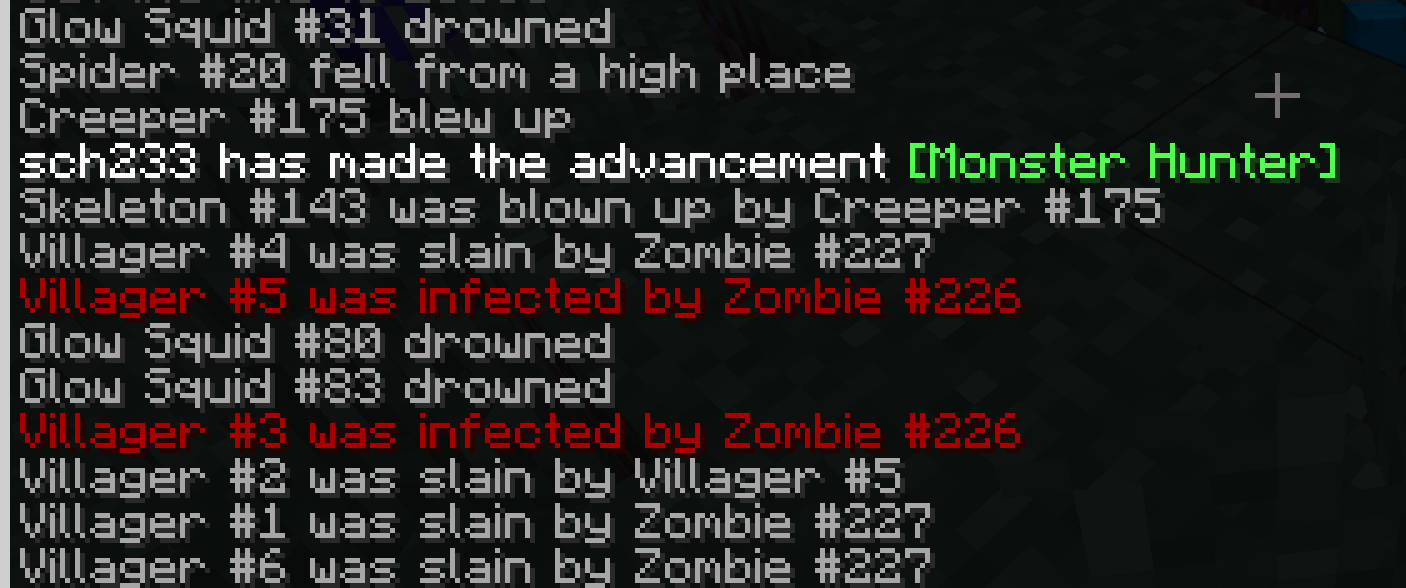
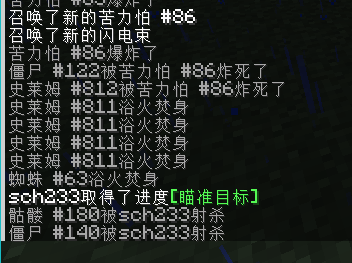
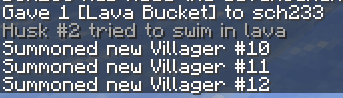
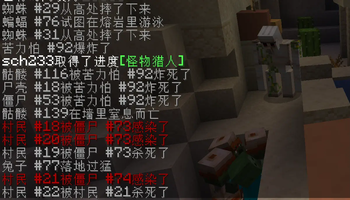
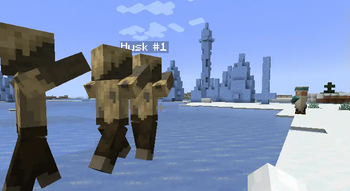
adds cumulative numbering to entities in Minecraft by species and provides death message broadcasting functionality.
Screenshots
About this Mod
Entity Numbering Mod
Repository: https://github.com/sch246/entity_numbering
Overview
Entity Numbering Mod is a Fabric mod that adds cumulative numbering to entities in Minecraft by species and provides death message broadcasting functionality.
Features
- Adds unique numbering to entities in the game (can be disabled)
- Named entities will have the tag:
entity_numbering.named, which can also be used to prevent entities from being named
- Named entities will have the tag:
- Broadcasts entity death messages (can be disabled)
- Customizable death message broadcast range
- Customizable separator between entity name and number
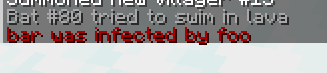
- Special handling for zombies infecting villagers and creeper explosions
- Added the
resetnamecommand to clear names
Known Issues
- It affects all unnamed living entities in the world, as I currently don't know how to distinguish between pre-existing entities and newly spawned ones
Installation
- Make sure you have fabric-api and Fabric loader installed, with loader version >=0.16.0
- Download the .jar file of this mod
- Place the downloaded .jar file into your Minecraft
modsfolder - Launch the game!
Configuration
The mod's configuration file should be located at .minecraft/config/entity_numbering.json. You can modify the following settings as needed:
{
  "enableNumbering": true,
  "enableDeathMessages": true,
  "boardcastNeedName": true,
  "boardcastDistance": 128,
  "nameSeparator": " #"
}
enableNumbering: Whether to enable entity numbering featureenableDeathMessages: Whether to enable death message broadcastingboardcastNeedName: Whether to broadcast death messages only for named entitiesboardcastDistance: The range of death message broadcasting (in blocks)nameSeparator: The separator between entity name and number
For debugging purposes, you can open /saves/<world_name>/data/entity_counter.json to modify the current number count for each type of entity
Uninstallation
- Modify
.minecraft/config/entity_numbering.jsonand setenableNumberingtofalse - Run
/resetname @e[tag=entity_numbering.named], make sure all named entities are affected (some entities might be in unloaded chunks) - Run
/execute as @e[tag=entity_numbering.named] unless data entity @s CustomName run tag @s remove entity_numbering.namedto remove the tag from entities without a custom name - Close the game
- Delete the
entity_numbering-x.x.x.jarfile from themodsfolder
Compatibility
This mod is compatible with Minecraft version 1.21-1.21.1.
Other versions have not been tested.
Contributions
Issues and pull requests are welcome.
License
This project is licensed under the MIT License.
Available Versions
How to Install Entity Numbering on Your Server
Order Server
Order a Minecraft Java server with at least 3 GB RAM (4 GB recommended).
Set fabric Loader
In the panel under "Egg", select the fabric loader and matching Minecraft version (1.21.1).
Install Mod
Open the mod browser in the dashboard and search for "Entity Numbering". Click "Install" – done! Alternatively, upload the .jar via SFTP to the /mods folder.
Compatibility
Mod Loaders
Minecraft Versions
1.21.1, 1.21
Server-side
✓ RequiredRecommended RAM
4 GB(min. 3 GB)Frequently Asked Questions
Entity Numbering server crashes on startup – what to do?
Most common cause: wrong fabric version or insufficient RAM. Check the server log (latest.log) for "OutOfMemoryError" or "Mixin" errors. With Mado Hosting: ensure at least 3 GB RAM is allocated and the loader matches the mod version (1.21.1). You can switch loaders with one click in the panel.
Is Entity Numbering compatible with fabric?
Entity Numbering officially supports fabric for Minecraft 1.21.1, 1.21. The Mado dashboard automatically detects incompatible loader combinations.
Server lagging with Entity Numbering – how to optimize performance?
Recommended RAM: 4 GB (per 8 players). Use /spark profiler to check if Entity Numbering consumes the most tick time. Common fixes: reduce server view-distance to 8-10, install "performant" or "starlight" as supplementary mods on Forge. With Mado Hosting, your server runs on NVMe SSDs with dedicated CPU cores for minimal latency.
Similar Mods




Rent Modded Server
Install Entity Numbering with just one click on your server.