
Environmental Mover
A utility mod that uses special machines powered by RF to absorb and move biomes!
Screenshots
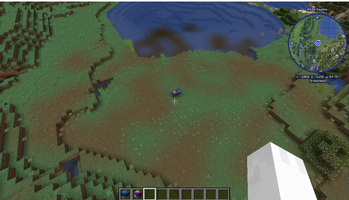
About this Mod

A small mod that allows you to power machines that can absorb and move biomes in the world!
Blocks:
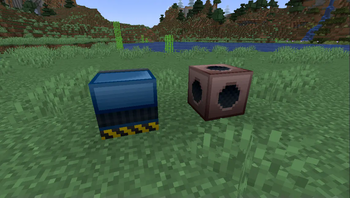
- Biome Absorber: Takes in an empty biome container and RF to produce a filled biome container based on what biome the block is in.
- Biome Applicator: Uses power to paint the blocks around it in the biome contained within the filled biome container.
Items:
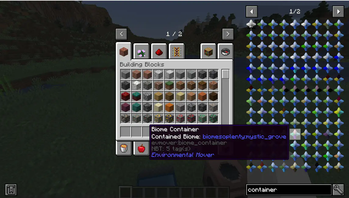
- Empty Biome Container: An item used for containing a biome. Upon crafting, these are empty. Place them in a Biome Absorber to fill them with a biome.
- Filled Biome Container: An item that contains a biome. The four points on the item represents the biome's sky color, water color, fog color and foliage color by default, but can be changed in the item's NBT.
- Terrastar: By default, this is a crafting ingredient for the Biome Applicator. This special item requires specific filled biome containers in order to craft it.
Compatabilities:
- JEI (Optional) - Shows the power requirements for absorbing a biome and painting it, as well as the special recipe for the Terrastar
- Patchouli (Required)- Internal guide on how to use the mod
Extra Info:
- The amount of energy used to extract/distribute a biome can be edited with datapacks (/reload command is your friend!)
- Using the "
see recipes"and"see uses"keys from JEI on the biome containers shows you extra information about them! - Colors for the item can be changed in the item's NBT tags
Available Versions
How to Install Environmental Mover on Your Server
Order Server
Order a Minecraft Java server with at least 3 GB RAM (4 GB recommended).
Set forge Loader
In the panel under "Egg", select the forge loader and matching Minecraft version (1.18.2).
Install Mod
Open the mod browser in the dashboard and search for "Environmental Mover". Click "Install" – done! Alternatively, upload the .jar via SFTP to the /mods folder.
Compatibility
Mod Loaders
Minecraft Versions
1.18.2
Server-side
✓ RequiredRecommended RAM
4 GB(min. 3 GB)Frequently Asked Questions
Environmental Mover server crashes on startup – what to do?
Most common cause: wrong forge version or insufficient RAM. Check the server log (latest.log) for "OutOfMemoryError" or "Mixin" errors. With Mado Hosting: ensure at least 3 GB RAM is allocated and the loader matches the mod version (1.18.2). You can switch loaders with one click in the panel.
Is Environmental Mover compatible with forge?
Environmental Mover officially supports forge for Minecraft 1.18.2. The Mado dashboard automatically detects incompatible loader combinations.
Server lagging with Environmental Mover – how to optimize performance?
Recommended RAM: 4 GB (per 8 players). Use /spark profiler to check if Environmental Mover consumes the most tick time. Common fixes: reduce server view-distance to 8-10, install "performant" or "starlight" as supplementary mods on Forge. With Mado Hosting, your server runs on NVMe SSDs with dedicated CPU cores for minimal latency.
Similar Mods





Rent Modded Server
Install Environmental Mover with just one click on your server.