
ExcaMate
Mining companion with different mining modes for efficiency, with auto-collection of drops and XP.
About this Mod
⛏️ ExcaMate
ExcaMate is an efficient mining companion that enhances how you mine in Minecraft. With a single key, you can vein mine, create clean branch tunnels, or excavate 3×3 areas, with optional auto-pickup for drops and direct XP collection - now with full control over what gets mined and picked up.
✨ Features
- Hold-to-activate mining - no toggle state
Tool-aware behaviour:- Pickaxes: stone & ores
- Axes: logs & wood
- Shovels: dirt, sand, gravel, clay, etc.
- Hoes: hay bales, sponges, leaves, crops, etc.
- Smart durability handling (won’t break your tool)
- Supports Unbreaking & respects Silk Touch & Fortune
- Direct XP collection (optional)
- Auto-pickup drops (optional)
- Auto torch placement when torches are in off-hand (Branch mode only - optional)
- Configurable block limits per mode
- Customisable allow & block lists for mining and auto-pickup
🧾 Custom Allow & Block Lists
ExcaMate now gives you full control over what it can mine and what it picks up.
By default, ExcaMate supports:
- ores
- logs and wood
- stone-type blocks
- shovel blocks (dirt, sand, gravel, etc.)
You can extend or restrict this behaviour using the config:
extraVeinMineAllowList
Adds extra blocks to ExcaMate’s supported mining list.
Example:minecraft:obsidian,minecraft:hay_blockveinMineBlockList
Prevents specific blocks from being mass-mined.
Example:minecraft:glass,minecraft:glass_paneextraAutoPickupAllowList
Adds extra blocks whose drops will be auto-picked up.autoPickupBlockList
Prevents drops from specific blocks from being auto-picked up.
Example:minecraft:gravelto avoid inventory clutter
Behaviour Rules
- Default ExcaMate-supported blocks always work
- Extra allowlists add to default behaviour (they do not replace it)
- Blocklists always override allowlists
- Tool rules still apply - no bypassing vanilla mechanics
- Safety rules still apply - protected blocks remain blocked
This lets you customise ExcaMate without breaking balance or risking accidental destruction.
🧲 Auto Pickup Blocks & XP
ExcaMate can automatically collect drops and XP while mining, keeping your inventory tidy and reducing clutter.
Item Auto Pickup:
Mined drops go directly into your inventory. If your inventory is full, excess items will drop normally.
Direct XP Collection:
XP is awarded instantly without spawning orbs, making mining smoother and eliminating the need to wait for XP to reach you.
Both features are fully configurable and now support fine-tuned control using the allowlists and blocklists.
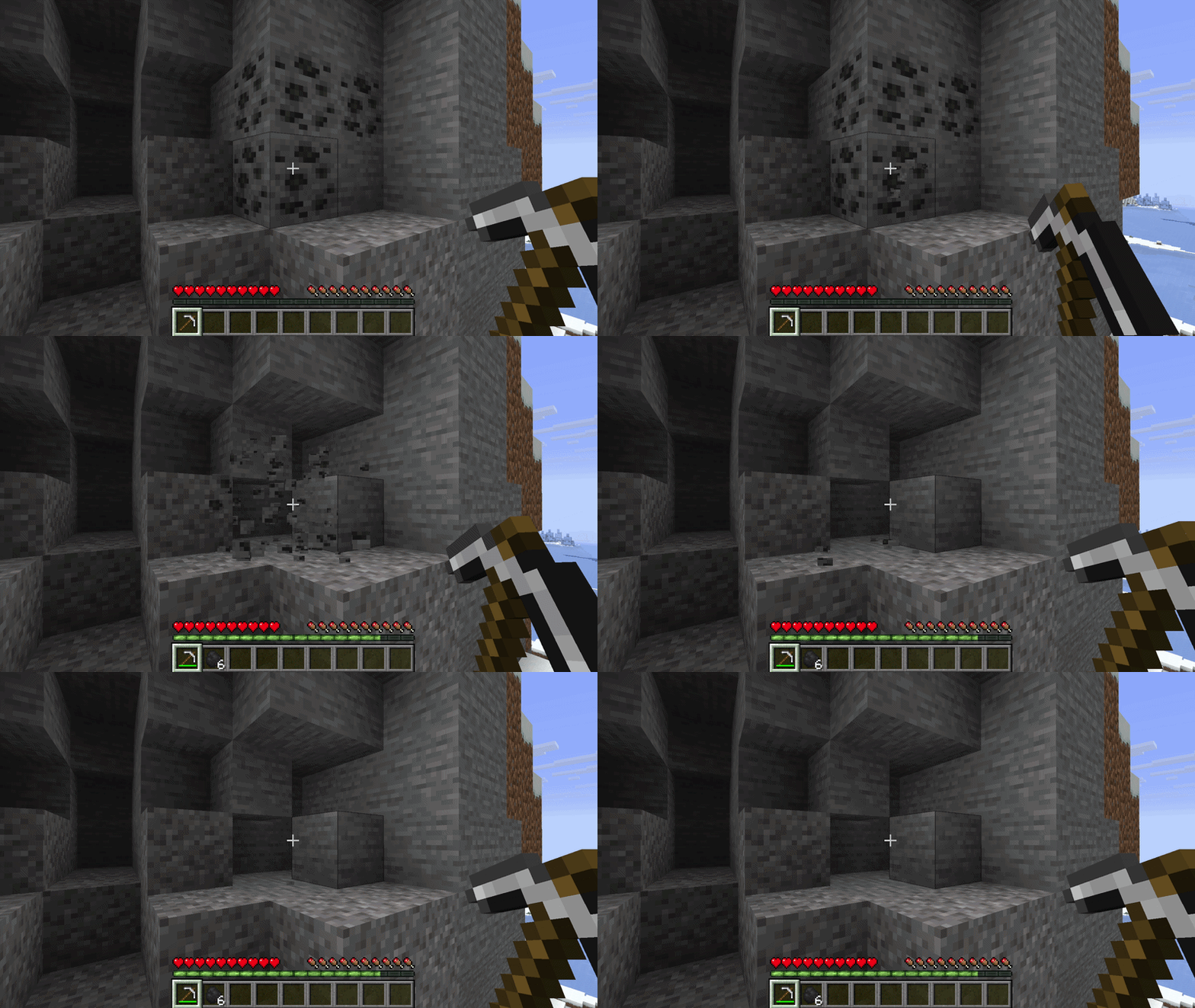
🔄 Mining Modes
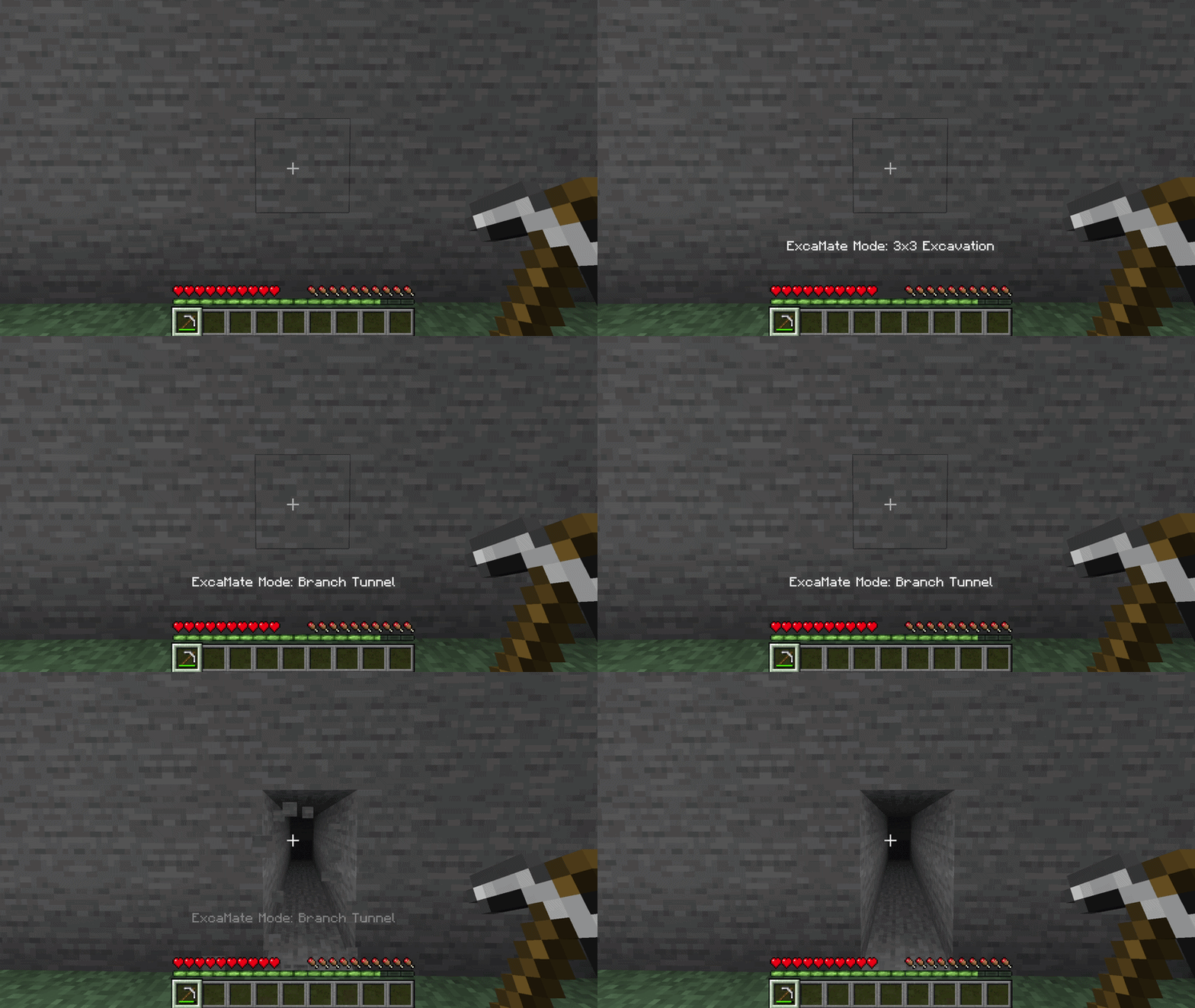
ExcaMate includes three mining modes, each designed for a different use case. Cycle between them using the in-game keybind.
Vein
Mines connected blocks of the same type. Ideal for ores, logs, and loose materials.
Branch
Creates a clean 1-wide, 2-tall, 16-depth tunnel in front of you. Perfect for strip mining.
Excavate
Mines a 3-wide, 3-tall, 3-depth area based on where you're looking. Great for clearing large spaces quickly.
⚙️ Configuration
ExcaMate includes a config file where you can tweak:
- Max block limit per mode
- Auto-pickup behaviour
- XP handling
- Auto torch placement
- Extra blocks that can be mass-mined
- Blocks that should never be mass-mined
- Extra blocks whose drops can be auto-picked up
- Blocks whose drops should not be auto-picked up
All new configuration options are designed to extend ExcaMate’s default behaviour without disrupting it.
⚖️ Balanced Gameplay
ExcaMate is designed to feel like vanilla Minecraft:
- No boosted drops
- No bonus XP
- Uses normal durability
- Applies exhaustion/hunger
- Respects all vanilla mechanics
You gain efficiency and control without sacrificing balance.
🔒 Safety
ExcaMate will never mass-break protected or sensitive blocks such as:
- Containers (chests, barrels, shulker boxes, etc.)
- Spawners
- Bedrock
- Command blocks and structure blocks
These protections remain in place regardless of configuration.
💬 Suggestions & Feedback
I’m open to suggestions for future ExcaMate features, balance changes, and quality-of-life improvements.
If you have an idea or find an issue, please add it on the GitHub issue page:
https://github.com/SkellyX/ExcaMate/issues
Available Versions
How to Install ExcaMate on Your Server
Order Server
Order a Minecraft Java server with at least 3 GB RAM (4 GB recommended).
Set fabric Loader
In the panel under "Egg", select the fabric loader and matching Minecraft version (26.1.2).
Install Mod
Open the mod browser in the dashboard and search for "ExcaMate". Click "Install" – done! Alternatively, upload the .jar via SFTP to the /mods folder.
Compatibility
Mod Loaders
Minecraft Versions
26.1.2
Server-side
✓ RequiredRecommended RAM
4 GB(min. 3 GB)Frequently Asked Questions
ExcaMate server crashes on startup – what to do?
Most common cause: wrong fabric version or insufficient RAM. Check the server log (latest.log) for "OutOfMemoryError" or "Mixin" errors. With Mado Hosting: ensure at least 3 GB RAM is allocated and the loader matches the mod version (26.1.2). You can switch loaders with one click in the panel.
Is ExcaMate compatible with fabric?
ExcaMate officially supports fabric for Minecraft 26.1.2. The Mado dashboard automatically detects incompatible loader combinations.
Server lagging with ExcaMate – how to optimize performance?
Recommended RAM: 4 GB (per 8 players). Use /spark profiler to check if ExcaMate consumes the most tick time. Common fixes: reduce server view-distance to 8-10, install "performant" or "starlight" as supplementary mods on Forge. With Mado Hosting, your server runs on NVMe SSDs with dedicated CPU cores for minimal latency.
Similar Mods




Rent Modded Server
Install ExcaMate with just one click on your server.