
EXP Viewer!
Simple XP HUD with exact values and clear notifications.
Screenshots
About this Mod
EXP Viewer!
EXP Viewer! is a client-side HUD mod for Fabric (Minecraft 1.20.x) that makes experience tracking clearer and more dynamic.

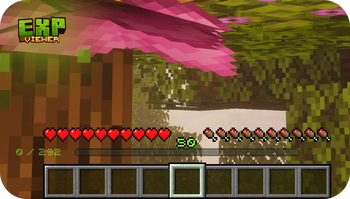
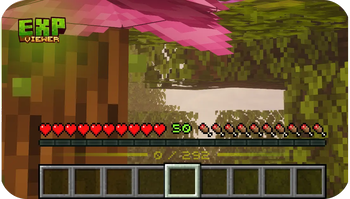
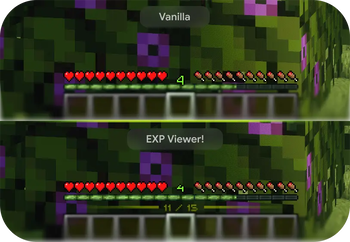
It shows exact XP points in current / required format, displays gain/spend notifications, and adds clean level-up visual effects.
Features
- XP points display near the vanilla XP bar
- Separate level display
- Notifications for:
- XP gain
- XP spent on enchanting
- XP spent on repairs (anvil / Mending)
- Optional notification icons
- Level-up effects and particles
- Optional custom bitmap font
- Flexible animation system with detailed controls
Dependencies
Required
Optional
- Mod Menu (recommended for easy config access from the mods list)
Dependency Notes
- The mod is client-side only.
- Servers do not need this mod installed.
- Without Mod Menu, you can still use the in-game config command.
Presets
Standart
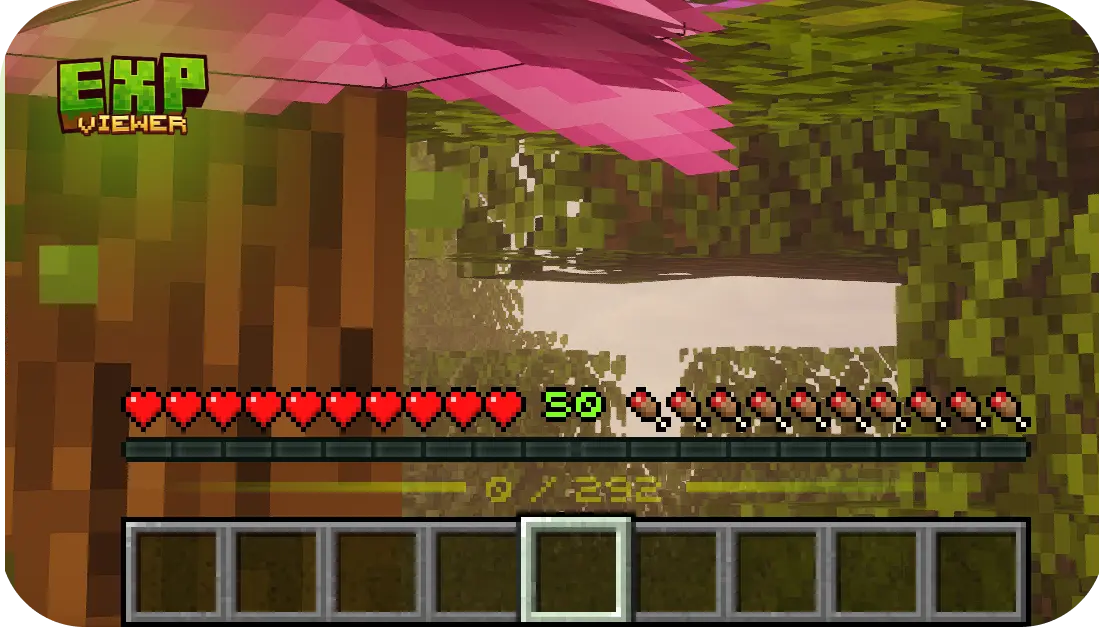
Compact
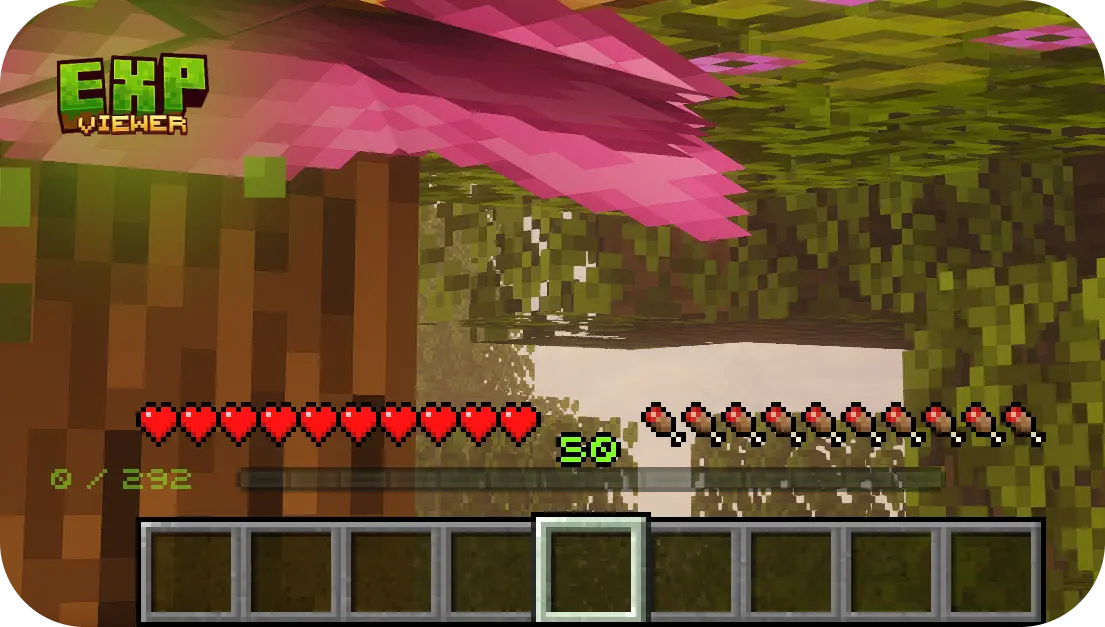
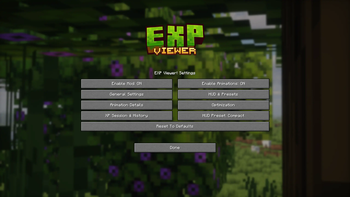
Configuration
You can configure:
- full mod enable/disable
- XP notifications on/off
- notification icons on/off
- max visible notification lines
- all animations globally or by specific groups
- custom font on/off
Compatibility
- Minecraft: 1.20 – 1.20.6
- Loader: Fabric
- Client-side only (no server installation required)
Detailed Feature Breakdown
- XP value shown as
current / requirednear the XP bar - Gain/spend notifications with optional icons
- Separate animation toggles for:
- XP HUD fade
- notification motion
- level-up effects
- Optional custom bitmap font rendering
Who Is It For
EXP Viewer! is for players who want to:
- track XP progress more precisely
- see where XP is spent
- get a cleaner, more informative XP HUD without UI clutter
License
This project is distributed under the MIT license.
Available Versions
How to Install EXP Viewer! on Your Server
Order Server
Order a Minecraft Java server with at least 3 GB RAM (4 GB recommended).
Set fabric Loader
In the panel under "Egg", select the fabric loader and matching Minecraft version (1.21.11).
Install Mod
Open the mod browser in the dashboard and search for "EXP Viewer!". Click "Install" – done! Alternatively, upload the .jar via SFTP to the /mods folder.
Compatibility
Mod Loaders
Minecraft Versions
1.21.11, 1.21.10, 1.21.9 (+16 more)
Server-side
✗ UnsupportedRecommended RAM
4 GB(min. 3 GB)Frequently Asked Questions
EXP Viewer! server crashes on startup – what to do?
Most common cause: wrong fabric version or insufficient RAM. Check the server log (latest.log) for "OutOfMemoryError" or "Mixin" errors. With Mado Hosting: ensure at least 3 GB RAM is allocated and the loader matches the mod version (1.21.11). You can switch loaders with one click in the panel.
Is EXP Viewer! compatible with fabric?
EXP Viewer! officially supports fabric for Minecraft 1.21.11, 1.21.10, 1.21.9. The Mado dashboard automatically detects incompatible loader combinations.
Server lagging with EXP Viewer! – how to optimize performance?
Recommended RAM: 4 GB (per 8 players). Use /spark profiler to check if EXP Viewer! consumes the most tick time. Common fixes: reduce server view-distance to 8-10, install "performant" or "starlight" as supplementary mods on Forge. With Mado Hosting, your server runs on NVMe SSDs with dedicated CPU cores for minimal latency.
Similar Mods




![[ETF] Entity Texture Features](https://cdn.modrinth.com/data/BVzZfTc1/af683d206d50b05258d865b0d6e4aa2f2cee12f2_96.webp)
![[EMF] Entity Model Features](https://cdn.modrinth.com/data/4I1XuqiY/6e5bbd0d06b1741bfdab6c0cfab6de8fdaf0064c_96.webp)
Rent Modded Server
Install EXP Viewer! with just one click on your server.