
Exposure: Space
Astrophotography expansion for Exposure. Discover 100 real celestial objects and build your own space catalog.
Screenshots
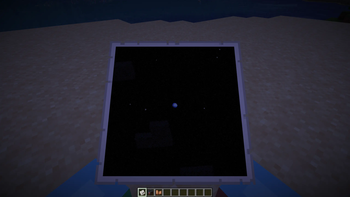
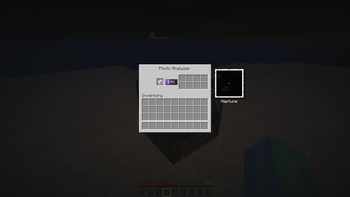
About this Mod
Exposure: Space
Astrophotography progression for Exposure.
Point your camera at the night sky, hunt real cosmic objects, develop the photos and fill your personal star catalog.
What does it add?
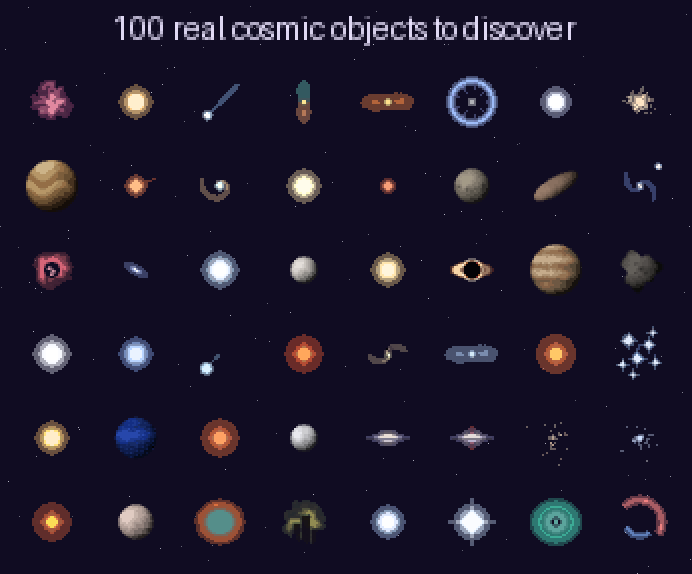
🔭 100 real cosmic objects — from the Moon's craters to Sagittarius A*. Planets, exoplanets, moons, comets, asteroids, star clusters, nebulae, galaxies, pulsars, quasars and a few anomalies. Every single one has its own pixel-art texture, description and reward.
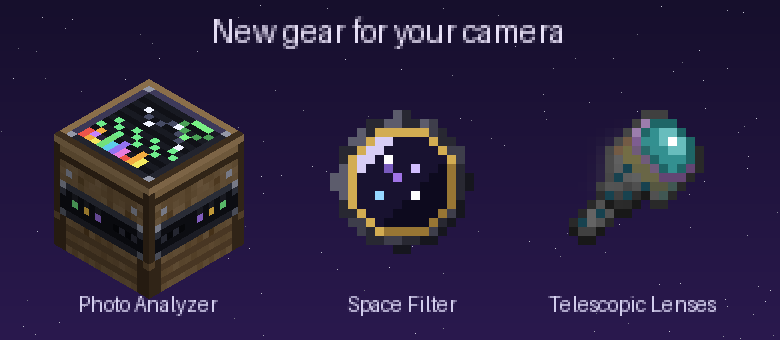
📷 Telescopic lenses (5 tiers) — from the humble Bad lens to the Sculk lens that sees absolutely everything. Higher tiers reveal rarer, fainter objects.
🟣 Space Filter — a camera attachment with deep space trapped in its glass. Required to capture cosmic objects; install it together with a lens.
🪐 Objects live in the actual sky. They appear on real night-sky positions, hide behind terrain, scale with your zoom — and not every object shows up every night. Some, like Halley's Comet, are a once-in-a-lifetime sight.
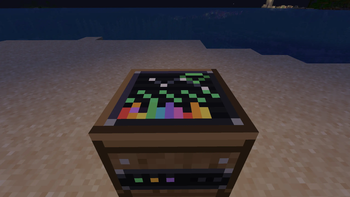
🛠 Photo Analyzer — an astronomer's desk with a spectrum screen (and Wi-Fi, obviously). Feed it a developed photograph: it identifies the object, writes it into your catalog and pays out rewards into 8 output slots.
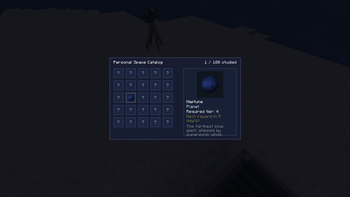
📖 Personal Space Catalog (default key: G) — track every object you've studied, read its story, see required lens tier and reward cooldowns.
🔁 Repeat rewards — by default, an object's full reward becomes available again every 5 in-game days (configurable, or disable it entirely).
🌑 Dark-room friendly — Exposure's Lightroom normally refuses to print in the dark. Cosmic photos are exempt: astrophotography should be developed at night.
📐 Camera Stand support — aim and capture through a mounted camera.
🍪 Cosmic Leftover — a creative-only snack that fills your hunger and unlocks the entire catalog in one bite.
⚙️ Fully data-driven — objects are JSON in a datapack (data/<ns>/cosmic_object/), plus a live-editable external folder (config/explored_space/objects/) for adding your own objects without rebuilding anything. ModMenu config screen included.
Requirements
| Mod | Why |
|---|---|
| Exposure | the camera itself |
| Exposure: Expanded | tier-1 telescopic lens |
| Prism, Cloth Config, Fabric API | libraries |
Minecraft 1.21.1, Fabric. ModMenu optional but recommended.
Quick start
- Craft a Space Filter and a Telescopic Lens, install both on your camera.
- Wait for night, raise the viewfinder and scan the sky — found objects get a target lock.
- Take the shot, develop the film, print the photo in a Lightroom.
- Put the photograph into the Photo Analyzer and collect your reward.
- Press
Gand admire your growing catalog.



Available Versions
How to Install Exposure: Space on Your Server
Order Server
Order a Minecraft Java server with at least 4 GB RAM (6 GB recommended).
Set fabric Loader
In the panel under "Egg", select the fabric loader and matching Minecraft version (1.21.1).
Install Mod
Open the mod browser in the dashboard and search for "Exposure: Space". Click "Install" – done! Alternatively, upload the .jar via SFTP to the /mods folder.
Compatibility
Mod Loaders
Minecraft Versions
1.21.1
Server-side
✓ RequiredRecommended RAM
6 GB(min. 4 GB)Frequently Asked Questions
Exposure: Space server crashes on startup – what to do?
Most common cause: wrong fabric version or insufficient RAM. Check the server log (latest.log) for "OutOfMemoryError" or "Mixin" errors. With Mado Hosting: ensure at least 4 GB RAM is allocated and the loader matches the mod version (1.21.1). You can switch loaders with one click in the panel.
Is Exposure: Space compatible with fabric?
Exposure: Space officially supports fabric for Minecraft 1.21.1. The Mado dashboard automatically detects incompatible loader combinations.
Server lagging with Exposure: Space – how to optimize performance?
Recommended RAM: 6 GB (per 5 players). Use /spark profiler to check if Exposure: Space consumes the most tick time. Common fixes: reduce server view-distance to 8-10, install "performant" or "starlight" as supplementary mods on Forge. With Mado Hosting, your server runs on NVMe SSDs with dedicated CPU cores for minimal latency.
Similar Mods




Rent Modded Server
Install Exposure: Space with just one click on your server.