
F5 Ranger
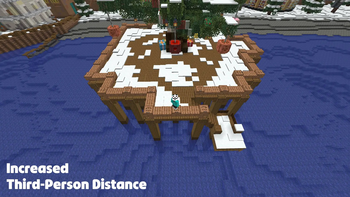
Tweak the third-person camera distance with ease!
Screenshots
About this Mod

Usage
While in a third-person perspective (F5):
- Adjust distance by holding Left Alt (default) and using the Scroll Wheel (alternatively the slider in MC settings)
Features
Smooth Distance Adjustment
Hold a modifier key (Default: Left Alt) and scroll the mouse wheel to adjust your camera distance in real-time.
Configurable Smoothing
Enable or disable camera lerping for a cinematic zoom effect or instant feedback.
No Clip Mode (Mod required on the server #Modrinth EULA)
An optional toggle that allows the camera to pass through solid blocks instead of colliding with them.
ModMenu & Cloth Config Integration
Full support for ModMenu allows you to tweak every setting from the in-game menu.
Configuration
The following options are available via the configuration menu:
| Option | Description |
|---|---|
| Camera Distance | The current target distance of the third-person camera. |
| Minimum/Maximum Distance | Limits for how close or far the camera can go. |
| Scroll Sensitivity | Adjusts how much each scroll notch changes the distance. |
| Smoothing Speed | Controls how quickly the camera catches up to the target distance. |
| No Clip (server-mod) | Toggles whether the camera should ignore block collisions. |
| Vanilla Second Person | Toggle whether custom distances should apply to the front-facing (Second Person) view. |
Available Versions
How to Install F5 Ranger on Your Server
Order Server
Order a Minecraft Java server with at least 3 GB RAM (4 GB recommended).
Set fabric Loader
In the panel under "Egg", select the fabric loader and matching Minecraft version (26.1.2).
Install Mod
Open the mod browser in the dashboard and search for "F5 Ranger". Click "Install" – done! Alternatively, upload the .jar via SFTP to the /mods folder.
Compatibility
Mod Loaders
Minecraft Versions
26.1.2, 26.1.1, 26.1 (+6 more)
Server-side
~ OptionalRecommended RAM
4 GB(min. 3 GB)Frequently Asked Questions
F5 Ranger server crashes on startup – what to do?
Most common cause: wrong fabric version or insufficient RAM. Check the server log (latest.log) for "OutOfMemoryError" or "Mixin" errors. With Mado Hosting: ensure at least 3 GB RAM is allocated and the loader matches the mod version (26.1.2). You can switch loaders with one click in the panel.
Is F5 Ranger compatible with fabric?
F5 Ranger officially supports fabric for Minecraft 26.1.2, 26.1.1, 26.1. The Mado dashboard automatically detects incompatible loader combinations.
Server lagging with F5 Ranger – how to optimize performance?
Recommended RAM: 4 GB (per 8 players). Use /spark profiler to check if F5 Ranger consumes the most tick time. Common fixes: reduce server view-distance to 8-10, install "performant" or "starlight" as supplementary mods on Forge. With Mado Hosting, your server runs on NVMe SSDs with dedicated CPU cores for minimal latency.
Similar Mods




Rent Modded Server
Install F5 Ranger with just one click on your server.