
FaceLift
Provides helpful features for Faceland RPG
Screenshots
About this Mod
This mod provides features and quality of life improvements for Faceland RPG.
For more information about the server, visit https://face.land/
Combat Enhancements
- Instant Bow/Pistol Zoom: Speed up your bow and pistol zoom for faster targeting.
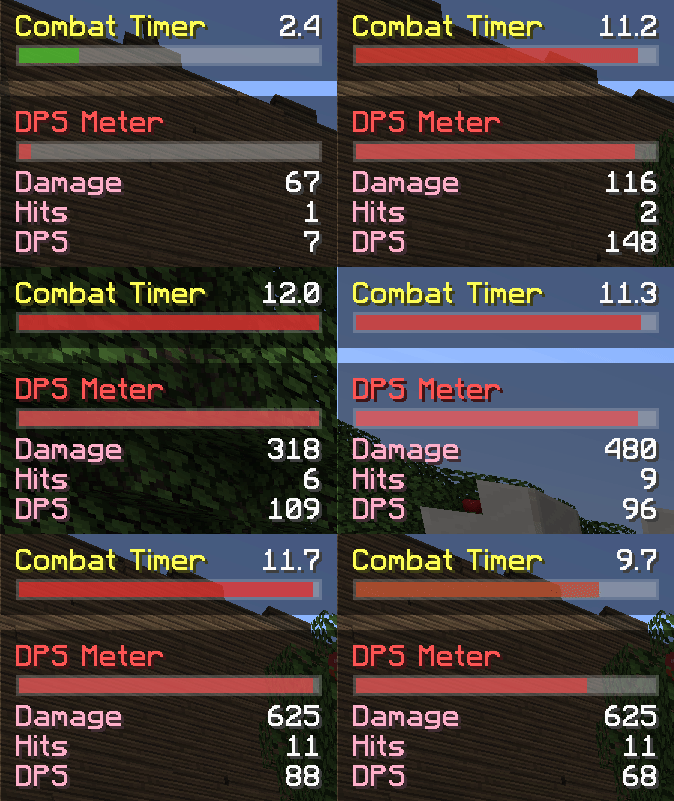
- Combat Timer: Know exactly when you'll leave combat with a clear timer.
- DPS Meter: Track your damage output with real-time stats.
- Spell Cooldown Display: Visualize cooldowns with stylish circular indicators.
- Spell Toggle Display: Easily see when spells are toggled on or off.
- Improved Spell Casting: Sling out spells as smooth as never before.
- Special Enemy Highlighting: Tagged Enemies (Bejeweled, etc.) are shown with a colored outline to highlight them.
Inventory & Equipment Management
- Rarity Color Display: Instantly identify item rarities with color highlights.
- Inventory Searchbar: Quickly find items with a searchable inventory.
- Equipment Comparison: Compare gear side by side with dual tooltips.
- AutoTool: Automatically equip the right tool or weapon when needed.
- Custom Hotbar: Completely redesigned the spells and hotbar interface.
- Spell-Safe Scrolling: Glide through your hotbar- no accidental spellcasting.
- Instant Potion: Drink potions instantly without switching off your weapon.
Movement & Perspective
- Mount Perspective: Seamlessly switch to 3rd person when mounting and back to 1st when unmounting.
- Mount Hotkey: Quickly mount or dismount with a single key press.
Miscellaneous
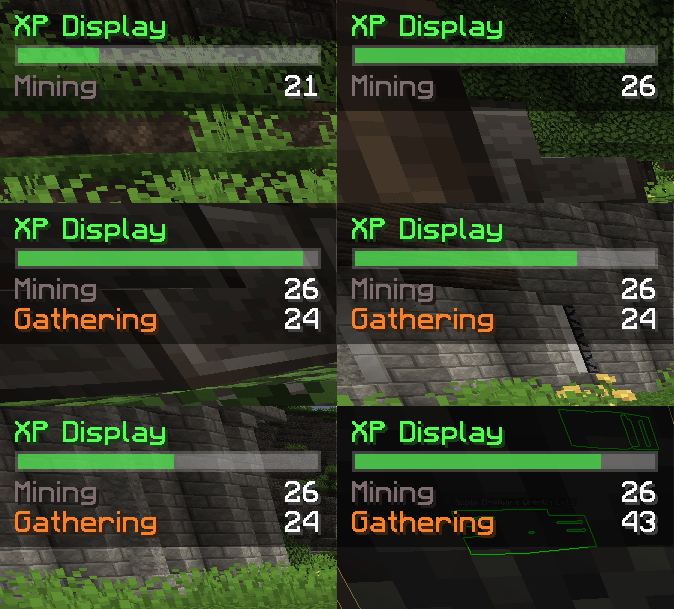
- XP Display: Track your XP gains in a cleaner way.
- Custom Status Effects: Display unique effects like Curse Stacks and Well Rested.
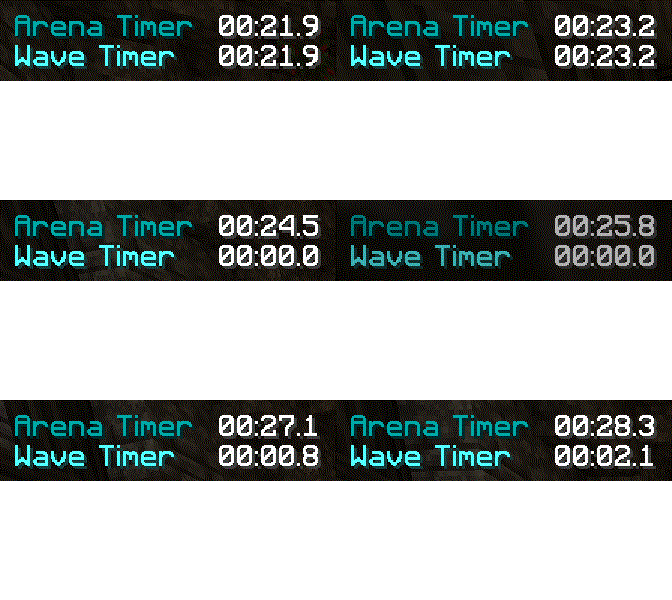
- Arena Timer: Keep track of your wave and total time in arenas.
- Escape Bar: Watch your progress while you are escaping.
Support
Join the Faceland Discord and ping @sakurasou for any questions or help.
Available Versions
How to Install FaceLift on Your Server
Order Server
Order a Minecraft Java server with at least 3 GB RAM (4 GB recommended).
Set fabric Loader
In the panel under "Egg", select the fabric loader and matching Minecraft version (1.21.3).
Install Mod
Open the mod browser in the dashboard and search for "FaceLift". Click "Install" – done! Alternatively, upload the .jar via SFTP to the /mods folder.
Compatibility
Mod Loaders
Minecraft Versions
1.21.3, 1.21.1, 1.21 (+1 more)
Server-side
✗ UnsupportedRecommended RAM
4 GB(min. 3 GB)Frequently Asked Questions
FaceLift server crashes on startup – what to do?
Most common cause: wrong fabric version or insufficient RAM. Check the server log (latest.log) for "OutOfMemoryError" or "Mixin" errors. With Mado Hosting: ensure at least 3 GB RAM is allocated and the loader matches the mod version (1.21.3). You can switch loaders with one click in the panel.
Is FaceLift compatible with fabric?
FaceLift officially supports fabric for Minecraft 1.21.3, 1.21.1, 1.21. The Mado dashboard automatically detects incompatible loader combinations.
Server lagging with FaceLift – how to optimize performance?
Recommended RAM: 4 GB (per 8 players). Use /spark profiler to check if FaceLift consumes the most tick time. Common fixes: reduce server view-distance to 8-10, install "performant" or "starlight" as supplementary mods on Forge. With Mado Hosting, your server runs on NVMe SSDs with dedicated CPU cores for minimal latency.
Similar Mods




![[ETF] Entity Texture Features](https://cdn.modrinth.com/data/BVzZfTc1/af683d206d50b05258d865b0d6e4aa2f2cee12f2_96.webp)
![[EMF] Entity Model Features](https://cdn.modrinth.com/data/4I1XuqiY/6e5bbd0d06b1741bfdab6c0cfab6de8fdaf0064c_96.webp)
Rent Modded Server
Install FaceLift with just one click on your server.