
Fake Armor
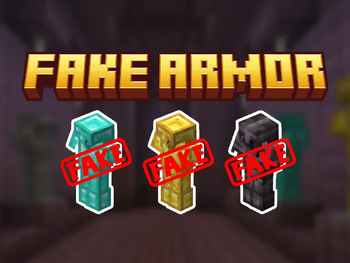
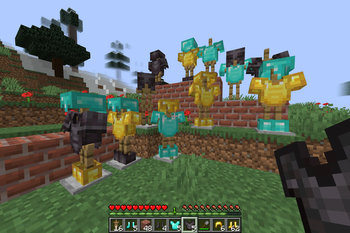
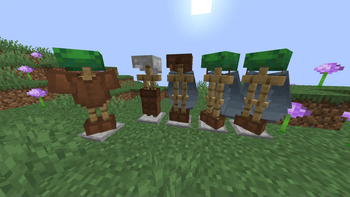
Craft cheap & stackable non-functional Fake Armor to decorate your Armor Stands
Screenshots
About this Mod



All that glitters is not gold.
🤔 How does it work?
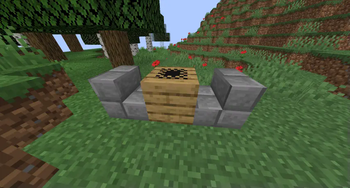
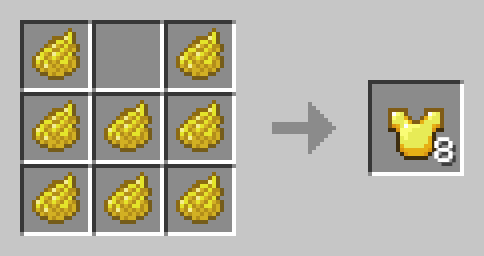
Craft Fake armor like any other Armor, but use Dye instead of valuable Materials. Fake Armor cam be worn, but provides no Armor. It can be also used to decorate Armor Stands.
Yellow Dye -> 8x Gold
Cyan Dye -> 8x Diamond
Black Dye -> 8x Netherite
Light Gray Dye -> 8x Chainmail
Gray Dye -> 8x Iron
Brown Dye -> 8x Leather
Orange Dye -> 8x Copper
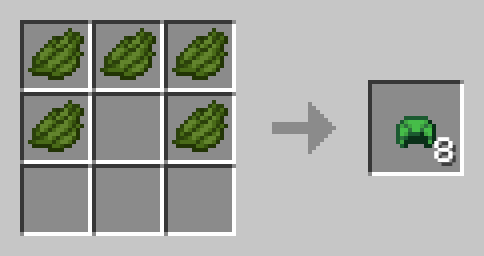
Fake Turtle Shell
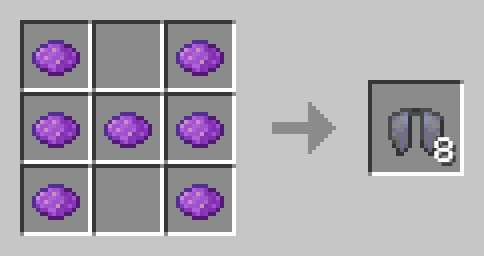
Fake Elytra
🛠️ Installation
Datapack Installation Guide
Copy the .zip archive into the ".minecraft/saves/yourworldname/datapacks" folder, where yourworldname is the name of your world.
Mod installation Guide
Copy the .jar archive into the folder your Mod Loader of choice provides.
⚙️ Compatibility
Previous to v1.3:Might not be compatible with certain Uncrafting/Recycling Mods that allow Armor to be converted back to their respective Materials efficiently.
❗Issues and Suggestions
Please report issues on My Discord.
Available Versions
How to Install Fake Armor on Your Server
Order Server
Order a Minecraft Java server with at least 3 GB RAM (4 GB recommended).
Set datapack Loader
In the panel under "Egg", select the datapack loader and matching Minecraft version (1.21.10).
Install Mod
Open the mod browser in the dashboard and search for "Fake Armor". Click "Install" – done! Alternatively, upload the .jar via SFTP to the /mods folder.
Compatibility
Mod Loaders
Minecraft Versions
1.21.10, 1.21.9, 1.21.4 (+4 more)
Server-side
✓ RequiredRecommended RAM
4 GB(min. 3 GB)Frequently Asked Questions
Fake Armor server crashes on startup – what to do?
Most common cause: wrong datapack version or insufficient RAM. Check the server log (latest.log) for "OutOfMemoryError" or "Mixin" errors. With Mado Hosting: ensure at least 3 GB RAM is allocated and the loader matches the mod version (1.21.10). You can switch loaders with one click in the panel.
Is Fake Armor compatible with datapack and fabric and forge and neoforge and quilt?
Fake Armor officially supports datapack, fabric, forge, neoforge, quilt for Minecraft 1.21.10, 1.21.9, 1.21.4. Note: Forge and Fabric mods are NOT cross-compatible – pick one loader and stick with it. The Mado dashboard automatically detects incompatible loader combinations.
Server lagging with Fake Armor – how to optimize performance?
Recommended RAM: 4 GB (per 8 players). Use /spark profiler to check if Fake Armor consumes the most tick time. Common fixes: reduce server view-distance to 8-10, install "performant" or "starlight" as supplementary mods on Forge. With Mado Hosting, your server runs on NVMe SSDs with dedicated CPU cores for minimal latency.
Similar Mods

![[ETF] Entity Texture Features](https://cdn.modrinth.com/data/BVzZfTc1/af683d206d50b05258d865b0d6e4aa2f2cee12f2_96.webp)
![[EMF] Entity Model Features](https://cdn.modrinth.com/data/4I1XuqiY/6e5bbd0d06b1741bfdab6c0cfab6de8fdaf0064c_96.webp)



Rent Modded Server
Install Fake Armor with just one click on your server.