
Falings' Summonings
Adds a new ender mob with trades to spare, a new currency and a new magic structure
Screenshots


About this Mod
What is it?
The order of the eye lives once more. A long-lost race of traders from another plane have made their answer to extinction: by interjecting Ender magic into villagers, they are able to create a gateway to the Overworld to find a new life and spread their trades to all.
Features
Faling

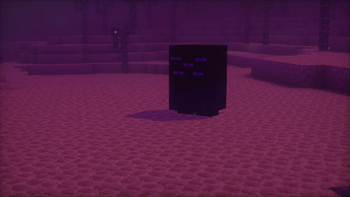
This is the Faling. It's summoned by throwing an eye of ender at a villager, and harnessing their ancient ender magic, a faling will take its place.
Trading with falings
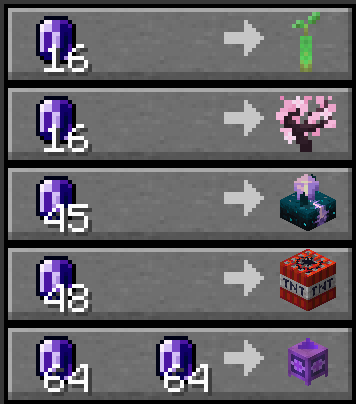
Falings have collected a specific collection of rare items that they intend to trade off to players, seeing as these are some of the rarest items out there.
Endmeralds
The falings trade for a rare material dubbed endmerald, due to them looking similar to emeralds.

Endmeralds can be obtained by mining endstone with a pickaxe and hoping luck is on your side. The Fortune enchantment on the pickaxe increases the amounts of endmeralds dropped.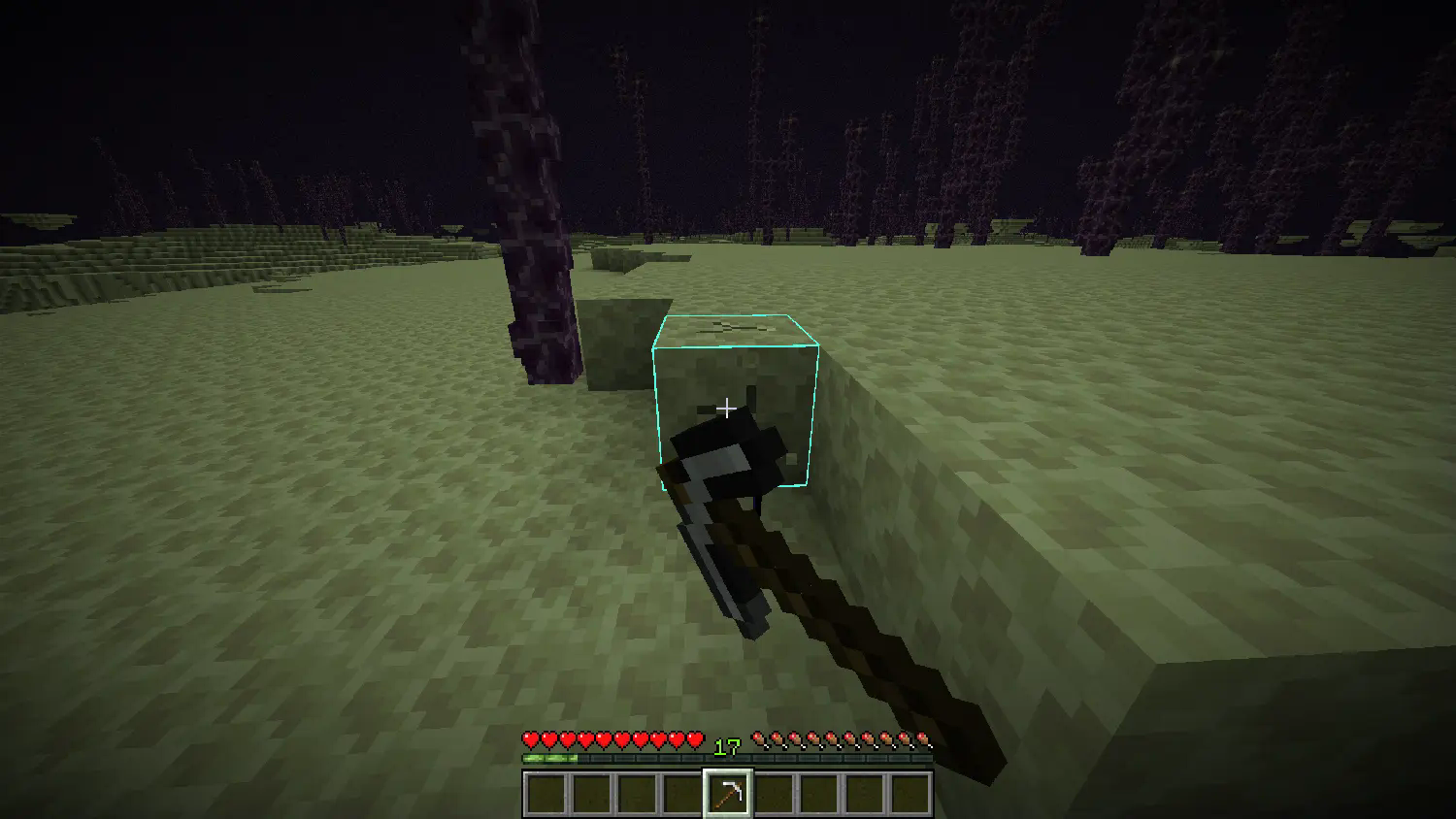
The End Combine

The faling race's newest genius: the End Combine, a machination that utilizes mysterious hammerspace tech to build itself when placed. Upon so, it provides the Slow Falling effect to all players nearby, useful for places with a lot of vertical travel.
Advancements
- Faling From the Deep: Summon a Faling by throwing an Eye of Ender at a Villager
- World Trade: Trade with a Faling using Endmeralds
- Acquire Floatware: Buy and End Combine from a Faling
- Combined Power: Place an End Combine
Installation Guide:
Data Pack version:
- Make sure your Minecraft version matches the data pack version
- Download the data pack
- Download the resource pack provided with the data pack by clicking on the data pack at the downloads page
- Exit the world you want to install the data pack in
- Select that world in the world selection screen, click on "Edit", then "Open world folder".
- Open the folder named "datapacks", and put the downloaded 'faling[version you downloaded]-data.zip' file into it.
- Go back to the main ".minecraft" folder and enter the "resourcepacks" folder
- Place the "faling[version you downloaded]-resources.zip" file provided with the data pack file into this folder
- Now enter the world, and have fun :)
Mod version:
- Make sure your Minecraft version matches the mod version
- Download the mod
- Go to your main ".minecraft" folder
- Enter the "mods" folder (or if you don't have one yet create one)
- Place the downloaded mod into the mods folder
- Now enter the world, and have fun :)
Using the Modrinth App on desktop:
- Install the mod/data pack
- That's it, have fun :)
Available Versions
How to Install Falings' Summonings on Your Server
Order Server
Order a Minecraft Java server with at least 3 GB RAM (4 GB recommended).
Set datapack Loader
In the panel under "Egg", select the datapack loader and matching Minecraft version (1.21.11).
Install Mod
Open the mod browser in the dashboard and search for "Falings' Summonings". Click "Install" – done! Alternatively, upload the .jar via SFTP to the /mods folder.
Compatibility
Mod Loaders
Minecraft Versions
1.21.11, 1.21.10, 1.21.9 (+7 more)
Server-side
✓ RequiredRecommended RAM
4 GB(min. 3 GB)Frequently Asked Questions
Falings' Summonings server crashes on startup – what to do?
Most common cause: wrong datapack version or insufficient RAM. Check the server log (latest.log) for "OutOfMemoryError" or "Mixin" errors. With Mado Hosting: ensure at least 3 GB RAM is allocated and the loader matches the mod version (1.21.11). You can switch loaders with one click in the panel.
Is Falings' Summonings compatible with datapack and fabric and forge and neoforge and quilt?
Falings' Summonings officially supports datapack, fabric, forge, neoforge, quilt for Minecraft 1.21.11, 1.21.10, 1.21.9. Note: Forge and Fabric mods are NOT cross-compatible – pick one loader and stick with it. The Mado dashboard automatically detects incompatible loader combinations.
Server lagging with Falings' Summonings – how to optimize performance?
Recommended RAM: 4 GB (per 8 players). Use /spark profiler to check if Falings' Summonings consumes the most tick time. Common fixes: reduce server view-distance to 8-10, install "performant" or "starlight" as supplementary mods on Forge. With Mado Hosting, your server runs on NVMe SSDs with dedicated CPU cores for minimal latency.
Similar Mods




Rent Modded Server
Install Falings' Summonings with just one click on your server.