
Screenshots
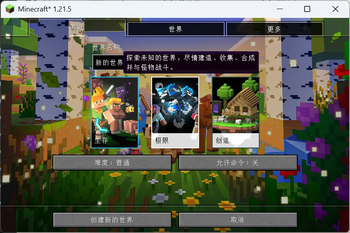
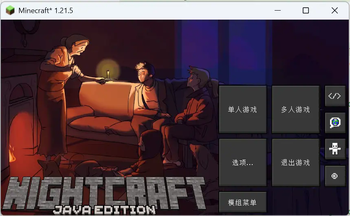
About this Mod
Have a different Title Screen !
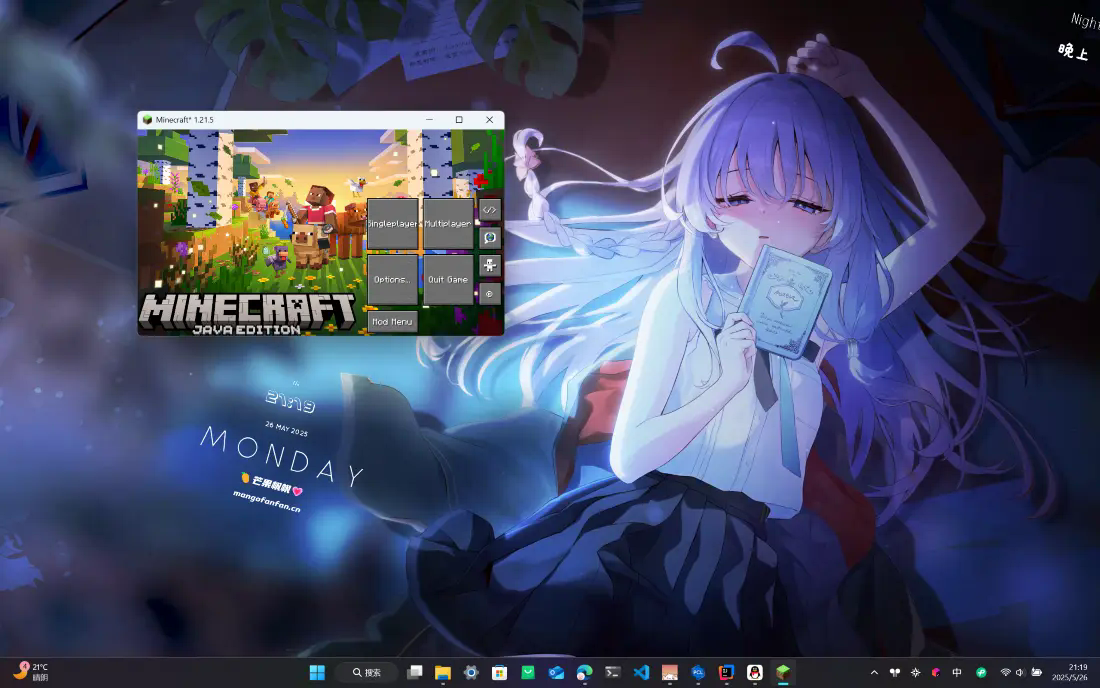
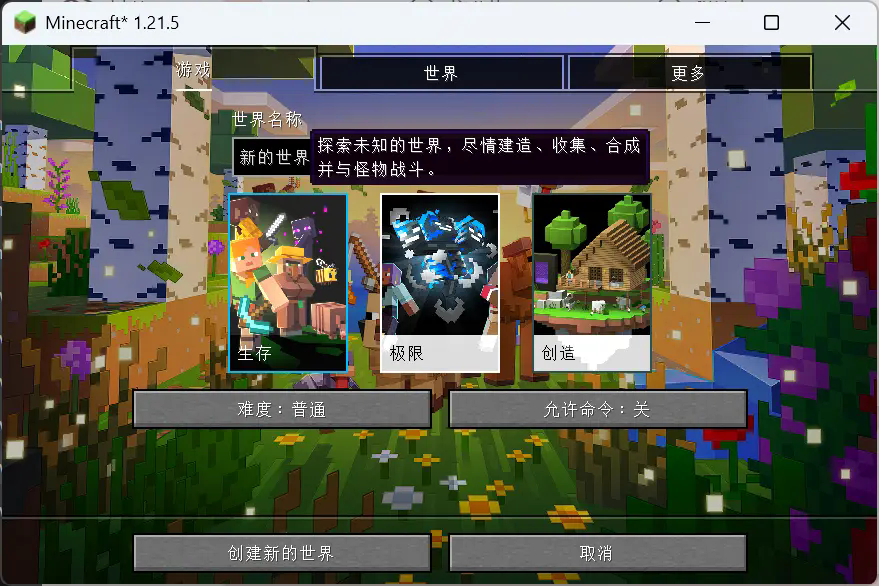
本模组提供全新的、经过定制的客户端屏幕来定制游戏体验,并且提供如退出时确认、断线后重连之类的辅助功能。所有功能可以在模组配置中自定义。
本模组支持 Modmenu,可以在新的标题屏幕中显示其入口按钮。如果你同时使用 Replay Mod,本模组也支持显示它的入口按钮。
需要 Cloth Config API 作为前置。
This mod provides a new, customized client screen to enhance the gaming experience, along with quality-of-life features such as exit confirmation and automatic reconnection after disconnection. All features can be customized in the mod's configuration.
This mod supports Modmenu, and its entry button will be displayed on the new title screen. If you are also using Replay Mod, this mod supports displaying its entry button as well.
Cloth Config API is required as a dependency.
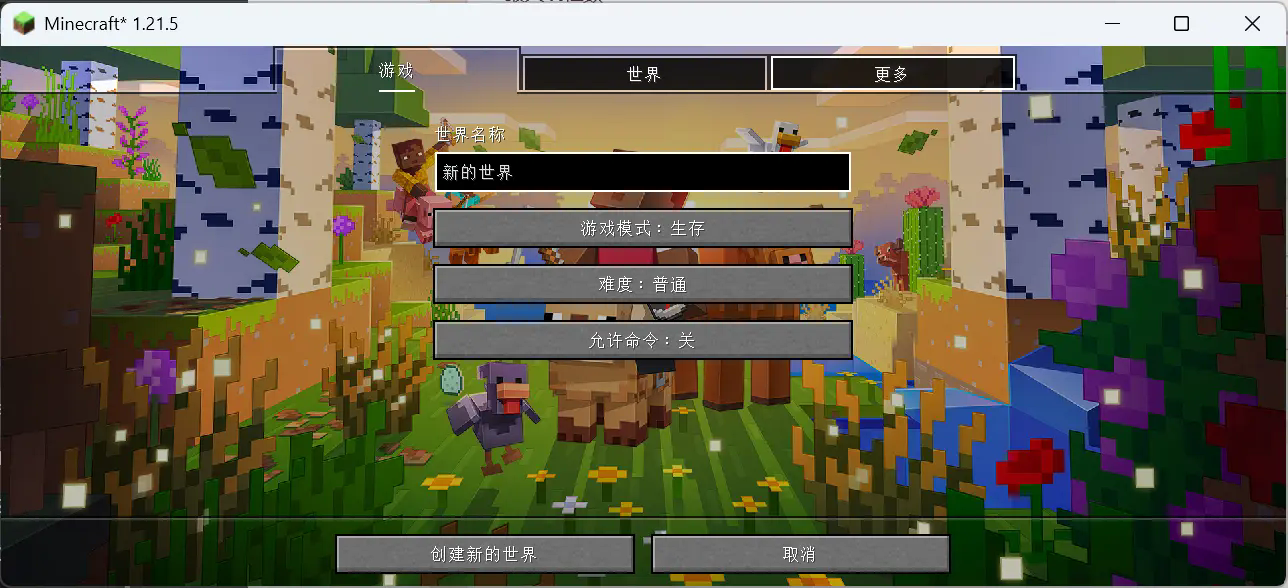
如果你有兴趣了解更多的话可以来康康这里:https://fanfan.moe/fanwindow
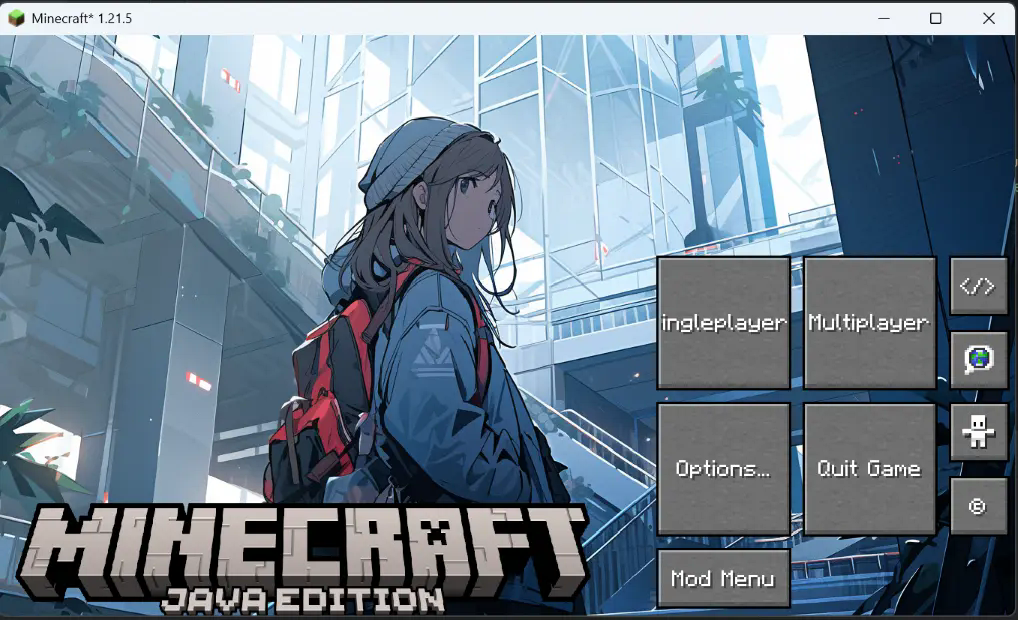

GitHub: https://github.com/mangofanfan/FanWindow-MinecraftMod
Available Versions
How to Install Fan Window on Your Server
Order Server
Order a Minecraft Java server with at least 3 GB RAM (4 GB recommended).
Set fabric Loader
In the panel under "Egg", select the fabric loader and matching Minecraft version (1.21.10).
Install Mod
Open the mod browser in the dashboard and search for "Fan Window". Click "Install" – done! Alternatively, upload the .jar via SFTP to the /mods folder.
Compatibility
Mod Loaders
Minecraft Versions
1.21.10, 1.21.9, 1.21.8 (+8 more)
Server-side
✗ UnsupportedRecommended RAM
4 GB(min. 3 GB)Frequently Asked Questions
Fan Window server crashes on startup – what to do?
Most common cause: wrong fabric version or insufficient RAM. Check the server log (latest.log) for "OutOfMemoryError" or "Mixin" errors. With Mado Hosting: ensure at least 3 GB RAM is allocated and the loader matches the mod version (1.21.10). You can switch loaders with one click in the panel.
Is Fan Window compatible with fabric?
Fan Window officially supports fabric for Minecraft 1.21.10, 1.21.9, 1.21.8. The Mado dashboard automatically detects incompatible loader combinations.
Server lagging with Fan Window – how to optimize performance?
Recommended RAM: 4 GB (per 8 players). Use /spark profiler to check if Fan Window consumes the most tick time. Common fixes: reduce server view-distance to 8-10, install "performant" or "starlight" as supplementary mods on Forge. With Mado Hosting, your server runs on NVMe SSDs with dedicated CPU cores for minimal latency.
Similar Mods

![[ETF] Entity Texture Features](https://cdn.modrinth.com/data/BVzZfTc1/af683d206d50b05258d865b0d6e4aa2f2cee12f2_96.webp)
![[EMF] Entity Model Features](https://cdn.modrinth.com/data/4I1XuqiY/6e5bbd0d06b1741bfdab6c0cfab6de8fdaf0064c_96.webp)



Rent Modded Server
Install Fan Window with just one click on your server.