
Farmable Shulkers
Backports shulker behavior from 1.17 to older versions.
About this Mod





Minecraft 1.17 introduced a new mechanic that makes shulker shells a renewable resource. The purpose of this mod is to backport this behavior to older versions (i.e., 1.14.x, 1.15.x, and 1.16.x).
Let the farming begin!
Why not just update to 1.17?
Personally, I have two reasons for this:
Just like many others, I was waiting for the Caves & Cliffs update. However, it was decided to split it into several versions (and this isn't bad - it's better to delay the release of a large-scale update than to provide players with something unfinished). I'll wait for the final release, which should happen at the end of 2021, in order to get the full impression of the update, and not to regenerate unused chunks several times. I can live without copper, candles, moss, and glow squids, but the mechanics of farmable shulkers is a killer feature for me.
Servers are more difficult to update than single worlds, so it makes even more sense for them to wait for the final part of the update.
Features
Duplication of shulkers
New shulkers now have a chance to spawn when one shulker hits another with a shulker bullet.
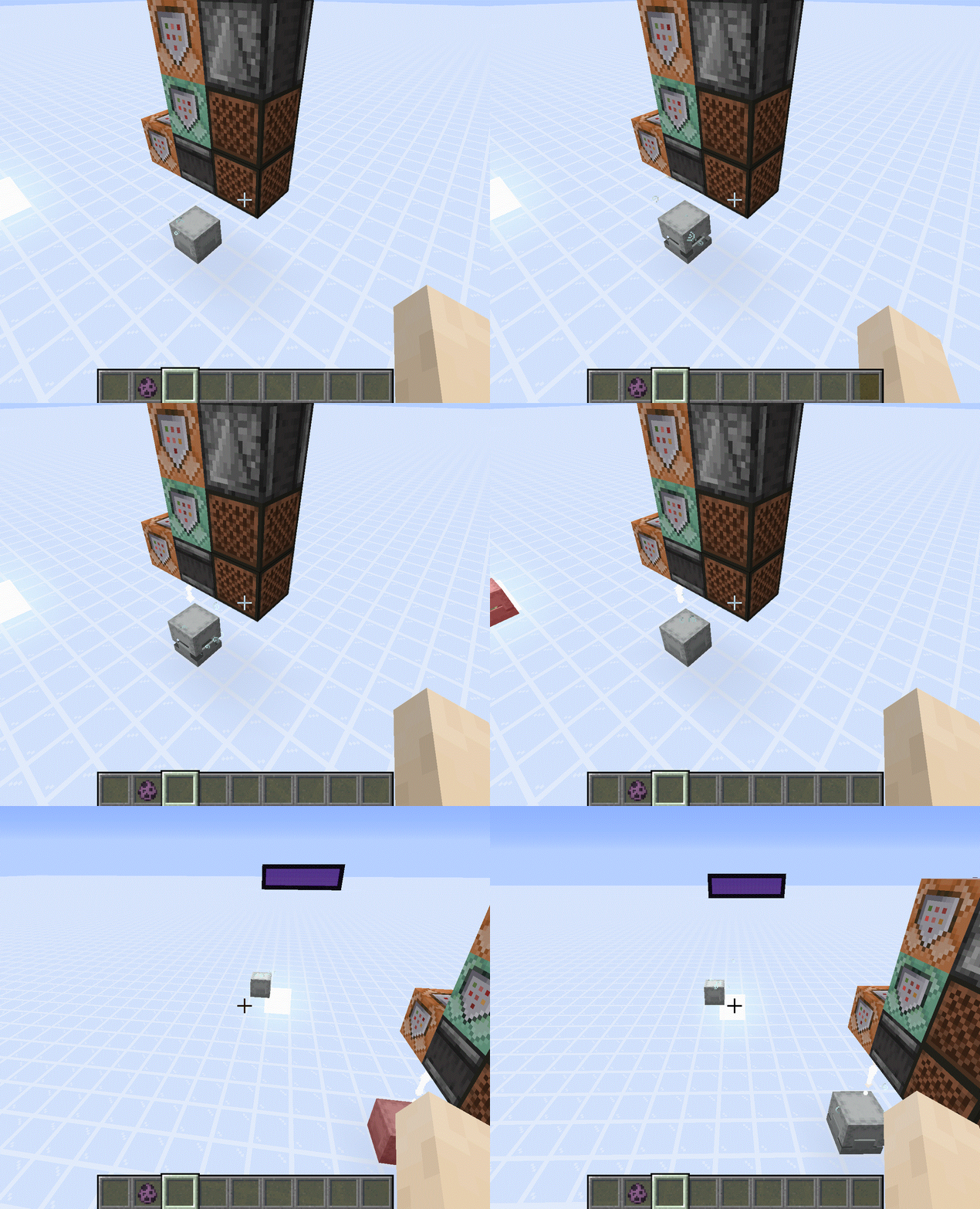
Shulkers can travel to the Nether just like other entities
You might be surprised, but until the latest snapshots of 1.17, this didn't really work; shulkers preserved their coordinates as they moved to another dimension (800 ~ 800 -> 800 ~ 800 instead of 800 ~ 800 -> 100 ~ 100).
Shulkers can no longer teleport to non-square surfaces
For some reason, the game made sure that only the top of a block was a non-empty square surface, even if a shulker tried to teleport to its bottom or side.
This is most easily illustrated with slabs:
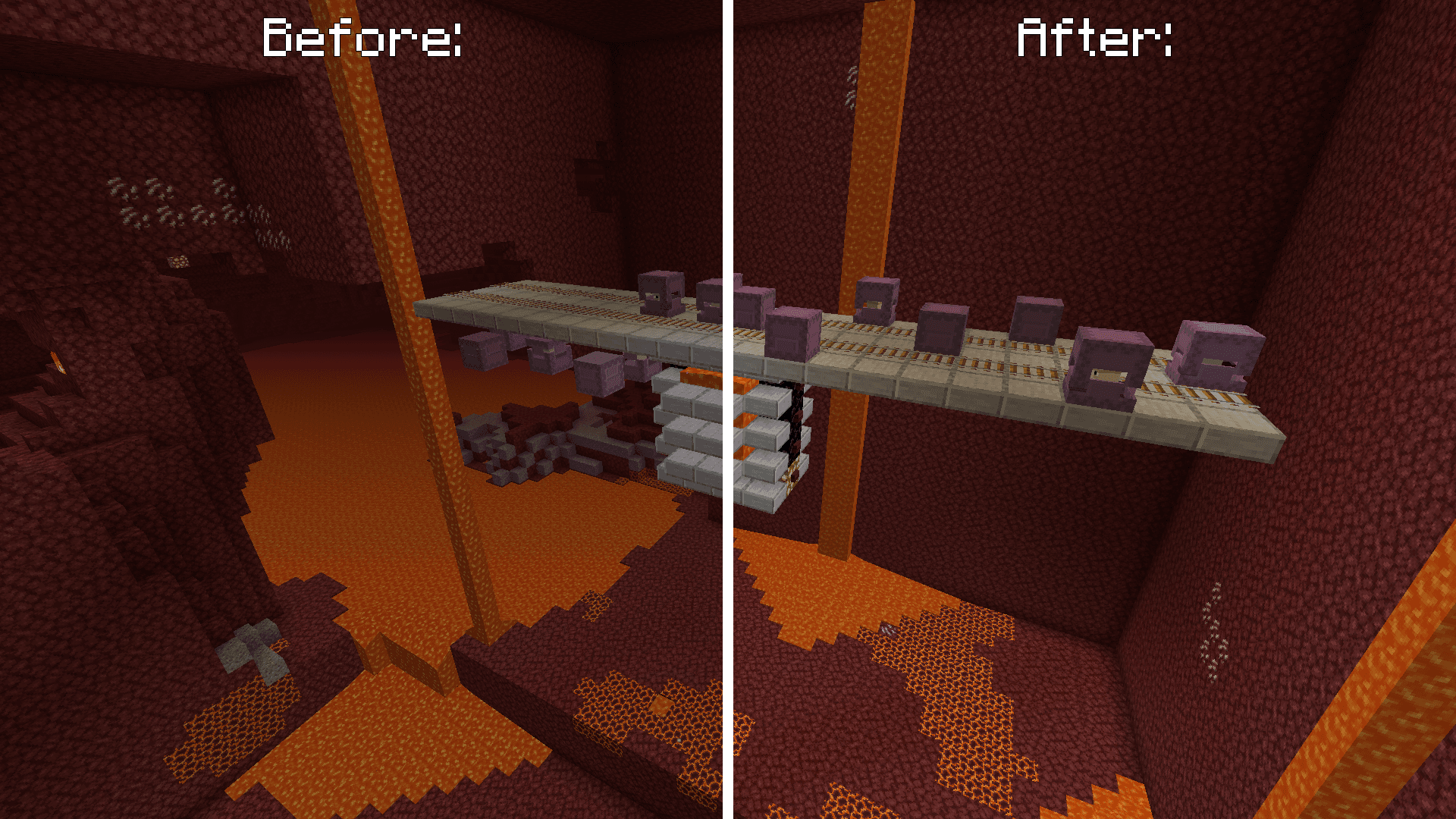
Looks cool, but how in the world can I use it to build a farm?
When something seems impossible to you, know that SciCraft members have already done it. So, I recommend you watch these videos:
- Fully Automatic Shulker Shell Farm 20w45a, ilmango (initial design, exploits a bug with incorrect teleportation of shulkers to the Nether. However, the video still has value as a brief explanation of the idea itself)
- Building the Reliable Shulker Farm for 1.17, cubicmetre (good to go bug-free design)
Note: cubicmetre's overworld box containing replacement shulkers is within the range of the shulkers' teleportation abilities, so in some edge cases, they can teleport to its walls or roof. Just remove this box or expand it, and you're good to go!
Installation
Requirements:
- Minecraft
1.14.x,1.15.xor1.16.x - Fabric Loader
>=0.7.0
You can download the mod from:
- GitHub Releases
- Modrinth
- CurseForge
- GitHub Actions (these builds may be unstable, but they represent the actual state of the development)
Building from sources
Requirements:
- JDK
8
Linux/MacOS
git clone https://github.com/Kir-Antipov/farmable-shulkers.git
cd farmable-shulkers

chmod +x ./gradlew
./gradlew build
cd build/libs
Windows
git clone https://github.com/Kir-Antipov/farmable-shulkers.git
cd farmable-shulkers

gradlew build
cd build/libs
Available Versions
How to Install Farmable Shulkers on Your Server
Order Server
Order a Minecraft Java server with at least 3 GB RAM (4 GB recommended).
Set fabric Loader
In the panel under "Egg", select the fabric loader and matching Minecraft version (1.16.5).
Install Mod
Open the mod browser in the dashboard and search for "Farmable Shulkers". Click "Install" – done! Alternatively, upload the .jar via SFTP to the /mods folder.
Compatibility
Mod Loaders
Minecraft Versions
1.16.5, 1.16.4, 1.16.3 (+3 more)
Server-side
✓ RequiredRecommended RAM
4 GB(min. 3 GB)Frequently Asked Questions
Farmable Shulkers server crashes on startup – what to do?
Most common cause: wrong fabric version or insufficient RAM. Check the server log (latest.log) for "OutOfMemoryError" or "Mixin" errors. With Mado Hosting: ensure at least 3 GB RAM is allocated and the loader matches the mod version (1.16.5). You can switch loaders with one click in the panel.
Is Farmable Shulkers compatible with fabric?
Farmable Shulkers officially supports fabric for Minecraft 1.16.5, 1.16.4, 1.16.3. The Mado dashboard automatically detects incompatible loader combinations.
Server lagging with Farmable Shulkers – how to optimize performance?
Recommended RAM: 4 GB (per 8 players). Use /spark profiler to check if Farmable Shulkers consumes the most tick time. Common fixes: reduce server view-distance to 8-10, install "performant" or "starlight" as supplementary mods on Forge. With Mado Hosting, your server runs on NVMe SSDs with dedicated CPU cores for minimal latency.
Similar Mods




![[ETF] Entity Texture Features](https://cdn.modrinth.com/data/BVzZfTc1/af683d206d50b05258d865b0d6e4aa2f2cee12f2_96.webp)
![[EMF] Entity Model Features](https://cdn.modrinth.com/data/4I1XuqiY/6e5bbd0d06b1741bfdab6c0cfab6de8fdaf0064c_96.webp)
Rent Modded Server
Install Farmable Shulkers with just one click on your server.