
Fast Block Placement
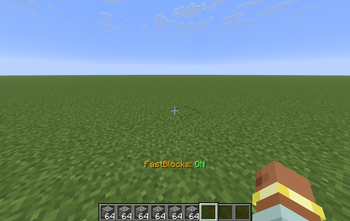
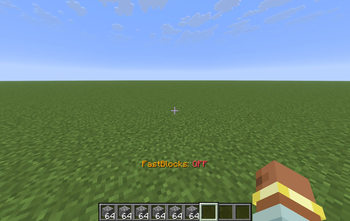
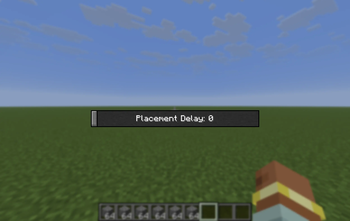
This mod makes you place blocks a lot faster. You can open a menu (O by default), you can configure how fast you want to place blocks. Then by pressing "V" (by default, you can change that) you will place blocks really quickly.
Screenshots
About this Mod
🏗️ FastBlockPlacement: The Ultimate Construction Companion
Are you tired of the painstaking process of placing blocks one by one? Does your massive mega-base project feel like it’s going to take a lifetime to finish? FastBlockPlacement is a high-performance utility mod designed to revolutionize your Minecraft building experience.
By removing the standard delays in block placement, FastBuilder allows you to create massive walls, floors, and structures in a fraction of the time it would take normally. Whether you are a creative mode visionary or a survival mode architect, this mod is the power tool you’ve been waiting for.
⌨️ Keybinds & Controls
The mod is designed to be as unobtrusive as possible. By default, the controls are mapped to the following keys (though you can change these in your standard Minecraft Controls menu):
[V] Key — Toggle Power: Instantly switch the rapid-placement engine On or Off. A handy way to swap between precision detailing and high-speed building.
[O] Key — Settings Menu: Access the configuration overlay to fine-tune your building experience.
🛠️ Customization & Server Safety
FastBlockPlacement is fully configurable to ensure it works exactly how you need it to. Within the settings menu, you can adjust the Placement Delay.
Singleplayer Mode: Feel free to set the delay to 0 or 1 for near-instantaneous block placement. Go as fast as your hardware can handle!
Multiplayer/Server Mode: It is highly recommended to use a 3-4 delay when playing on a server. Most servers have anti-cheat plugins that monitor how fast a player interacts with the world. A delay of 3 or 4 usually mimics fast human clicking and is much safer for online play.
⚠️ Important Disclaimer
While FastBlockPlacement is a productivity tool, please use it responsibly. Many multiplayer servers categorize "FastPlace" mods as an unfair advantage or a "ghost client" feature.
I am not responsible if you get banned or kicked from a server for using this mod. Always check the specific rules of the server you are joining. If "FastPlace" or "Macro" mods are forbidden, do not use this mod on that platform.
📺 Video Demonstration
Want to see FastBlockPlacement in action before you download? Check out this showcase video to see just how much time you can save on your next project:
[COMMING SOON]
Available Versions
How to Install Fast Block Placement on Your Server
Order Server
Order a Minecraft Java server with at least 3 GB RAM (4 GB recommended).
Set fabric Loader
In the panel under "Egg", select the fabric loader and matching Minecraft version (26.1.2).
Install Mod
Open the mod browser in the dashboard and search for "Fast Block Placement". Click "Install" – done! Alternatively, upload the .jar via SFTP to the /mods folder.
Compatibility
Mod Loaders
Minecraft Versions
26.1.2, 1.21.11
Server-side
✗ UnsupportedRecommended RAM
4 GB(min. 3 GB)Frequently Asked Questions
Fast Block Placement server crashes on startup – what to do?
Most common cause: wrong fabric version or insufficient RAM. Check the server log (latest.log) for "OutOfMemoryError" or "Mixin" errors. With Mado Hosting: ensure at least 3 GB RAM is allocated and the loader matches the mod version (26.1.2). You can switch loaders with one click in the panel.
Is Fast Block Placement compatible with fabric?
Fast Block Placement officially supports fabric for Minecraft 26.1.2, 1.21.11. The Mado dashboard automatically detects incompatible loader combinations.
Server lagging with Fast Block Placement – how to optimize performance?
Recommended RAM: 4 GB (per 8 players). Use /spark profiler to check if Fast Block Placement consumes the most tick time. Common fixes: reduce server view-distance to 8-10, install "performant" or "starlight" as supplementary mods on Forge. With Mado Hosting, your server runs on NVMe SSDs with dedicated CPU cores for minimal latency.
Similar Mods




Rent Modded Server
Install Fast Block Placement with just one click on your server.