
Fast Gamemode Switch Mod
The simplest solution for changing the gamemode of a player in older versions of minecraft, pauses the game, functionally GUI and more options to set...
Screenshots
About this Mod
Hello, I am Enes Basmaci! I did a mod, which helps you to switch very fast your gamemode even if you have the cheats off, but this will work without problems. When I was playing minecraft in version 1.15.2 when I fall in lava, I was leave the game and to switch gamemode from codes. A month ago I was staying and thinking how can I resolve that problem. I was opening my app and I start to write my code. When I finished I was very happy. I want also to share my mod because I think in this gamers world, there are very much people who is angry because he should do what I do, to open appdata and write gamemode creative. I think I resolve this problem. If you like the mod, please write in comments. If you find some bugs, write in comments....
What is different form fast gamemode switcher from Minecraft:
You should have cheat on in Minecraft, but in this mod is not necessary
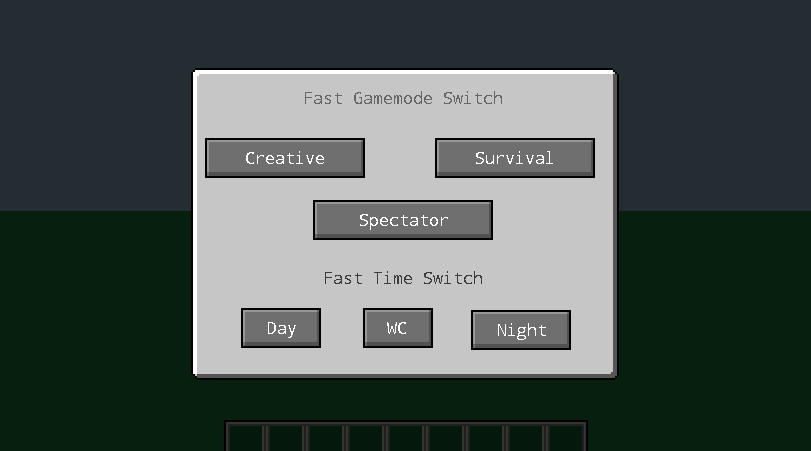
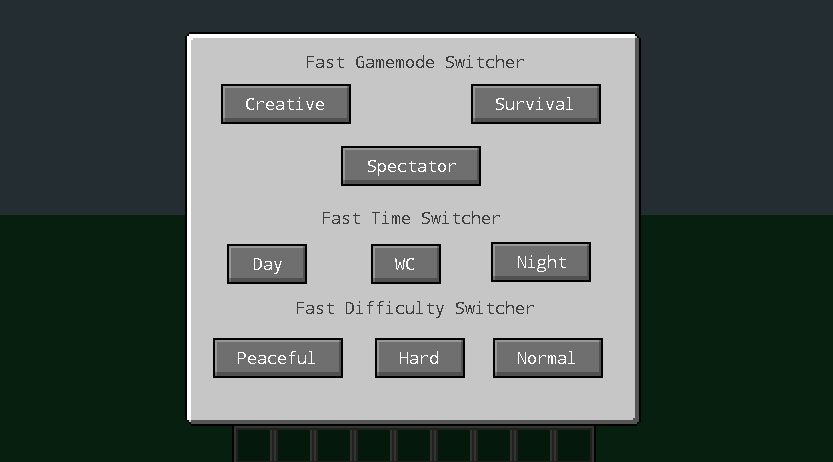
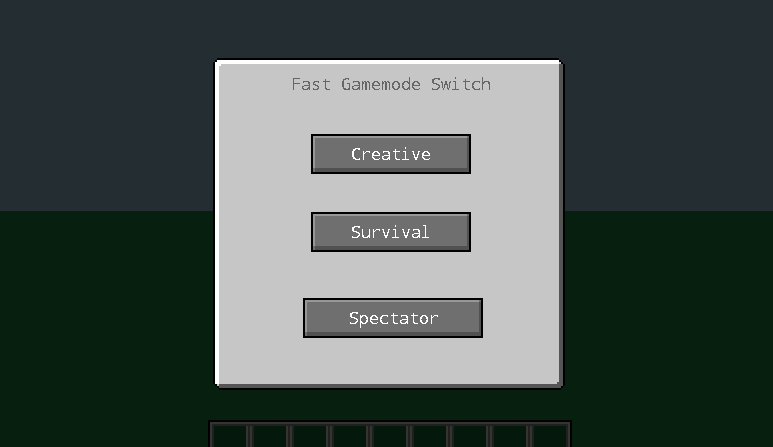
That GUI pauses the game to let you choose in peace
There are more things to change as well
The first snapshot from difficulty update.
I have just release the first snapshot...
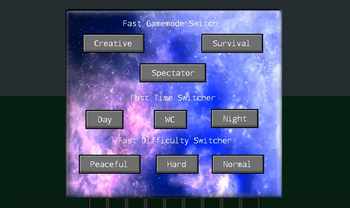
I put in GUI normal, hard and peaceful mod.
I thinks is bugless but, you should try it
and say in comment your ideas... Have fun!!!
To see the GUI you should Press F4....
Or use command /fgsm
Have fun.....
I don't know if I will do for fabric version, if you want write in comments...
✓ 1000
✓ 2000
✓ 3000
✓ 5000
✓ 10000
✓ 15000
✓ 20000
My youtube Channel:
Available Versions
How to Install Fast Gamemode Switch Mod on Your Server
Order Server
Order a Minecraft Java server with at least 3 GB RAM (4 GB recommended).
Set forge Loader
In the panel under "Egg", select the forge loader and matching Minecraft version (1.20.1).
Install Mod
Open the mod browser in the dashboard and search for "Fast Gamemode Switch Mod". Click "Install" – done! Alternatively, upload the .jar via SFTP to the /mods folder.
Compatibility
Mod Loaders
Minecraft Versions
1.20.1, 1.19.4, 1.19.2 (+7 more)
Server-side
✗ UnsupportedRecommended RAM
4 GB(min. 3 GB)Frequently Asked Questions
Fast Gamemode Switch Mod server crashes on startup – what to do?
Most common cause: wrong forge version or insufficient RAM. Check the server log (latest.log) for "OutOfMemoryError" or "Mixin" errors. With Mado Hosting: ensure at least 3 GB RAM is allocated and the loader matches the mod version (1.20.1). You can switch loaders with one click in the panel.
Is Fast Gamemode Switch Mod compatible with forge?
Fast Gamemode Switch Mod officially supports forge for Minecraft 1.20.1, 1.19.4, 1.19.2. The Mado dashboard automatically detects incompatible loader combinations.
Server lagging with Fast Gamemode Switch Mod – how to optimize performance?
Recommended RAM: 4 GB (per 8 players). Use /spark profiler to check if Fast Gamemode Switch Mod consumes the most tick time. Common fixes: reduce server view-distance to 8-10, install "performant" or "starlight" as supplementary mods on Forge. With Mado Hosting, your server runs on NVMe SSDs with dedicated CPU cores for minimal latency.
Similar Mods




Rent Modded Server
Install Fast Gamemode Switch Mod with just one click on your server.