
Fiber-Optic Cables
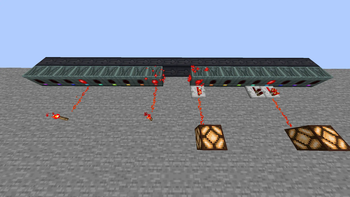
Adds a fiber optic cable, used to instantaneously transfer multiple redstone signals within a one block space.
Screenshots


About this Mod
Fiber-Optic Cables adds fiber optic cables fr.
Hopefully it feels like vanilla.
Luckily, Mojang REFUSES to add sharks to the game, because otherwise there would be some major problems with this mod.
(Check the gallery to see for yourself how things work.)
Mechanics
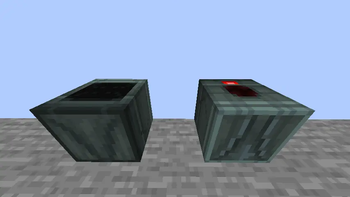
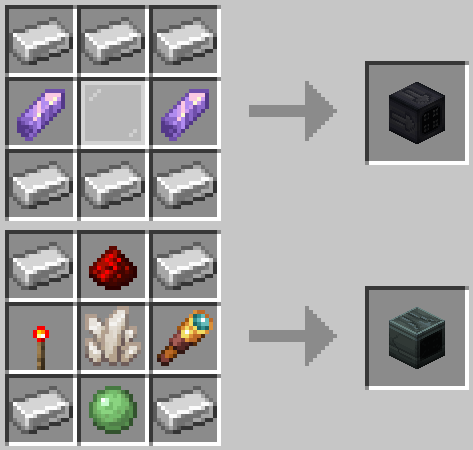
The way it works is by using both the cable itself, and the transformer block used to encode/decode the signal.
The cable and transformer can be placed in all 6 directions, however it's not possible to turn the fiber optic cables to face another direction while retaining the signal. It only goes in a straight line.
The transformer block will cycle between its 9 signal states (color-coded) when right clicked. When shift-right clicking, it will instead cycle between ENCODE and DECODE mode.
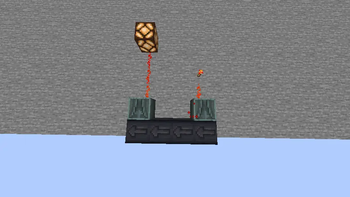
When powered with redstone in ENCODE mode, it will encode the signal it has into the fiber optic cable in front of it, to which the signal will then travel down the line of fiber optic cables. At any point in the line, you can face another transformer into it, setting it to DECODE mode, and it will instead emit redstone power if the matching signal is there.
Config
There are config options that let you change how far the signal will go. By default, it's 64 blocks.
There is also a config option that enables a debug feature. It spawns a particle on fiber optic blocks when they get updated/other.
(also yes I know the icon is messed up but I don't want to fix it)
Available Versions
How to Install Fiber-Optic Cables on Your Server
Order Server
Order a Minecraft Java server with at least 3 GB RAM (4 GB recommended).
Set forge Loader
In the panel under "Egg", select the forge loader and matching Minecraft version (1.21.1).
Install Mod
Open the mod browser in the dashboard and search for "Fiber-Optic Cables". Click "Install" – done! Alternatively, upload the .jar via SFTP to the /mods folder.
Compatibility
Mod Loaders
Minecraft Versions
1.21.1, 1.20.1
Server-side
✗ UnsupportedRecommended RAM
4 GB(min. 3 GB)Frequently Asked Questions
Fiber-Optic Cables server crashes on startup – what to do?
Most common cause: wrong forge version or insufficient RAM. Check the server log (latest.log) for "OutOfMemoryError" or "Mixin" errors. With Mado Hosting: ensure at least 3 GB RAM is allocated and the loader matches the mod version (1.21.1). You can switch loaders with one click in the panel.
Is Fiber-Optic Cables compatible with forge and neoforge?
Fiber-Optic Cables officially supports forge, neoforge for Minecraft 1.21.1, 1.20.1. The Mado dashboard automatically detects incompatible loader combinations.
Server lagging with Fiber-Optic Cables – how to optimize performance?
Recommended RAM: 4 GB (per 8 players). Use /spark profiler to check if Fiber-Optic Cables consumes the most tick time. Common fixes: reduce server view-distance to 8-10, install "performant" or "starlight" as supplementary mods on Forge. With Mado Hosting, your server runs on NVMe SSDs with dedicated CPU cores for minimal latency.
Similar Mods




Rent Modded Server
Install Fiber-Optic Cables with just one click on your server.