
Fly Mod 3D
Control flying by looking into a direction. Provides speed modifier.
Screenshots
About this Mod
Toggle mod by pressing b. This can be remapped in the controls menu.
The main feature of this mod is Mouse Control. With this you fly into the direction your are looking. You can ascend and descend, fly around a corner, by only moving forward.
If this isn't your cup of tea, don't worry, it can be disabled to then behave similar to default flying.
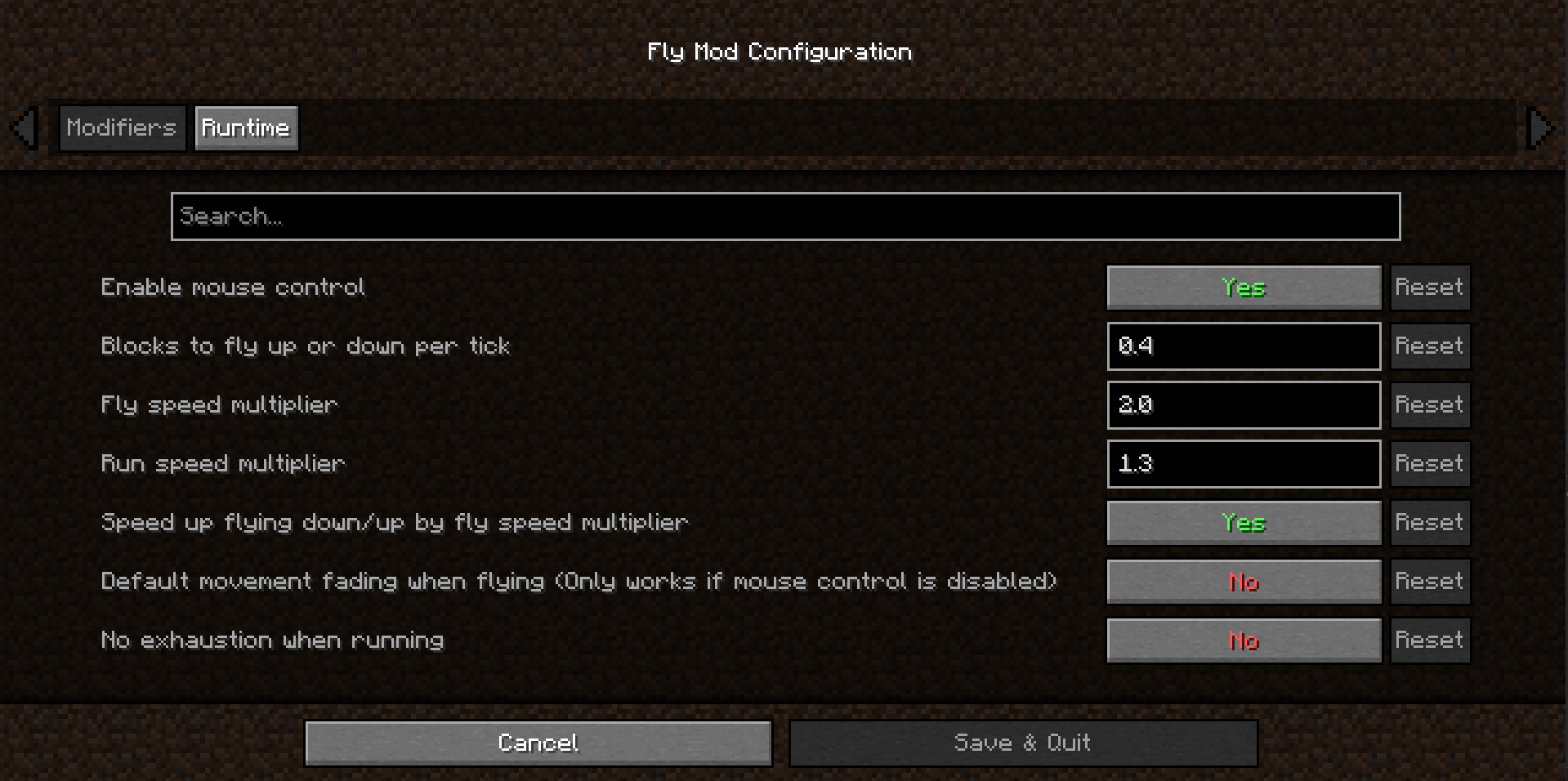
The following modifiers are tuned to be close to the default Minecraft speeds, but they are fully customizable:
- Amount of blocks to fly up/down per tick
- Fly speed modifier
- Run speed modifier
- Speed up flying up/down with fly speed modifier
QoL modifiers:
- Toggle default movement fading when flying (only works with mouse control disabled)
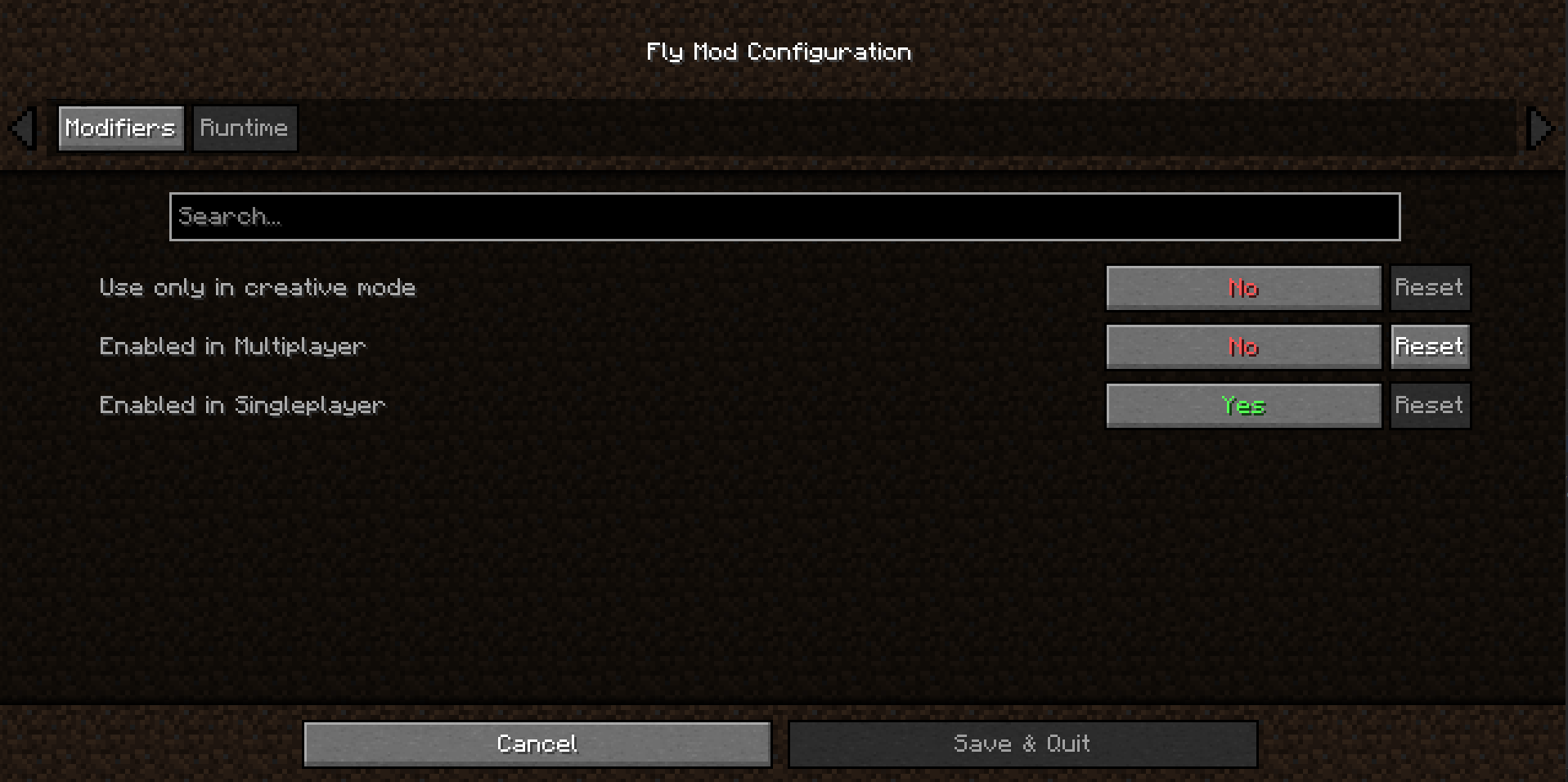
- Use only in creative mode
- Override exhaustion (no exhaustion through sprinting)
Limitations
To allow fair gameplay when playing online / on a dedicated server, speed modifiers are ignored. Also, activating flying is only possible if the server has granted you permission to fly.
On Bukkit Server you would need access to /fly and execute the command to be able to activate flying.
If problems with anti-cheat or other kind of plugins occur, please create an issue on GitHub.
Supported languages
- Deutsch / German
- English
Available Versions
How to Install Fly Mod 3D on Your Server
Order Server
Order a Minecraft Java server with at least 3 GB RAM (4 GB recommended).
Set fabric Loader
In the panel under "Egg", select the fabric loader and matching Minecraft version (1.21.10).
Install Mod
Open the mod browser in the dashboard and search for "Fly Mod 3D". Click "Install" – done! Alternatively, upload the .jar via SFTP to the /mods folder.
Compatibility
Mod Loaders
Minecraft Versions
1.21.10, 1.21.5, 1.20.6 (+2 more)
Server-side
✗ UnsupportedRecommended RAM
4 GB(min. 3 GB)Frequently Asked Questions
Fly Mod 3D server crashes on startup – what to do?
Most common cause: wrong fabric version or insufficient RAM. Check the server log (latest.log) for "OutOfMemoryError" or "Mixin" errors. With Mado Hosting: ensure at least 3 GB RAM is allocated and the loader matches the mod version (1.21.10). You can switch loaders with one click in the panel.
Is Fly Mod 3D compatible with fabric?
Fly Mod 3D officially supports fabric for Minecraft 1.21.10, 1.21.5, 1.20.6. The Mado dashboard automatically detects incompatible loader combinations.
Server lagging with Fly Mod 3D – how to optimize performance?
Recommended RAM: 4 GB (per 8 players). Use /spark profiler to check if Fly Mod 3D consumes the most tick time. Common fixes: reduce server view-distance to 8-10, install "performant" or "starlight" as supplementary mods on Forge. With Mado Hosting, your server runs on NVMe SSDs with dedicated CPU cores for minimal latency.
Similar Mods




Rent Modded Server
Install Fly Mod 3D with just one click on your server.