
Fly with nostalgia
Adds a platform flight mode similar to the pre-creative age of Minecraft
Screenshots
About this Mod
Fly with nostalgia
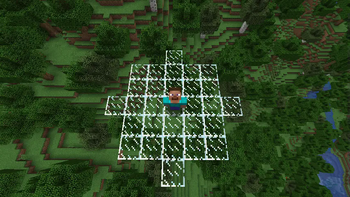
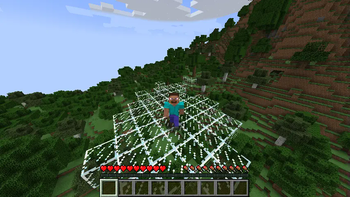
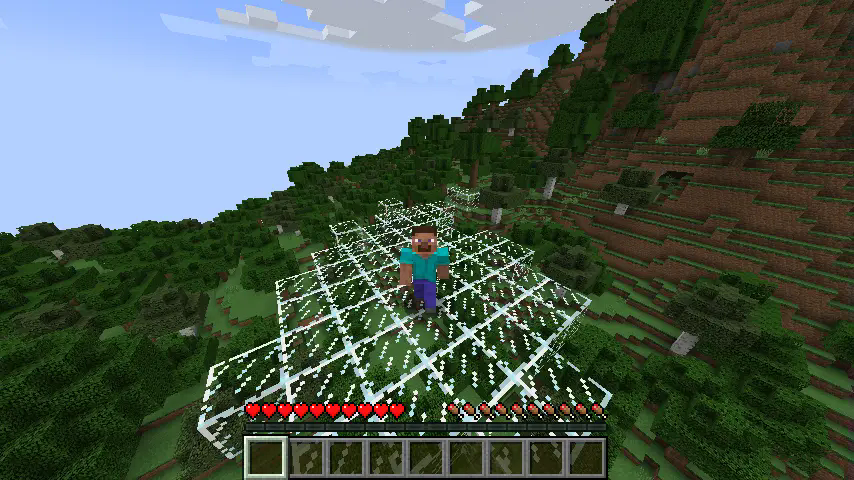
Fly with nostalgia is a mod adding a retro flight mode, similar to the pre-creative days of Minecraft. Players with the retro flight mode active can walk through the air on glass platforms which slowly disappear behind them.
Commands
/fly
Enables or disables retro flight mode for the player. All the arguments are optional.
Command format: /fly <targets> <radius> <enable>
targets - choose one or more players for whom the retro flight mode will be toggled.radius - set how big the platform should be (in blocks around the player). Defaults to 3.enable - specify if the flight should be enabled (true) or disabled (false).
Permissions
Command responsible for toggling the retro flight mode offers granular permissions for target selection
and platform radius specification as well as a general permission for the base command usage.
fly_with_nostalgia.command.fly - usage of base /fly command (with an optional true/false enable/disable parameter)fly_with_nostalgia.command.fly.target - selection of a different player to enable flight mode for
using the target parameterfly_with_nostalgia.command.fly.radius - customization of a platform radius using the radius parameter
All specified permissions are false by default. Server operators with vanilla permission level equal
or above 2 are considered to have all permissions.
Loader-specific information
(Neo)Forge - corresponding loader's native permissions systems are used. External permission management mod
is required for assigning them only.
Sponge - native permission system is used. Permission management plugin is needed for assigning them.
Fabric - this loader does not provide any permission checking out of the box.
Permissions will be checked using fabric-permissions-api mod, if available.
The fabric-permissions-api-v0 library mod for registering the permissions as well as
a compatible permission management mod for assigning the registered permissions need to be installed.
Otherwise, the mod falls back to vanilla permission levels (op).
Available Versions
How to Install Fly with nostalgia on Your Server
Order Server
Order a Minecraft Java server with at least 3 GB RAM (4 GB recommended).
Set fabric Loader
In the panel under "Egg", select the fabric loader and matching Minecraft version (1.21.4).
Install Mod
Open the mod browser in the dashboard and search for "Fly with nostalgia". Click "Install" – done! Alternatively, upload the .jar via SFTP to the /mods folder.
Compatibility
Mod Loaders
Minecraft Versions
1.21.4, 1.21.3, 1.21.2 (+2 more)
Server-side
✓ RequiredRecommended RAM
4 GB(min. 3 GB)Frequently Asked Questions
Fly with nostalgia server crashes on startup – what to do?
Most common cause: wrong fabric version or insufficient RAM. Check the server log (latest.log) for "OutOfMemoryError" or "Mixin" errors. With Mado Hosting: ensure at least 3 GB RAM is allocated and the loader matches the mod version (1.21.4). You can switch loaders with one click in the panel.
Is Fly with nostalgia compatible with fabric and forge and neoforge and sponge?
Fly with nostalgia officially supports fabric, forge, neoforge, sponge for Minecraft 1.21.4, 1.21.3, 1.21.2. Note: Forge and Fabric mods are NOT cross-compatible – pick one loader and stick with it. The Mado dashboard automatically detects incompatible loader combinations.
Server lagging with Fly with nostalgia – how to optimize performance?
Recommended RAM: 4 GB (per 8 players). Use /spark profiler to check if Fly with nostalgia consumes the most tick time. Common fixes: reduce server view-distance to 8-10, install "performant" or "starlight" as supplementary mods on Forge. With Mado Hosting, your server runs on NVMe SSDs with dedicated CPU cores for minimal latency.
Similar Mods




![[ETF] Entity Texture Features](https://cdn.modrinth.com/data/BVzZfTc1/af683d206d50b05258d865b0d6e4aa2f2cee12f2_96.webp)
![[EMF] Entity Model Features](https://cdn.modrinth.com/data/4I1XuqiY/6e5bbd0d06b1741bfdab6c0cfab6de8fdaf0064c_96.webp)
Rent Modded Server
Install Fly with nostalgia with just one click on your server.