
ForceRender
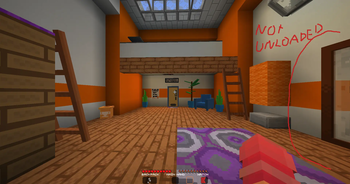
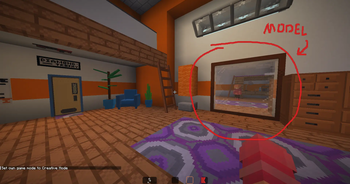
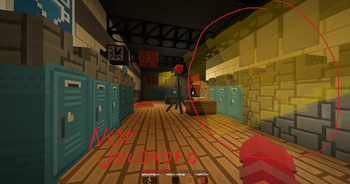
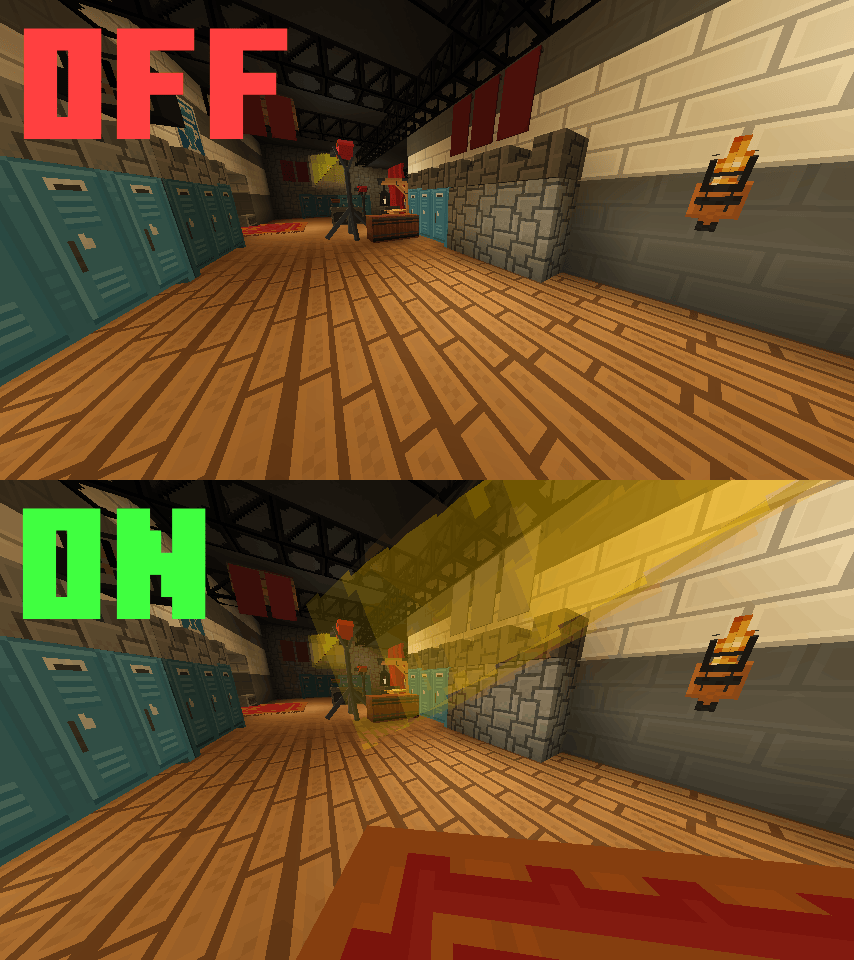
Custom models and item frames disappearing at the edge of your screen? Fixed.
Screenshots
About this Mod
ForceRender
Custom models and item frames disappearing at the edge of your screen? Fixed.
A tiny client-side mod that prevents armor stands and item frames from being frustum-culled by Minecraft's renderer when you're nearby. No commands, no tags, no server install just install and configure.
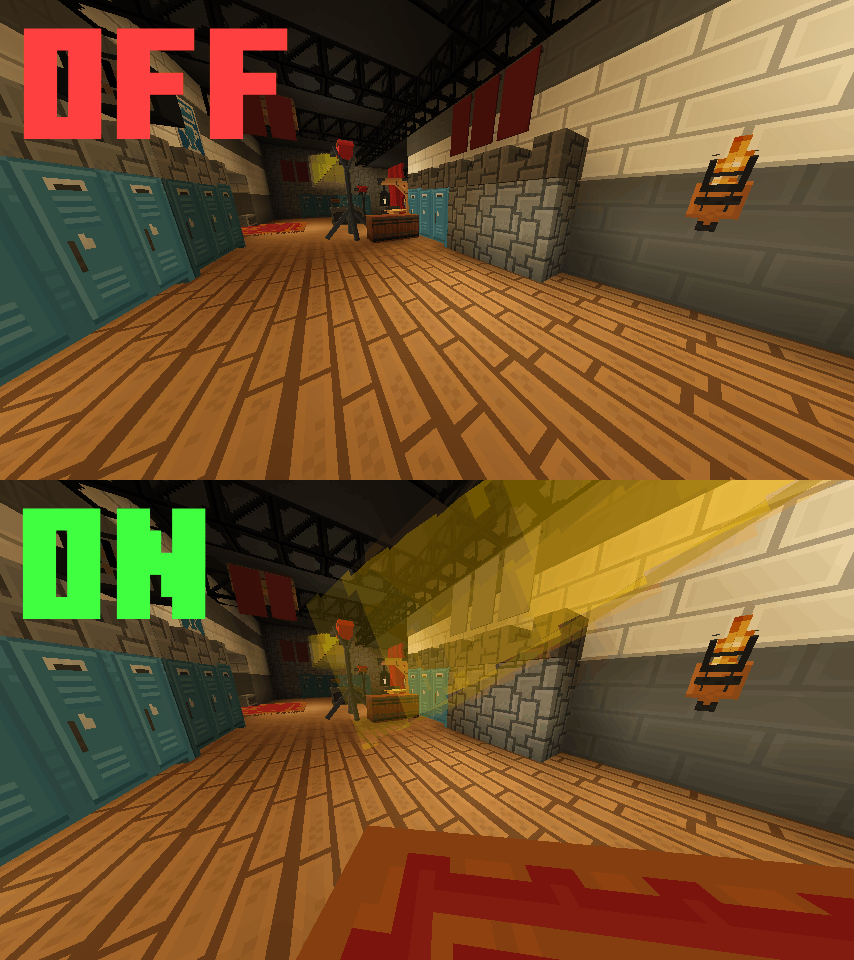
The Problem
Minecraft decides whether to render an entity based on its bounding box, not its actual visible size. Armor stands have a tiny hitbox, so the moment it slips off the edge of your screen, the whole model vanishes therefore even if a massive custom decoration is still clearly visible.
This hits especially hard with:
- 🪑 ItemsAdder / Oraxen furniture
- 🖼️ Item frames used as wall decorations
- 🌴 Any large custom resource pack model attached to an armor stand
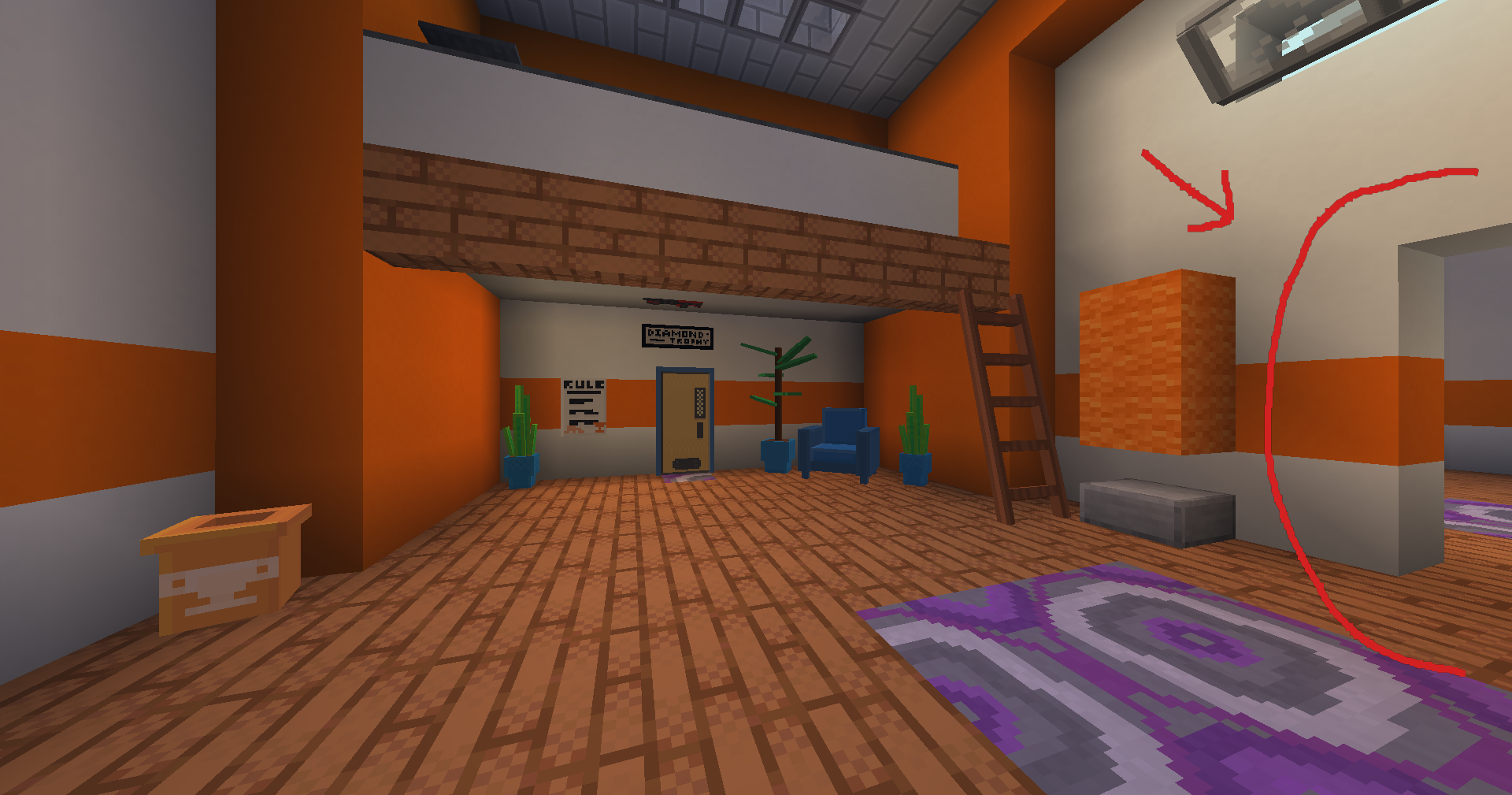
The Fix
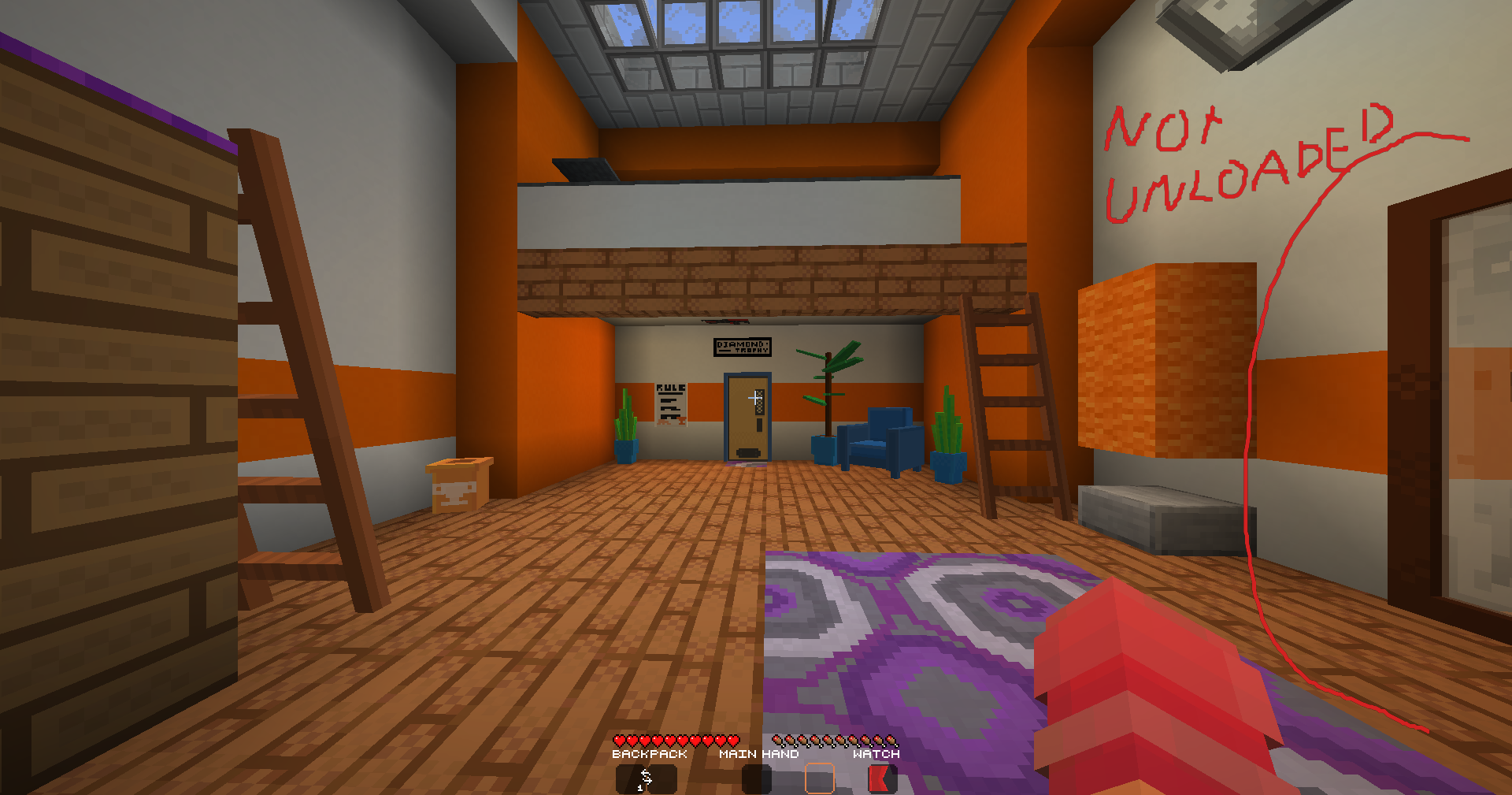
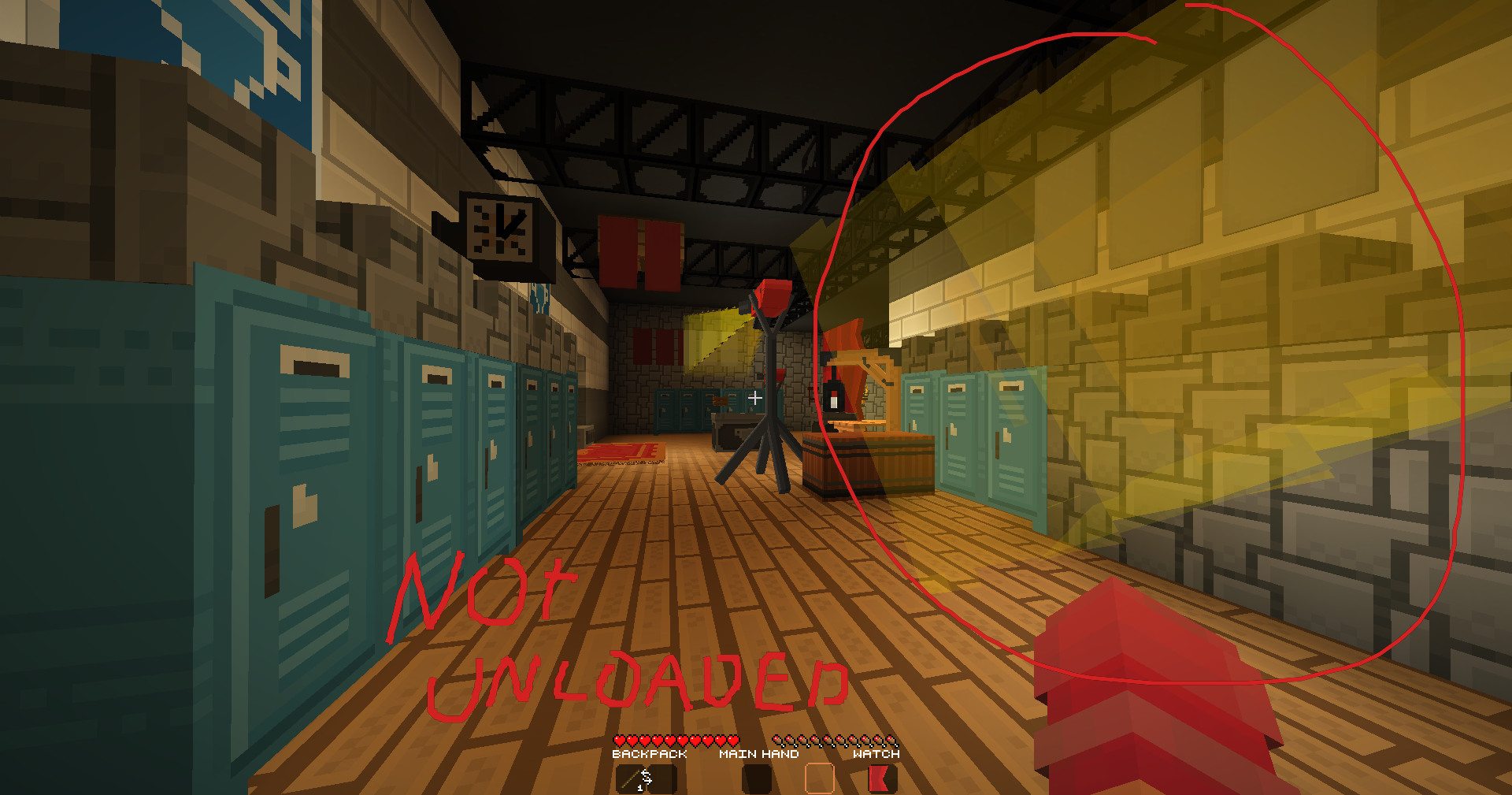
ForceRender overrides the culling check for armor stands and item frames within a configurable distance. If you're close enough, they always render. Step further away and vanilla culling takes over again. So no wasted performance on distant entities.
Config (Mod Menu)
Open Mod Menu → ForceRender → Settings to configure:
| Option | Default | Description |
|---|---|---|
| Enabled | On | Master toggle for the mod |
| Render Distance | 5 blocks | Force-render within this range |
| Affect Armor Stands | On | Fix culling for armor stands |
| Affect Item Frames | On | Fix culling for item frames (normal + glow) |
Changes apply immediately on config screen close.
Features
- Client-side only, no server install needed
- Works with any resource pack (ItemsAdder, Oraxen, vanilla CIT, etc.)
- Distance-based for zero cost on far away entities
- Covers armor stands and item frames
- Mod Menu config screen (requires Mod Menu + Cloth Config)
- Fully open source (MIT License)
Requirements
FAQ
Does the server need this mod?
No. Pure client-side.
Will it hurt performance?
Only entities within your configured distance are affected. Everything else culls normally.
Does it work with Display Entities?
No. this targets ArmorStandEntity and AbstractDecorationEntity only. Display entities use a different renderer.
Does it work with Sodium / Iris?
Yes, compatible with both.
Source Code
GitHub: github.com/ReimaginedPixel/ForceRender
Issues and PRs welcome.
Made by ReimaginedPixel
Available Versions
How to Install ForceRender on Your Server
Order Server
Order a Minecraft Java server with at least 3 GB RAM (4 GB recommended).
Set fabric Loader
In the panel under "Egg", select the fabric loader and matching Minecraft version (1.21.11).
Install Mod
Open the mod browser in the dashboard and search for "ForceRender". Click "Install" – done! Alternatively, upload the .jar via SFTP to the /mods folder.
Compatibility
Mod Loaders
Minecraft Versions
1.21.11, 1.21.10, 1.21.9 (+8 more)
Server-side
✗ UnsupportedRecommended RAM
4 GB(min. 3 GB)Frequently Asked Questions
ForceRender server crashes on startup – what to do?
Most common cause: wrong fabric version or insufficient RAM. Check the server log (latest.log) for "OutOfMemoryError" or "Mixin" errors. With Mado Hosting: ensure at least 3 GB RAM is allocated and the loader matches the mod version (1.21.11). You can switch loaders with one click in the panel.
Is ForceRender compatible with fabric?
ForceRender officially supports fabric for Minecraft 1.21.11, 1.21.10, 1.21.9. The Mado dashboard automatically detects incompatible loader combinations.
Server lagging with ForceRender – how to optimize performance?
Recommended RAM: 4 GB (per 8 players). Use /spark profiler to check if ForceRender consumes the most tick time. Common fixes: reduce server view-distance to 8-10, install "performant" or "starlight" as supplementary mods on Forge. With Mado Hosting, your server runs on NVMe SSDs with dedicated CPU cores for minimal latency.
Similar Mods




![[ETF] Entity Texture Features](https://cdn.modrinth.com/data/BVzZfTc1/af683d206d50b05258d865b0d6e4aa2f2cee12f2_96.webp)
![[EMF] Entity Model Features](https://cdn.modrinth.com/data/4I1XuqiY/6e5bbd0d06b1741bfdab6c0cfab6de8fdaf0064c_96.webp)
Rent Modded Server
Install ForceRender with just one click on your server.