
Full Slabs
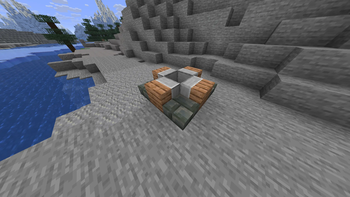
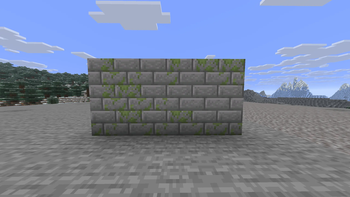
Adds vertical slabs and mixed horizontal and vertical slabs to Minecraft.
Screenshots

About this Mod
Full Slabs







Vertical slabs and mixed slabs for modern Minecraft.
Features
- Vertical slabs that just work — no new recipes or crafting steps.
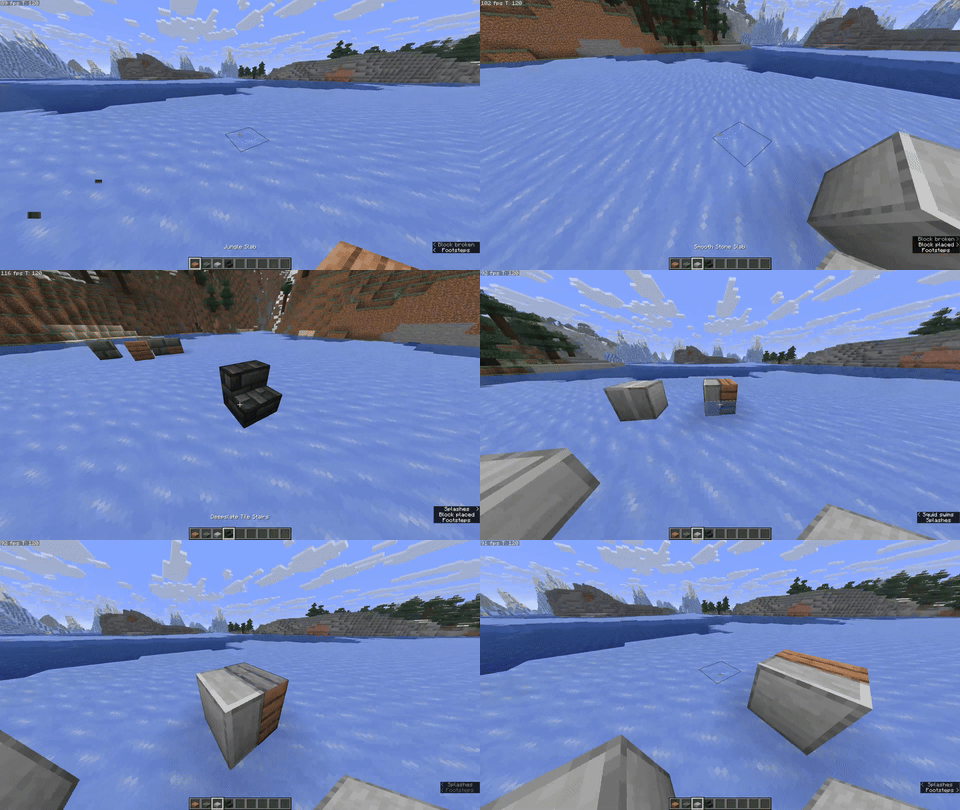
- Mixed slabs: two different slabs in one block space, with per-half breaking (KleeSlabs-style).
- Single codebase for both loaders through Architectury.
- Additional compatibility added for Mo Glass and Blockus.
Note: Mo Glass slabs cannot be mixed.
Gallery
How it plays
- Placement modes: cycle between three placement modes to control how halves place.
Bind in Controls → Key Binds → Full Slabs → Cycle Placement Mode. - Overlay: a lightweight overlay shows which halves will be placed or broken.
Bind in Controls → Key Binds → Full Slabs → Toggle Overlay.
If you’ve used “vertical slab only” mods before, Full Slabs maintains that simplicity and adds mixing and interaction affordances on top, without recipe clutter.
Compatibility
- Minecraft: 1.21.10
- Loaders: Fabric, NeoForge (via Architectury)
- Required: Architectury API, MidnightLib
- Optional notes:
- Mo Glass: supported, but Mo Glass slabs cannot be mixed.
- Blockus: extra variants and behavior where appropriate.
- Not supported: OptiFine / OptiFabric
Install
Recommended: Install via the Modrinth App — open the Full Slabs page and click Install. It will bring the mod in with dependencies and keep it updated.
Links
- Modrinth: https://modrinth.com/mod/full-slabs
- CurseForge: https://www.curseforge.com/minecraft/mc-mods/full-slabs
- Source: https://github.com/Micalobia/Full-Slabs
- Issues: https://github.com/Micalobia/Full-Slabs/issues
No Discord — GitHub issues are the best place to reach me.
Credits
- Created by Micalobia.
- Big thanks to JackGlobetrotter for keeping Full Slabs alive for years and inspiring the revival.
- Thanks to the teams behind Architectury API and MidnightLib.
License & Modpacks
MIT license. Modpacks are welcome — no need to ask; a link back helps people find updates.
Changelog
See Releases on Modrinth or GitHub for version-specific changes.
Available Versions
How to Install Full Slabs on Your Server
Order Server
Order a Minecraft Java server with at least 3 GB RAM (4 GB recommended).
Set fabric Loader
In the panel under "Egg", select the fabric loader and matching Minecraft version (1.21.10).
Install Mod
Open the mod browser in the dashboard and search for "Full Slabs". Click "Install" – done! Alternatively, upload the .jar via SFTP to the /mods folder.
Compatibility
Mod Loaders
Minecraft Versions
1.21.10, 1.21.9, 1.18.1 (+3 more)
Server-side
✓ RequiredRecommended RAM
4 GB(min. 3 GB)Frequently Asked Questions
Full Slabs server crashes on startup – what to do?
Most common cause: wrong fabric version or insufficient RAM. Check the server log (latest.log) for "OutOfMemoryError" or "Mixin" errors. With Mado Hosting: ensure at least 3 GB RAM is allocated and the loader matches the mod version (1.21.10). You can switch loaders with one click in the panel.
Is Full Slabs compatible with fabric and neoforge?
Full Slabs officially supports fabric, neoforge for Minecraft 1.21.10, 1.21.9, 1.18.1. The Mado dashboard automatically detects incompatible loader combinations.
Server lagging with Full Slabs – how to optimize performance?
Recommended RAM: 4 GB (per 8 players). Use /spark profiler to check if Full Slabs consumes the most tick time. Common fixes: reduce server view-distance to 8-10, install "performant" or "starlight" as supplementary mods on Forge. With Mado Hosting, your server runs on NVMe SSDs with dedicated CPU cores for minimal latency.
Similar Mods

![[ETF] Entity Texture Features](https://cdn.modrinth.com/data/BVzZfTc1/af683d206d50b05258d865b0d6e4aa2f2cee12f2_96.webp)
![[EMF] Entity Model Features](https://cdn.modrinth.com/data/4I1XuqiY/6e5bbd0d06b1741bfdab6c0cfab6de8fdaf0064c_96.webp)



Rent Modded Server
Install Full Slabs with just one click on your server.