
Fullbright Plus
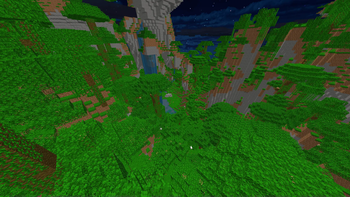
Completely disable the whole visual lightning system to make the game as bright as possible while boosting performances.
Screenshots
About this Mod
Fullbright Plus
Why is this mod better than other Fullbrights?
Other Fullbright mods will modify the gamma value, to make it very high.
This often can just be overrided by users, or can be manually done. These mods do not offer anything special.
Fullbright Plus comes and disable lightning in every part possible, to optimise the CPU and RAM usage.
Why doing light calculations every frame on everything visible on screen, for it to be the maximum value possible
anyway?
What does the mod do and don't?
All actions performed by the mod are visual only. It will not modify any other value than the ones used in the
render classes. Some brightness methods are used for living conditions, and those weren't modified.
- ✅ Disable Block Lightning
- ✅ Disable Entity Lightning
- ✅ Disable Ambient Occlusion
- ✅ Disable Vignette
- ❌ Disable Entity Shadows
- ❌ Disable Optifine's Dynamic Lights (modifies the vanilla game behavior, I won't revert these changes)
How does the mod work?
You can look at every modification made to the
game in the mixin folder,
all documented.
What is the compatibility with other mods?
- ✅ Optifine
- ✅ (Poly)Patcher
If any are missing, or any issue is happening with a single mod,
please open an issue.
Available Versions
How to Install Fullbright Plus on Your Server
Order Server
Order a Minecraft Java server with at least 3 GB RAM (4 GB recommended).
Set forge Loader
In the panel under "Egg", select the forge loader and matching Minecraft version (1.8.9).
Install Mod
Open the mod browser in the dashboard and search for "Fullbright Plus". Click "Install" – done! Alternatively, upload the .jar via SFTP to the /mods folder.
Compatibility
Mod Loaders
Minecraft Versions
1.8.9, 1.8.8
Server-side
✗ UnsupportedRecommended RAM
4 GB(min. 3 GB)Frequently Asked Questions
Fullbright Plus server crashes on startup – what to do?
Most common cause: wrong forge version or insufficient RAM. Check the server log (latest.log) for "OutOfMemoryError" or "Mixin" errors. With Mado Hosting: ensure at least 3 GB RAM is allocated and the loader matches the mod version (1.8.9). You can switch loaders with one click in the panel.
Is Fullbright Plus compatible with forge?
Fullbright Plus officially supports forge for Minecraft 1.8.9, 1.8.8. The Mado dashboard automatically detects incompatible loader combinations.
Server lagging with Fullbright Plus – how to optimize performance?
Recommended RAM: 4 GB (per 8 players). Use /spark profiler to check if Fullbright Plus consumes the most tick time. Common fixes: reduce server view-distance to 8-10, install "performant" or "starlight" as supplementary mods on Forge. With Mado Hosting, your server runs on NVMe SSDs with dedicated CPU cores for minimal latency.
Similar Mods


Rent Modded Server
Install Fullbright Plus with just one click on your server.