
Totem full customization
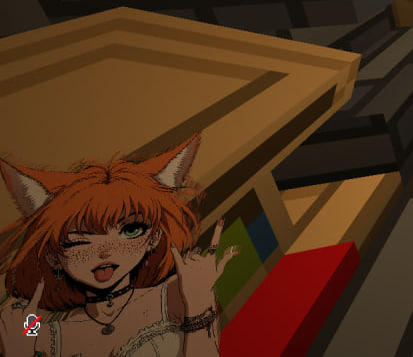
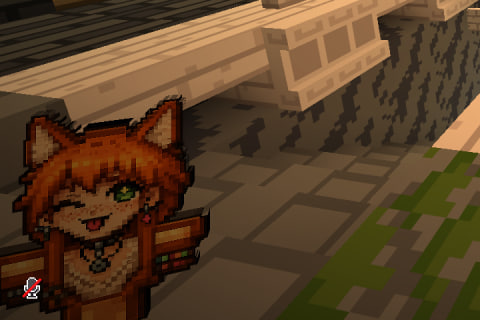
Client-side Fabric mod that replaces the Totem of Undying texture with your own PNG, GIF, JPG, JPEG, or BMP image. Currently the best existing Now can replace pop sound!
Screenshots
About this Mod
Custom Totem lets you use your own image as the Totem of Undying texture without making a resource pack by hand.
Description
Custom Totem lets you use your own image as the Totem of Undying texture without making a resource pack by hand.
Select an image directly through the native file picker in Mod Menu, from any folder on your computer. The mod generates a client resource pack automatically and reloads Minecraft resources for you. An optional config/customtotem/images library is available for files you want to keep together.
Features
- Supports PNG, GIF, JPG, JPEG, and BMP files.
- Animated GIFs are converted into vanilla animated item textures.
- PNG and GIF transparency is preserved.
- High-resolution generated textures keep photos sharper while the in-game totem size stays unchanged.
- Smooth texture mode reduces the blocky photo look.
- First-person hand-size slider changes how large the totem appears in hand without changing texture resolution.
- Native system file picker for selecting images without manually moving files into a config folder.
- Optional saved-images library for frequently used totems.
- Toggleable yellow, red, blue, or green outline around inventory slots containing a totem.
- Mod Menu integration for appearance controls, reloading, opening the images folder, and restoring the vanilla totem.
- /customtotem reload command for manual config changes.
- /customtotem folder opens the images folder.
ModMenu Setup
- Select the desired picture by browsing your files directly from the modmenu.
- You can adjust size of the totem
- You can add more visible borders to the slots with totems in case your custom texture is not visible enough in the inventory
Manual Setup
- Start Minecraft once with the mod installed.
- Put your image into .minecraft/config/customtotem/images, or keep it at any stable absolute path.
- Open .minecraft/config/customtotem/config.json.
- Set "enabled": true.
- Set "image": "my_totem.gif" or an absolute path such as "C:/Pictures/my_totem.png".
- Optionally set "slotOutlineEnabled": true and "slotOutlineColor": "yellow".
- Save the file and run /customtotem reload in-game.
- To restore the vanilla totem manually, set "enabled": false and run /customtotem reload.
Dependencies
Required:
- Fabric Loader 0.19.2 or newer
- Fabric API for Minecraft 1.21.11
- Minecraft 1.21.11
- Java 21 or newer
Optional:
- Mod Menu 17.0.0 or newer for the in-game config screen
Available Versions
How to Install Totem full customization on Your Server
Order Server
Order a Minecraft Java server with at least 3 GB RAM (4 GB recommended).
Set fabric Loader
In the panel under "Egg", select the fabric loader and matching Minecraft version (1.21.11).
Install Mod
Open the mod browser in the dashboard and search for "Totem full customization". Click "Install" – done! Alternatively, upload the .jar via SFTP to the /mods folder.
Compatibility
Mod Loaders
Minecraft Versions
1.21.11
Server-side
✗ UnsupportedRecommended RAM
4 GB(min. 3 GB)Frequently Asked Questions
Totem full customization server crashes on startup – what to do?
Most common cause: wrong fabric version or insufficient RAM. Check the server log (latest.log) for "OutOfMemoryError" or "Mixin" errors. With Mado Hosting: ensure at least 3 GB RAM is allocated and the loader matches the mod version (1.21.11). You can switch loaders with one click in the panel.
Is Totem full customization compatible with fabric?
Totem full customization officially supports fabric for Minecraft 1.21.11. The Mado dashboard automatically detects incompatible loader combinations.
Server lagging with Totem full customization – how to optimize performance?
Recommended RAM: 4 GB (per 8 players). Use /spark profiler to check if Totem full customization consumes the most tick time. Common fixes: reduce server view-distance to 8-10, install "performant" or "starlight" as supplementary mods on Forge. With Mado Hosting, your server runs on NVMe SSDs with dedicated CPU cores for minimal latency.
Similar Mods

![[ETF] Entity Texture Features](https://cdn.modrinth.com/data/BVzZfTc1/af683d206d50b05258d865b0d6e4aa2f2cee12f2_96.webp)
![[EMF] Entity Model Features](https://cdn.modrinth.com/data/4I1XuqiY/6e5bbd0d06b1741bfdab6c0cfab6de8fdaf0064c_96.webp)



Rent Modded Server
Install Totem full customization with just one click on your server.