
Furnace XP Storage
Allows furnaces to store XP like in MC 1.13+
Screenshots
About this Mod
Furnaces in MC 1.12.2 and before do not store XP. Instead, players get XP when they extract the smelted items out of the furnace.
Due to this behavior, breaking furnaces does not drop XP. And when you funnel out the output items with a hopper, you also do not get any XP.
This lightweight mod backports the behavior from Minecraft 1.13 and later, where furnaces store the XP from smelting inside the block. Breaking the furnace will spawn XP orbs. And even when funneling smelted items out of the furnace the smelted XP will stay inside the furnace. Players can extract that XP by locking the hopper and extracting one smelted item, or by simply breaking the furnace.
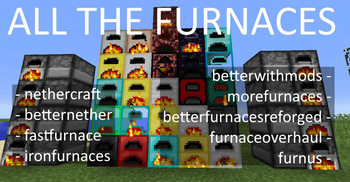
v1.2.0+: Works for a lot of modded furnaces. If you find one that isn't supported, tell me!
v1.3.0+: Thanks to roidrole the stored xp inside furnaces can be turned into any fluid (Essence of Knowledge / Luiqid XP etc) via config
v1.3.1+: mod developers can register their modded Furnaces to store xp and treat it as fluid (if config enabled) via
furnacexpstorage.compat.CompatHandler.addModHandler("yourmodid", () -> tile -> tile instanceof YourFurnaceTileEntity);
if their TileEntity has its own copy of smeltItem() they will need to add the following line into that method
furnacexpstorage.util.SmeltItemHelper.storeXpFromSmelting(inputStack, cookedStack, this.getTileData());
Required dependency: FermiumBooter
Available Versions
How to Install Furnace XP Storage on Your Server
Order Server
Order a Minecraft Java server with at least 3 GB RAM (4 GB recommended).
Set forge Loader
In the panel under "Egg", select the forge loader and matching Minecraft version (1.12.2).
Install Mod
Open the mod browser in the dashboard and search for "Furnace XP Storage". Click "Install" – done! Alternatively, upload the .jar via SFTP to the /mods folder.
Compatibility
Mod Loaders
Minecraft Versions
1.12.2
Server-side
✓ RequiredRecommended RAM
4 GB(min. 3 GB)Frequently Asked Questions
Furnace XP Storage server crashes on startup – what to do?
Most common cause: wrong forge version or insufficient RAM. Check the server log (latest.log) for "OutOfMemoryError" or "Mixin" errors. With Mado Hosting: ensure at least 3 GB RAM is allocated and the loader matches the mod version (1.12.2). You can switch loaders with one click in the panel.
Is Furnace XP Storage compatible with forge?
Furnace XP Storage officially supports forge for Minecraft 1.12.2. The Mado dashboard automatically detects incompatible loader combinations.
Server lagging with Furnace XP Storage – how to optimize performance?
Recommended RAM: 4 GB (per 8 players). Use /spark profiler to check if Furnace XP Storage consumes the most tick time. Common fixes: reduce server view-distance to 8-10, install "performant" or "starlight" as supplementary mods on Forge. With Mado Hosting, your server runs on NVMe SSDs with dedicated CPU cores for minimal latency.
Similar Mods




Rent Modded Server
Install Furnace XP Storage with just one click on your server.