
Fuzzy
Don't waste time finding the right command in your command history | Command History Fuzzy Finder [QoL]
Screenshots
About this Mod
Fuzzy
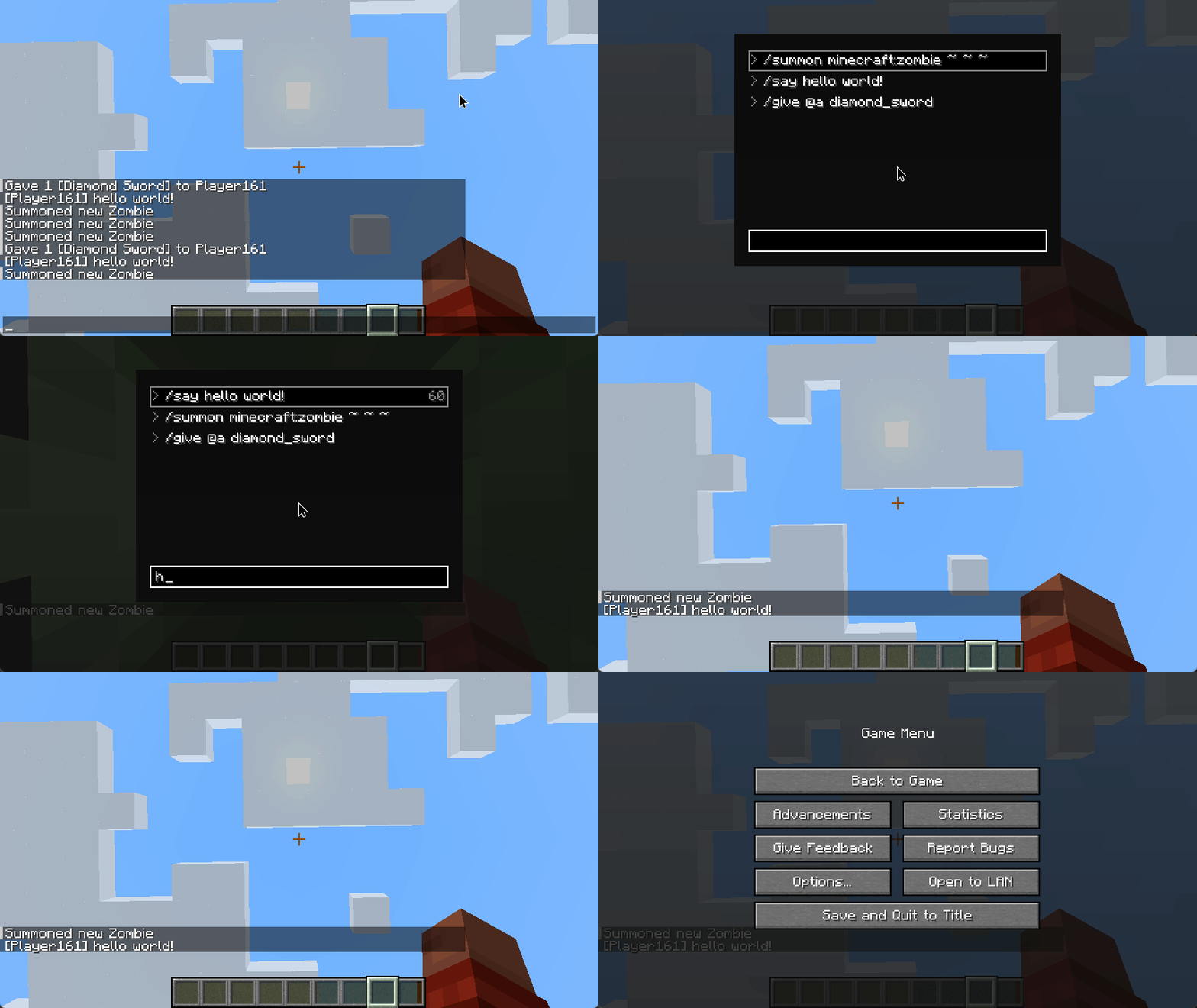
The fzf inspired command introduces a "fuzzy search"-based command search and execution system. It allows you to search previously entered commands, regardless of the exact phrasing, and quickly reuse them.
Usage
- Press the
Jkey (default keybind, configurable) to open the Fuzzy Command Search screen. - Start typing your search query to filter through previously used commands.
- Commands matching your search will be displayed in a list, which you can navigate using arrow keys, or execute directly with the
Enterkey. - The
Tabkey will suggest the selected command, allowing you to edit it further in the chat bar.
Demo
KeyBinds
- Press
Jto open the fuzzy command finder (this keybinding can be re-configured)
Features
Quick Actions
When you select an entry you can do one of the following quick actions:
- Execute Command:
Enter - Suggest Command in Chat:
Tab - Next Entry in List:
Arrow DownorShift + J - Previous Entry in List:
Arrow UporShift + K - Remove Entry:
Shift+X - Copy Command to Clipboard:
Shift+C - Give Command Block with Suggested Command:
Shift + B
Command Blocks
When you interact with a command block and change its command, if you have theEnable Command Block Logging option enabled, Fuzzy will automatically log that command into its search history. This means you'll be able to pull up the Command Search later on and reuse the command you entered into the command block, even after closing the command block's interface.
Command Block commands appear in yellow and they have a @ prefix in the command search.
TIP: Use command block logging in combination with Shift + B to quickly swap between command blocks (Demo)
Credits
Fuzzy uses xdrop/fuzzywuzzy for the fuzzy search.
Available Versions
How to Install Fuzzy on Your Server
Order Server
Order a Minecraft Java server with at least 3 GB RAM (4 GB recommended).
Set fabric Loader
In the panel under "Egg", select the fabric loader and matching Minecraft version (1.21.8).
Install Mod
Open the mod browser in the dashboard and search for "Fuzzy". Click "Install" – done! Alternatively, upload the .jar via SFTP to the /mods folder.
Compatibility
Mod Loaders
Minecraft Versions
1.21.8, 1.21.7, 1.21.6 (+4 more)
Server-side
✗ UnsupportedRecommended RAM
4 GB(min. 3 GB)Frequently Asked Questions
Fuzzy server crashes on startup – what to do?
Most common cause: wrong fabric version or insufficient RAM. Check the server log (latest.log) for "OutOfMemoryError" or "Mixin" errors. With Mado Hosting: ensure at least 3 GB RAM is allocated and the loader matches the mod version (1.21.8). You can switch loaders with one click in the panel.
Is Fuzzy compatible with fabric?
Fuzzy officially supports fabric for Minecraft 1.21.8, 1.21.7, 1.21.6. The Mado dashboard automatically detects incompatible loader combinations.
Server lagging with Fuzzy – how to optimize performance?
Recommended RAM: 4 GB (per 8 players). Use /spark profiler to check if Fuzzy consumes the most tick time. Common fixes: reduce server view-distance to 8-10, install "performant" or "starlight" as supplementary mods on Forge. With Mado Hosting, your server runs on NVMe SSDs with dedicated CPU cores for minimal latency.
Similar Mods




Rent Modded Server
Install Fuzzy with just one click on your server.