About this Mod
Debugger's Delight
Gadget is a collection of tools to debug and inspect certain game elements from in-game - think Chrome's developer tools, or Firefoxes' Firebug.
Gadget's inspection tools work both in single player and on a remote server - if it also has Gadget installed.
Entity Inspector
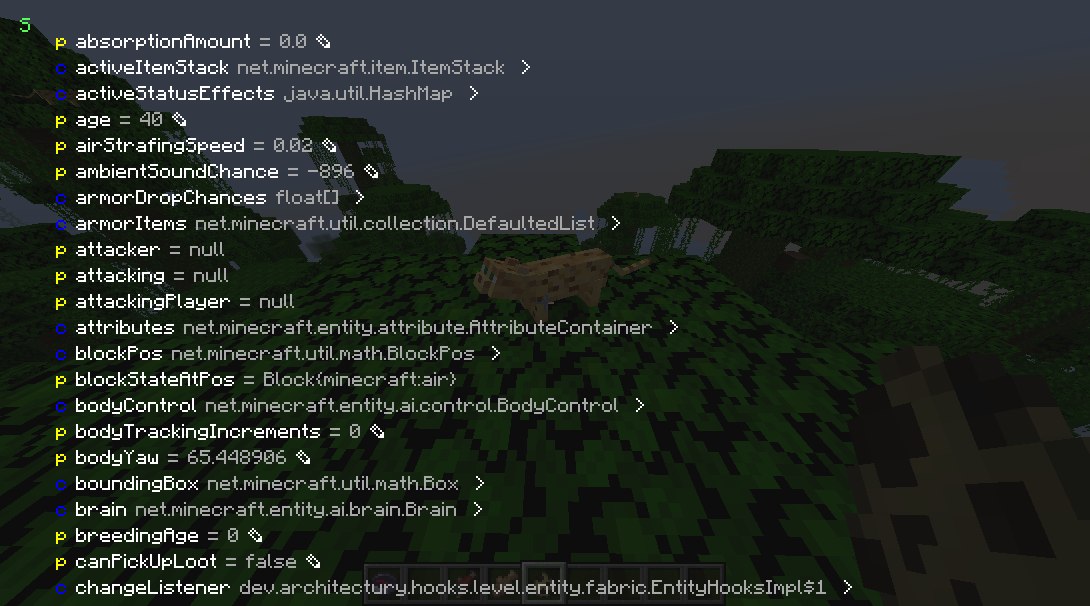
Press the Inspect (default: I) key when targeting a entity or block entity to view and edit its internal Java fields. You can inspect both the client and server Java object.
NBT Inspector
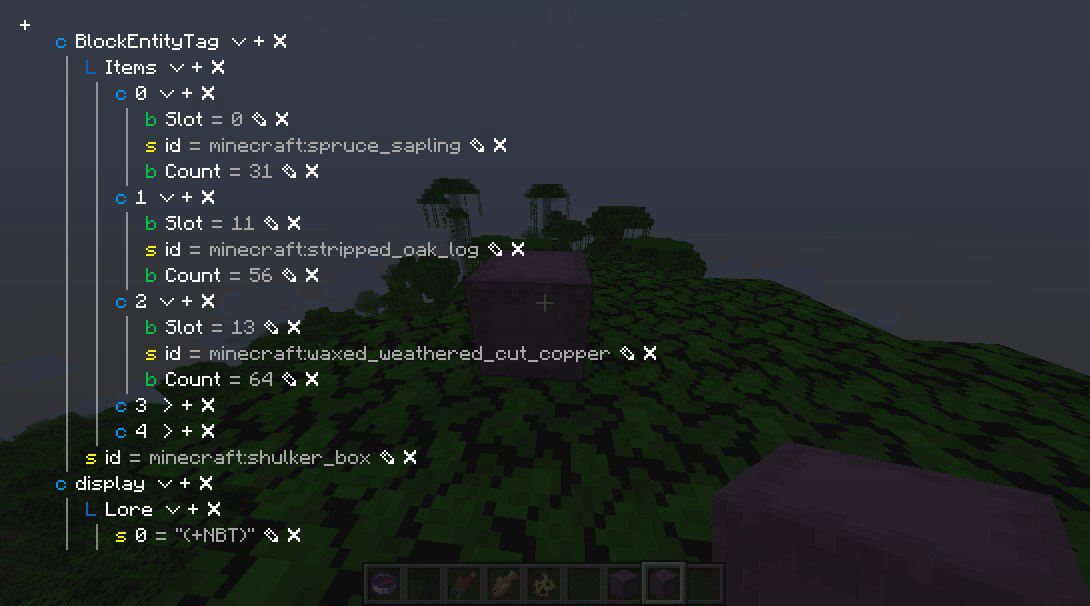
Press the Inspect (default: I) key when hovering over an item stack with NBT to view and edit its NBT.
Packet Dumper
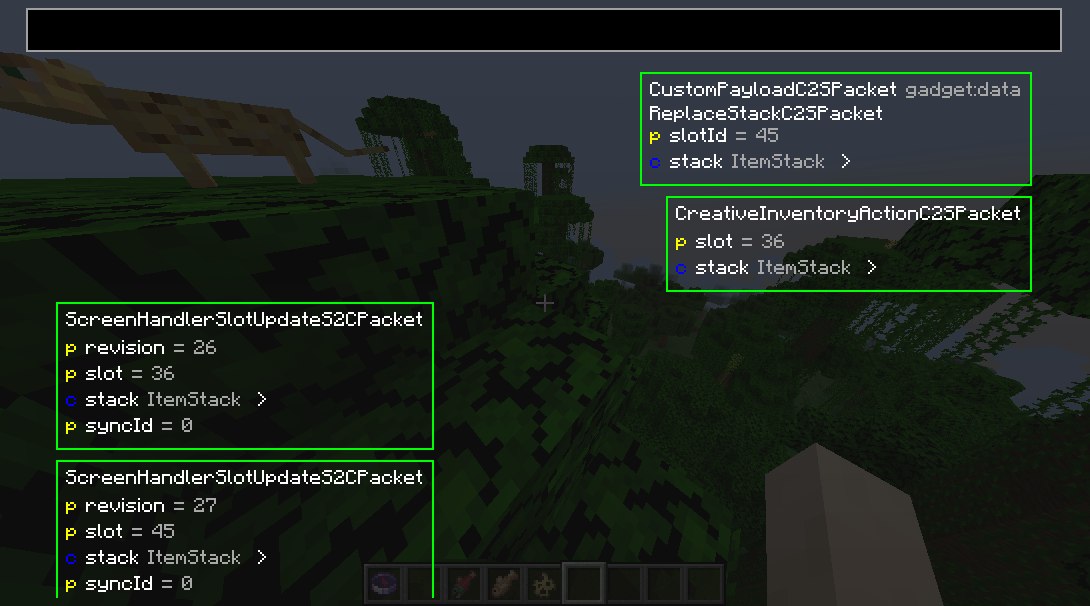
Press the Dump Packets (default: K) key to toggle dumping network traffic on. You can also join with the packet dumper engaged by right-clicking the server or world and selecting Join and start dumping packets.
Press Dump Packets again to stop recording and save the dump.
You can review it from the Gadget's menu.
Server owners and operators
Gadget supports the Fabric Permissions API.
If not present, it defaults to requiring OP status.
Gadget uses the following permissions:
gadget.inspect - entity inspector usage permissiongadget.replaceStack - NBT viewer write permission
Class Inspector
(the class inspector is broken in the latest version :P)
Look through all classes touched by mixin (or all classes, if you hold shift) by looking in the class inspector.
N.B.: This will automatically download Quiltflower from the QuiltMC maven the first time you press Inspect Exported Classes.
Available Versions
How to Install gadget on Your Server
Order Server
Order a Minecraft Java server with at least 3 GB RAM (4 GB recommended).
Set fabric Loader
In the panel under "Egg", select the fabric loader and matching Minecraft version (1.21.11).
Install Mod
Open the mod browser in the dashboard and search for "gadget". Click "Install" – done! Alternatively, upload the .jar via SFTP to the /mods folder.
Compatibility
Mod Loaders
Minecraft Versions
1.21.11, 1.21.9, 1.21 (+9 more)
Server-side
~ OptionalRecommended RAM
4 GB(min. 3 GB)Frequently Asked Questions
gadget server crashes on startup – what to do?
Most common cause: wrong fabric version or insufficient RAM. Check the server log (latest.log) for "OutOfMemoryError" or "Mixin" errors. With Mado Hosting: ensure at least 3 GB RAM is allocated and the loader matches the mod version (1.21.11). You can switch loaders with one click in the panel.
Is gadget compatible with fabric and quilt?
gadget officially supports fabric, quilt for Minecraft 1.21.11, 1.21.9, 1.21. The Mado dashboard automatically detects incompatible loader combinations.
Server lagging with gadget – how to optimize performance?
Recommended RAM: 4 GB (per 8 players). Use /spark profiler to check if gadget consumes the most tick time. Common fixes: reduce server view-distance to 8-10, install "performant" or "starlight" as supplementary mods on Forge. With Mado Hosting, your server runs on NVMe SSDs with dedicated CPU cores for minimal latency.
Similar Mods




![[ETF] Entity Texture Features](https://cdn.modrinth.com/data/BVzZfTc1/af683d206d50b05258d865b0d6e4aa2f2cee12f2_96.webp)
![[EMF] Entity Model Features](https://cdn.modrinth.com/data/4I1XuqiY/6e5bbd0d06b1741bfdab6c0cfab6de8fdaf0064c_96.webp)
Rent Modded Server
Install gadget with just one click on your server.