
Gaming Furniture
Build your Gaming Setup in Minecraft!
Screenshots
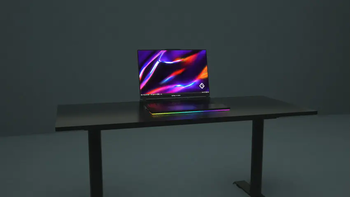
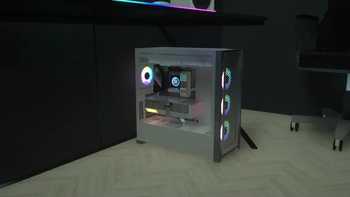
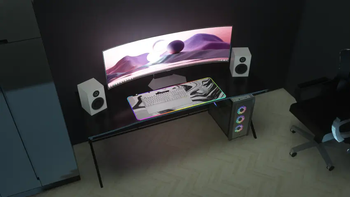
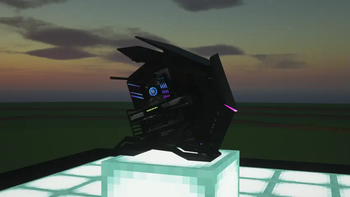
About this Mod
IdeaMineCreator is no longer active. This project has been discontinued.
Thank you for your support, and wishing you all the best.





Information:
Welcome to Gaming Furniture Mod, it's the only mod comes from Patreon that you can now decorate your own gaming setup as a gamer. You can now download it for low textures (x128 textures) which is available in Curseforge.
If you love and want the highest quality (textures from x256, x512 and x1024) for this mod and the emissive textures fix, get it now only on:
 or Ko-fi (for coming soon!)
It adds:
- Adds in 10+ blocks, including OBJ models (PCs, monitors, laptops, LED RGBs,...) to decorate your own gaming setup.
- Some computers, laptops,... can be turned on/off.
- Many more!!
Requires:
- Forge: Optifine
- Fabric: Iris Shaders, Sodium, Indium & Continuity
- NeoForge: Unfortunately, NeoForge doesn't have any native mods that add support for emissive textures. You can use this method to get the emissive textures (big thanks to Deftesthawk from CurseForge for that!): Sinytra Connector, Continuity, Iris Shaders, Sodium (NeoForge Version) or Embeddium
Need Helpppp!
Join me on my Discord. You can ask me if some problems or errors that impact you while using my mod, I'll find and solve them. Otherwise, you can also make some suggestions to help me create together, which is importantly part of society as well as you'll get some updates and announcements.
I hope you enjoy using my mod, and don't hesitate to send screenshot on X (formerly Twitter) or Discord, or make you own showcases including my mod on social media. Thank you so much and have a wonderful day!
This mod made by IdeaMineCreator (NhatCKQ in Vietnamese) from MCreator. Do not re-upload my mod without permission!
Available Versions
How to Install Gaming Furniture on Your Server
Order Server
Order a Minecraft Java server with at least 3 GB RAM (4 GB recommended).
Set fabric Loader
In the panel under "Egg", select the fabric loader and matching Minecraft version (1.21.1).
Install Mod
Open the mod browser in the dashboard and search for "Gaming Furniture". Click "Install" – done! Alternatively, upload the .jar via SFTP to the /mods folder.
Compatibility
Mod Loaders
Minecraft Versions
1.21.1, 1.20.1, 1.16.5
Server-side
✗ UnsupportedRecommended RAM
4 GB(min. 3 GB)Frequently Asked Questions
Gaming Furniture server crashes on startup – what to do?
Most common cause: wrong fabric version or insufficient RAM. Check the server log (latest.log) for "OutOfMemoryError" or "Mixin" errors. With Mado Hosting: ensure at least 3 GB RAM is allocated and the loader matches the mod version (1.21.1). You can switch loaders with one click in the panel.
Is Gaming Furniture compatible with fabric and forge and neoforge?
Gaming Furniture officially supports fabric, forge, neoforge for Minecraft 1.21.1, 1.20.1, 1.16.5. Note: Forge and Fabric mods are NOT cross-compatible – pick one loader and stick with it. The Mado dashboard automatically detects incompatible loader combinations.
Server lagging with Gaming Furniture – how to optimize performance?
Recommended RAM: 4 GB (per 8 players). Use /spark profiler to check if Gaming Furniture consumes the most tick time. Common fixes: reduce server view-distance to 8-10, install "performant" or "starlight" as supplementary mods on Forge. With Mado Hosting, your server runs on NVMe SSDs with dedicated CPU cores for minimal latency.
Similar Mods

![[ETF] Entity Texture Features](https://cdn.modrinth.com/data/BVzZfTc1/af683d206d50b05258d865b0d6e4aa2f2cee12f2_96.webp)
![[EMF] Entity Model Features](https://cdn.modrinth.com/data/4I1XuqiY/6e5bbd0d06b1741bfdab6c0cfab6de8fdaf0064c_96.webp)



Rent Modded Server
Install Gaming Furniture with just one click on your server.